Never Miss a Call
Never Lose a Customer
A 24/7 AI receptionist that answers questions about your business, collects leads, and schedules appointments, all for a fraction of the cost of traditional services.
7-day free trial. No contracts, cancel anytime.
Live call
As Seen On













What Happens When You Can't Answer the Phone?
Your customers call someone else. Here's what changes with Zinng.
Without Zinng
Missed calls go to voicemail. 80% of callers won't leave one.
After-hours callers hang up and call your competitor instead.
Your front desk is juggling walk-ins, paperwork, and a ringing phone.
No way for customers to text you with quick questions.
With Zinng
Every call answered instantly, 24/7, even at 2 AM.
Callers get their questions answered and appointments booked on the spot.
Your staff focuses on the people in front of them. The AI handles the phone.
Two-way texting lets customers confirm, reschedule, or ask questions without calling.
80%
of callers won't leave a voicemail
5 min
response time increases conversion 100x
7-day free trial. No contracts, cancel anytime.
Everything You Need
What you get with Zinng
AI Receptionist
Trained on your business. Answers questions about your services, hours, and pricing 24/7 with a natural American voice.
Appointment Scheduling
Books appointments directly on the call or texts callers a scheduling link. Integrates with Cal.com, Calendly, and more.
Lead Capture
Collects caller name, phone, email, and reason for calling. Sends leads to your CRM through Zapier or direct integrations.
Two-Way SMS
Text customers directly from your Zinng inbox. Follow up on calls, send info, or answer quick questions over text.
Recordings & Transcripts
Every call is recorded and transcribed. Review conversations in your inbox and see exactly how each call was handled.
Call Transfers
When a caller needs a human, the AI transfers them directly to you or your team. Use it after hours, all hours, or as overflow.
Spam Filtering
Filters out robocalls and spam so you only hear from real customers.
Outbound Web Calls
Call customers from your browser using your business number. Every call is recorded, transcribed, and saved to your inbox.
Flexible Phone Setup
Use your existing business number, get a new Zinng number, or forward your calls. Whatever works best for your setup.
7-day free trial. No contracts, cancel anytime.
How It Works
Up and running in minutes. We'll help you every step of the way.
Train Your Agent
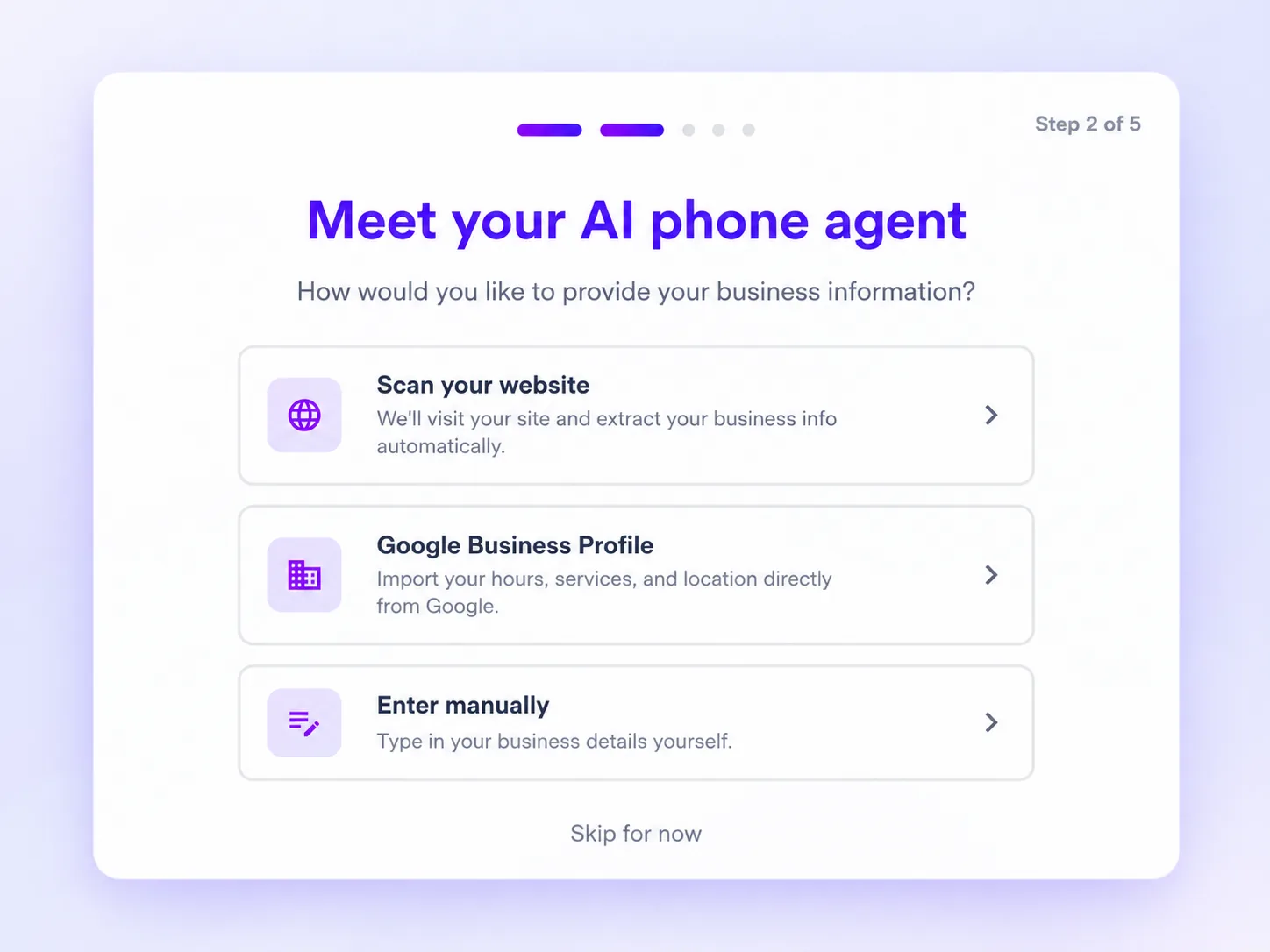
Tell Zinng about your business, services, and hours. Your AI learns everything it needs to know.
Connect Your Number
Use your existing number, get a new Zinng number, or forward calls. Whatever works best for your setup.
Zinng Answers
Your AI picks up every call, answers questions, books appointments, and captures leads.
Review & Follow Up
Every call is recorded and transcribed in your inbox. Text customers back directly with two-way SMS.
Need help? Our team provides free setup assistance for every customer.
7-day free trial. No contracts, cancel anytime.
Zinng Learns Everything About Your Business
Zinng is trained on your actual business, your services, and your FAQs. That means callers and leads get the right answers from day one.
Automatically trained from your website or Google Business Profile.
Teach it anything: share your docs, book a setup call, or chat with our AI, and we'll tailor Zinng to work exactly how you want.
Add custom FAQs so Zinng says exactly what you'd say.
Choose from 10+ voices and give her a custom name.
Speaks fluent English, Spanish, and many other languages.
7-day free trial. No contracts, cancel anytime.
Go Live in Minutes
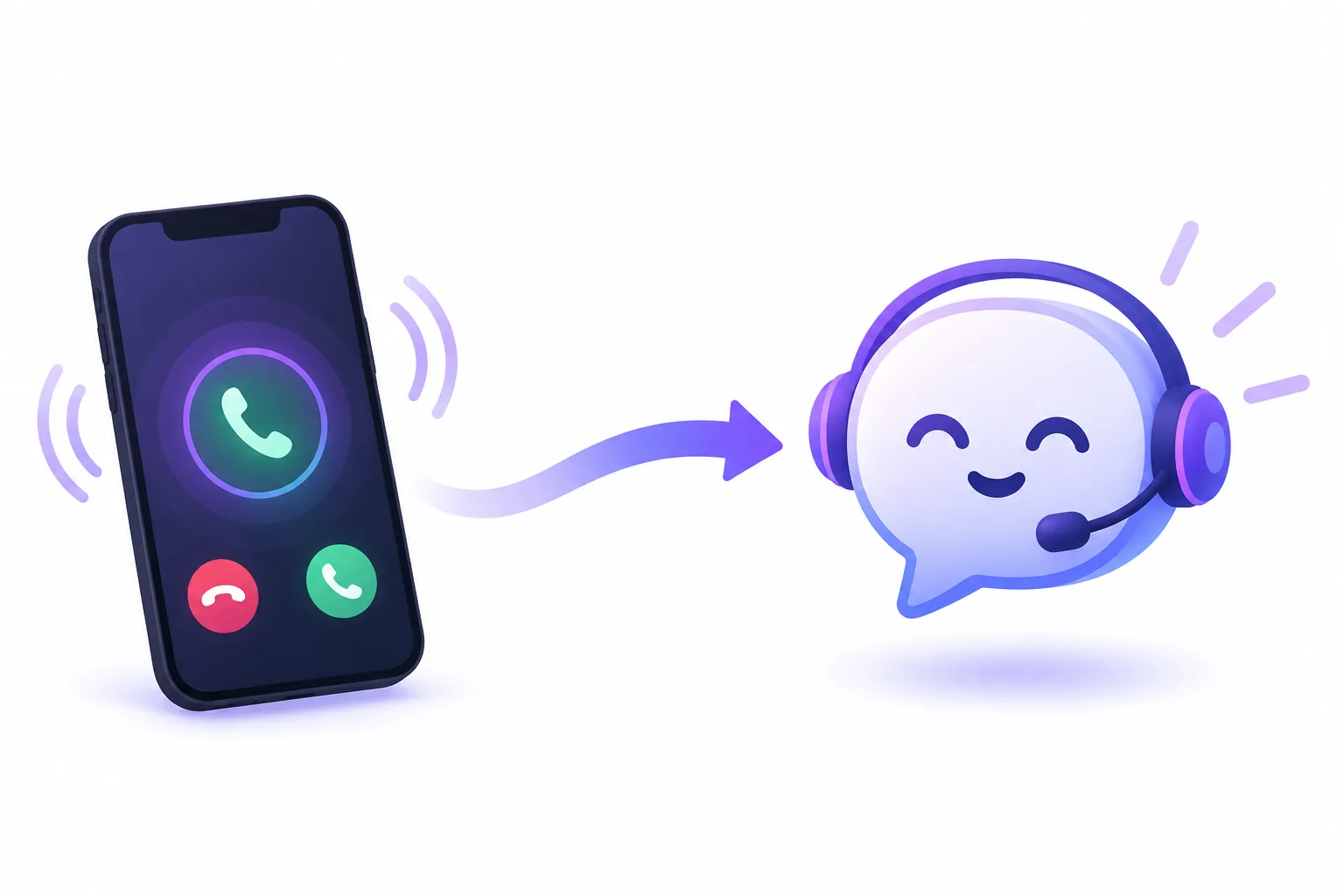
Keep your existing number or go with one of ours. Either way you're up and running fast, and we help you through every step.
Keep your existing number
Your customers already know your number, so keep it. Two easy ways:
- Forward your calls to Zinng. It takes a couple of minutes, and our free tool gives you the exact steps for your carrier.
- Port your number to us. Prefer Zinng to answer your number directly? We'll move it over for you.
Get a new Zinng number
Want a clean start? Pick a new local or toll-free number in seconds and start taking calls right away.
Have a business line with no texting? Ask us about number hosting. We can host your existing number and add SMS, so Zinng can text your customers too.
7-day free trial. No contracts, cancel anytime.
Every Conversation in One Inbox
Calls, texts, and web chats all land in the same place. Open Zinng on your laptop or your phone and pick up right where you left off.
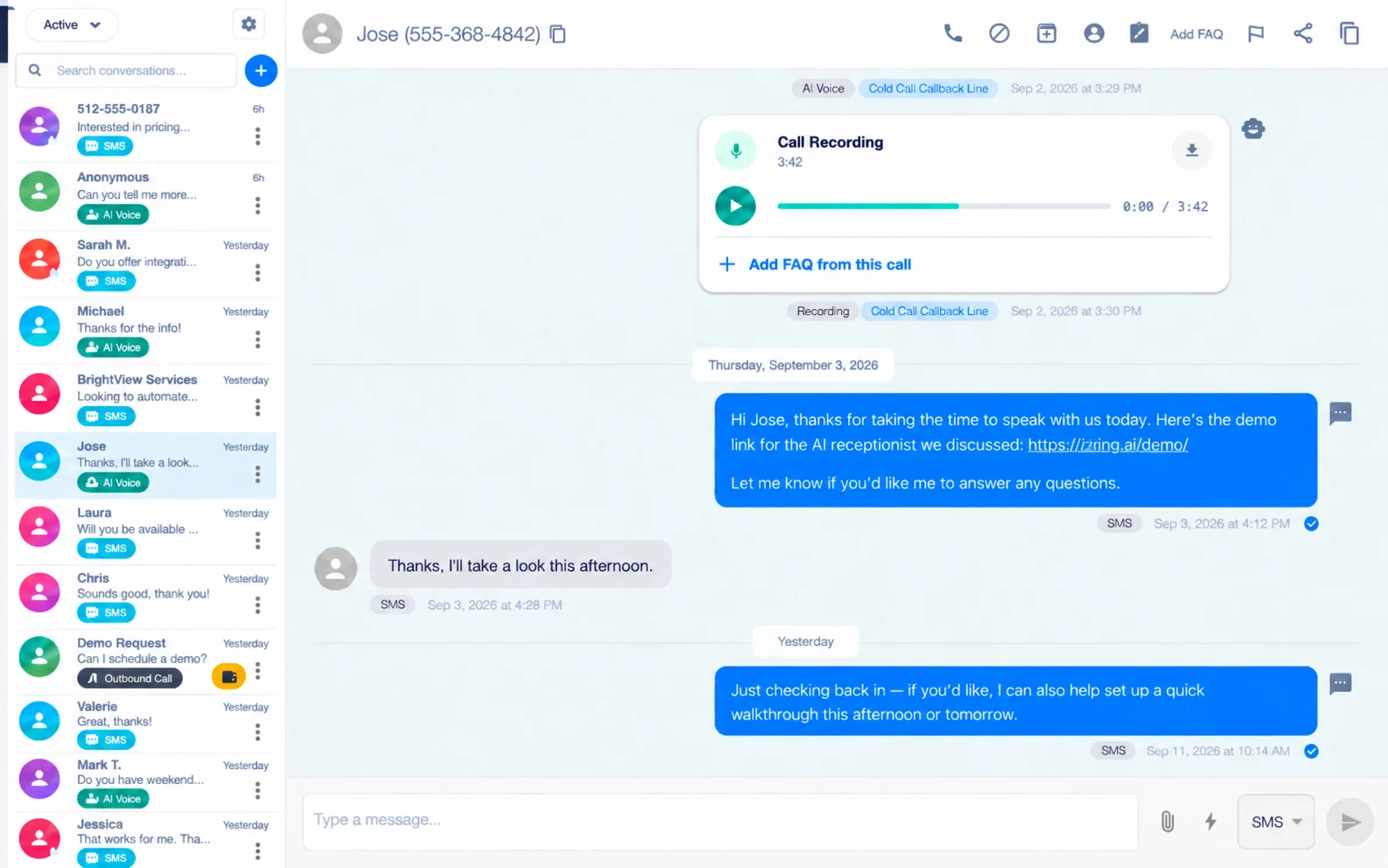
Available on web, iOS, and Android so your inbox is with you wherever you are.
Read a full transcript of every call so you know exactly what was said.
Texts and website chats too. SMS and chat widget conversations land right beside your calls.
Quick Messages let you save the replies you send all the time and fire them off in one tap.
7-day free trial. No contracts, cancel anytime.
Every Plan Includes Unlimited Two-Way SMS
Text your customers from the same inbox that handles your calls. Confirm appointments, answer quick questions, and send the details they asked for, all without picking up the phone.
89%
of consumers have opted in to texts from a business, up from 66% five years ago.
87%
check a new text within 15 minutes, so your message actually gets seen.
65%
would rather get an appointment reminder by text than any other way.
Source: 2026 Consumer Texting Behavior Report, a survey of 959 US consumers.
Texting is not a separate bill here. Plenty of business texting apps charge about what Zinng costs and give you a texting inbox and nothing else. With Zinng, unlimited two-way SMS comes with every plan, on top of your AI receptionist, your call transcripts, and your website chat widget.
7-day free trial. No contracts, cancel anytime.
Take Your Business On the Go
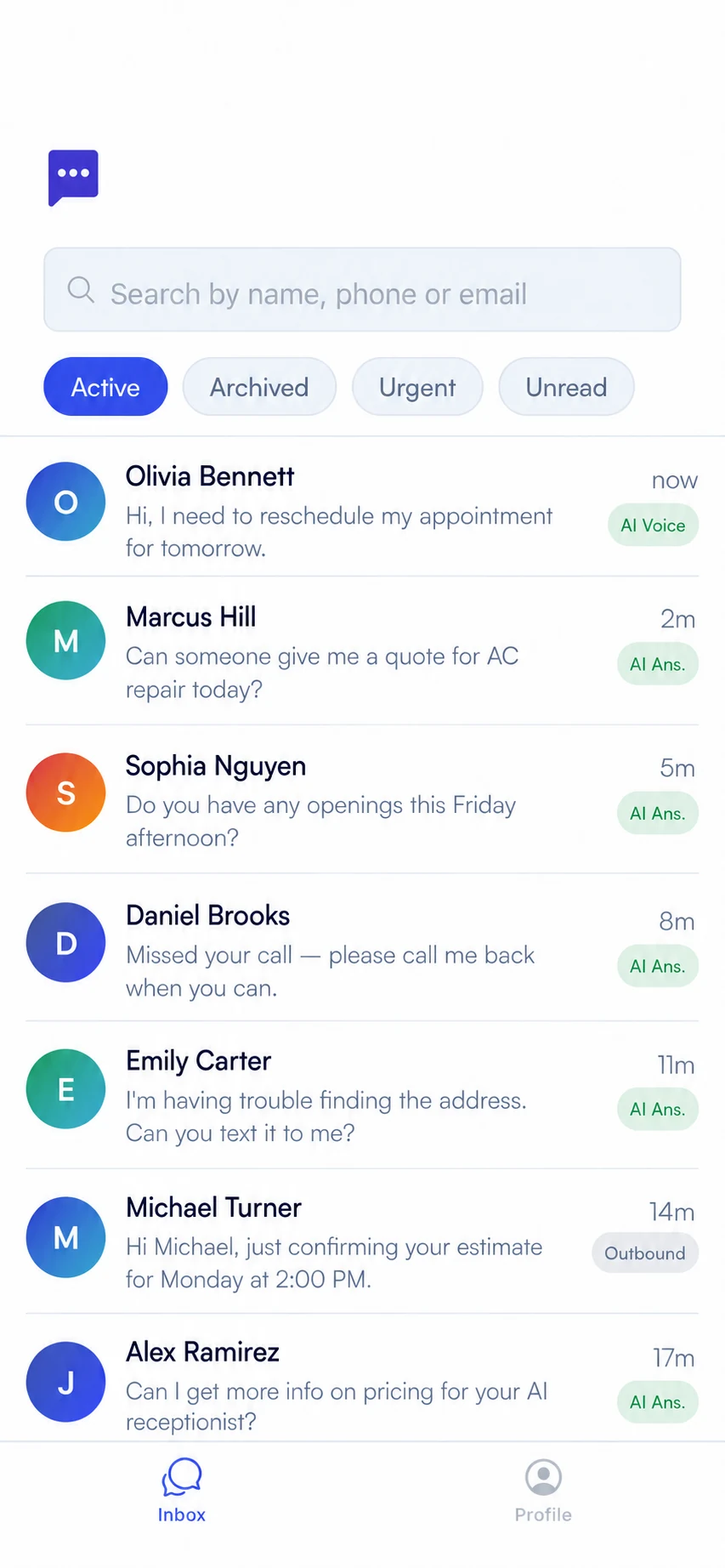
The Zinng app puts your inbox, your customers, and your business number in your pocket. Answer a customer from the job site, the truck, or the couch.
Text your customers back from anywhere. Full two-way SMS, right from your phone.
Listen to call recordings and read transcripts so you can catch up on everything Zinng handled while you were busy.
Call customers yourself from your Zinng number. They see your business number, not your personal cell.
Available now on Google Play
Download the Zinng app and sign in with your account.
Download it nowon Google PlayAvailable by invite
The iOS app is ready and in testing while we finish App Store review. Reach out and we'll send you an invite.
Coming soonto the App Store7-day free trial. No contracts, cancel anytime.
Turn Calls Into Booked Appointments
Zinng does more than take a message. It gets the appointment on the books before your caller hangs up. There are two ways to do it, and you can use either one or both.
Text your booking link, mid-call
Your agent texts your scheduling link while the caller is still on the phone, so it is sitting on their screen the moment they hang up.
It is not just booking links. Zinng can text callers anything you set up: your address, a quote, an intake form, or a link to your reviews.
Book it live, right on the call
Zinng checks your real availability, offers the caller open times, and puts the appointment on your calendar before the call ends.
Works with the calendar you already use, including Google Calendar, Outlook, and many others, so you never get double-booked.
7-day free trial. No contracts, cancel anytime.
When It Matters, Zinng Hands Off to a Human
Your AI receptionist knows when a caller needs a real person, and it can put them through. If nobody picks up, it goes right back to taking a message, so the call never falls through the cracks.
Cold transfers
Zinng puts the caller straight through. Quick, clean, and the caller is talking to your team in seconds.
Warm transfers
Zinng briefs your team member first on who is calling and what they need, then connects the two. No one has to ask the caller to repeat themselves.
One number or many
Send every transfer to a single line, or route callers to the right person based on what they are calling about.
Try it yourself right now. Call our own Zinng agent and ask to be transferred to a human. It will ring one of us, for real.
213-263-47777-day free trial. No contracts, cancel anytime.
Talk to the Visitors Already on Your Site
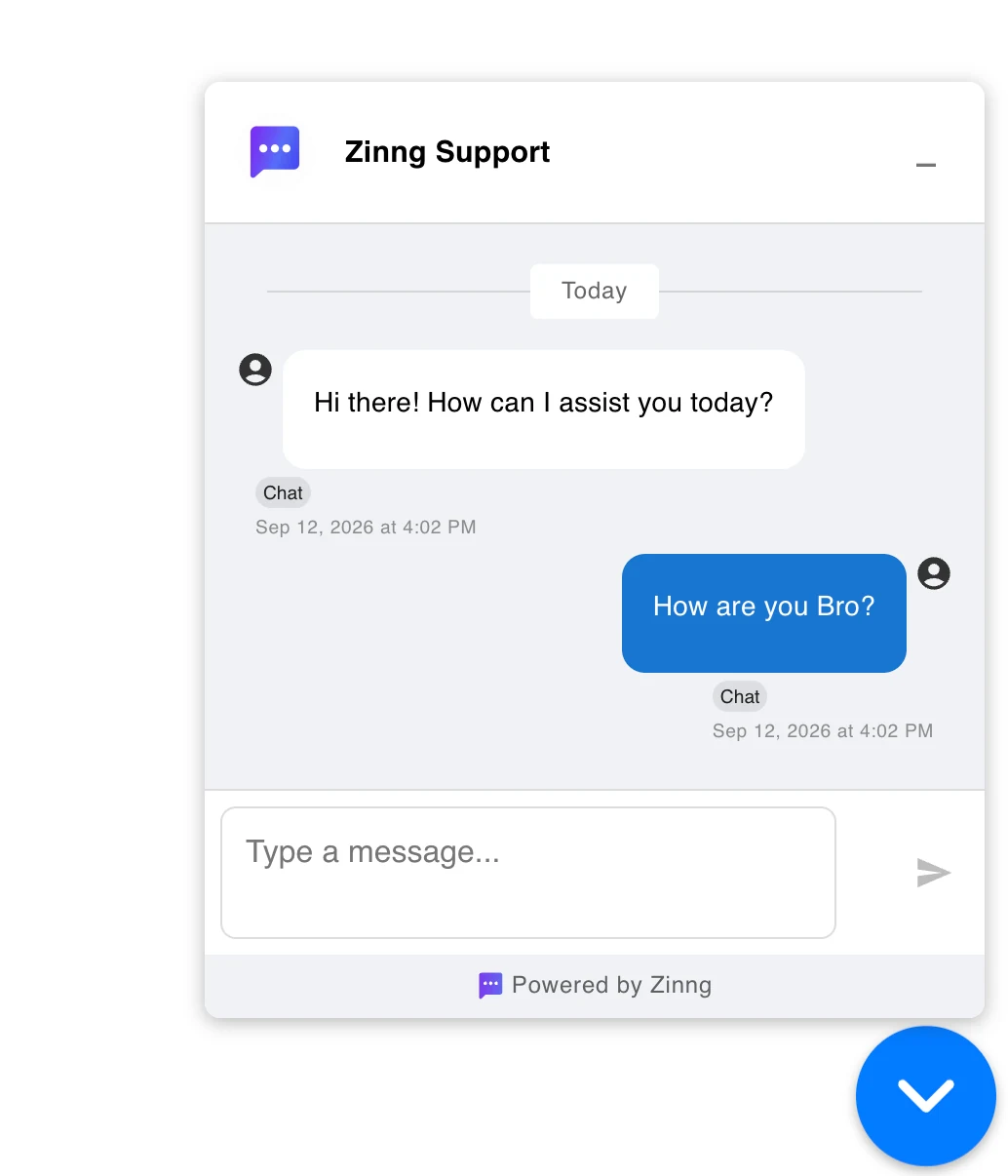
Add the Zinng chat widget to your website and catch the people who would rather type than call. Every chat lands in the same inbox as your calls and texts.
Drops onto any website. Paste one snippet and the widget is live.
Chats land in your inbox right next to your calls and texts, so there is nothing new to check.
Answer from your desk or your phone. Web app or mobile app, whichever you have open.
AI chat replies are coming soon. Your Zinng agent will answer website chats the same way it answers the phone.
7-day free trial. No contracts, cancel anytime.
Put Your Follow-Up on Autopilot
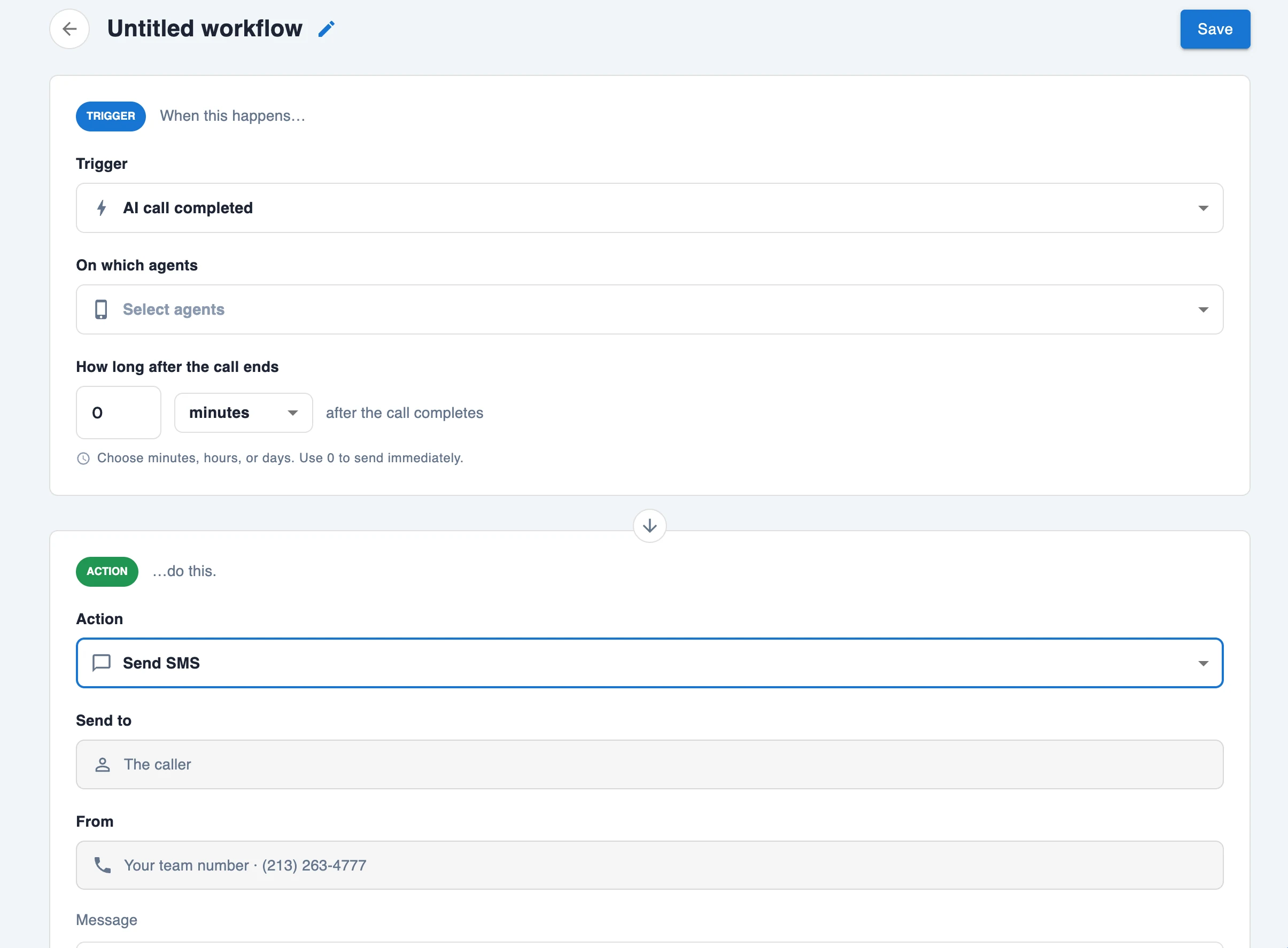
Workflows let you decide what happens after a call ends. Zinng handles the follow-up on its own, every time, without you remembering to do it.
It starts when a call ends
The moment your AI receptionist finishes a call, the workflow picks it up.
Then it takes action
Send the caller a text with your booking link, your address, or anything else you want them to have.
Or writes it with AI
Let AI write the text based on what was actually said, so every follow-up fits the call it came from.
And it only fires when you want it to. Text only the callers who did not leave a message, or the ones who asked about a specific service, or the ones calling from a number you care about. You set the rule, Zinng follows it on every call.
7-day free trial. No contracts, cancel anytime.
Powerful Integrations
Connect Zinng to the tools you already use, so your AI agent books appointments and captures leads right where you work.
Google Calendar
SchedulingYour AI agent books straight into your Google Calendar.
Works via Calendly & Cal.com
Outlook Calendar
SchedulingYour AI agent books straight into your Outlook calendar.
Works via Calendly & Cal.com
Calendly
SchedulingBook appointments directly into your Calendly calendar from phone calls.

Cal.com
SchedulingOpen-source scheduling connected to your AI phone agent.

Zapier
Automation & CRMConnect Zinng to 7,000+ apps with automated workflows and triggers.

Jotform
Automation & CRMCreate a Jotform submission with the caller's details after every call.
Eaglesoft
DentalAutomate patient scheduling in Patterson Dental's Eaglesoft system.
Dentrix
DentalSchedule dental appointments directly in Henry Schein's Dentrix.
Open Dental
DentalAI-powered phone scheduling for Open Dental practices.
Yardbook
Field ServiceManage lawn care and landscaping scheduling from phone calls.
ShopMonkey
Field ServiceAutomatically create a customer in ShopMonkey after every call.
No integrations found matching your search.
Testimonials
Don't take our word for it. Hear from real businesses that never miss a call with Zinng.
7-day free trial. No contracts, cancel anytime.
We Set Up Your AI. You Don't Touch a Thing.
No prompting, no trial and error. Tell us about your business and our team builds, reviews, and fine-tunes your AI receptionist for you. It's included on every plan.
Tell Zinng about your business
Share your website or Google Business Profile, or just dictate the details. Whatever is easiest for you.
Start your trial
Answer a few quick questions about how you want your agent to handle calls, and our system configures it for you.
We review it
Shortly after, a real person on our team reviews your agent to make sure everything is right.
Start taking calls
Your AI receptionist is ready to answer your calls, day or night.
Created by Timothy Bramlett
100% Self-Funded
No investors. No board. No exit strategy.

I'm Tim, founder and CEO of Zinng. I started as a senior software engineer, went on to lead Software Incubation at HP, and founded several software products of my own, including Notifier and Stammer. Zinng is the personal one: my wife and I built it out of our own dental practice, tired of overpaying for clunky software that never quite worked. It's fully self-funded, answers only to our customers, and it's here for the long haul.
Your data stays yours
We don't sell it, share it, or use it to train AI models. You pay us, we run your phone line. That is the whole business model.
We're not going anywhere
Zinng is fully self-funded, with no investors and no exit to chase. We run our own businesses on it every day.
Built for customers, not a board
Features ship because customers ask for them, not because someone needs a bigger valuation.
No dark patterns, ever
No artificial limits, no manipulative cancellation flows, no ads in your dashboard. Cancel any time.
Real humans, often the founder
Reach out and you get real people who know the product, and frequently me.
Born in a real business
Zinng started in our own dental office because we needed it, not in a lab.
7-day free trial. No contracts, cancel anytime.
Less Than the Cost of One Missed Call
Simple, predictable pricing with no forced upgrades. Need more minutes? Purchase a bucket of minutes instead of upgrading your plan.
Essentials
Everything a small business needs to answer every call, book appointments, and capture leads 24/7.
7-day free trial. No contracts, cancel anytime.
Pro
Built for growing teams that need more advanced workflows and integrations.
7-day free trial. No contracts, cancel anytime.
Growth
For high-volume businesses that need more minutes and every Pro feature included.
7-day free trial. No contracts, cancel anytime.
Scale
For businesses with high call volume that need maximum capacity.
7-day free trial. No contracts, cancel anytime.
* Two-way SMS on Essentials is available with anyone who texts or calls you first.
Need more minutes?
Purchase a bucket of minutes from us if you don't want to upgrade your plan.
Frequently Asked Questions
Find answers to common questions about Zinng's platform
Didn't find it?
Ask us directly and we'll answer right away.
You can be live in minutes. Sign up, add your website or Google Business Profile, and Zinng builds your AI agent immediately.
After that, just chat with our AI to make any changes you want to your agent.
Excellent. We've had many reports of callers not realizing they weren't talking to a human.
That said, we recommend being upfront and letting callers know they're speaking with an AI assistant, for example: “Hi, this is the AI assistant for [Your Business]. How can I help?”
Yes. Every Zinng agent is built specifically for your business with all your services, hours, locations, team members, pricing tiers, and FAQs. For most businesses, that's enough.
If you have a large amount of documentation (extensive service catalogs, detailed pricing structures, internal procedures, and so on), we offer knowledge bases that can ingest the data so the agent can reference it on calls. If you have a massive amount of content, reach out to us and we'll work out a custom solution to get it all in there.
Zinng supports call transfers to a human, and we strongly recommend every business set this up. Some of the biggest companies have made the mistake of deploying AI without an escalation path, and it leads to frustrated customers. With Zinng, you can have the AI transfer callers to a real person whenever needed.
On the $49 Essential plan, you can transfer to one phone number. On the $99 Pro plan, you can transfer to multiple numbers based on the type of call (for example, new sales calls go to one person, existing customer issues go to another). The AI can also send a message to your team via SMS, email, or Zapier so you know about the call right away.
Yes. Service businesses are our bread and butter. We have customers in lawn care, plumbing, pest control, HVAC, dental, legal, medical, and many other industries. We even have a direct integration with Yardbook for lawn care companies. If you run a service business, Zinng is built for you.
Cancellation is handled through Stripe and follows standard subscription cancellation. When you cancel, you won't be billed again. Your plan remains active until the end of your current billing period, after which the subscription ends and you stop being charged. There are no contracts, no cancellation fees, and you can cancel any time from your billing settings.
Zinng voice agents can speak and converse with callers in 63 languages and dialects. While we currently only provision phone numbers in the United States and Canada, and we recommend writing your agent's instructions in English for the best understanding and logic, the agents themselves can fluently communicate with callers in any of the supported languages.
Supported languages:
English, Spanish, Spanish (Latin America), English (Indian), English (UK), English (Australian), English (New Zealand), French, French (Canadian), Chinese, Cantonese, German, Hindi, Japanese, Portuguese (Portugal), Portuguese (Brazil), Russian, Italian, Korean, Latvian, Czech, Lithuanian, Dutch (Netherlands), Dutch (Belgium), Polish, Turkish, Vietnamese, Romanian, Danish, Finnish, Greek, Indonesian, Norwegian, Slovak, Swedish, Bulgarian, Hungarian, Malay, Catalan (Spain), Thai, Arabic, Afrikaans, Azerbaijani, Bosnian, Welsh, Persian, Filipino, Galician, Hebrew, Croatian, Armenian, Icelandic, Kazakh (Kazakhstan), Kannada (India), Macedonian, Marathi, Nepali, Slovenian, Serbian, Swahili, Tamil, Ukrainian, and Urdu.
Need support for a language not listed here? Let us know and we'll look into it.
Absolutely. Most people start by forwarding their unanswered and after-hours calls to Zinng.
We also have customers who put their AI agent on the front line for every call, and it transfers to a human when needed.
Blocked callers don't. You can block any number directly in the Zinng interface, and since the AI never picks up those calls, they don't count against your minutes.
Zinng also works as a spam filter on its own. Tell your AI agent what kinds of calls you don't want, and it will politely end them within seconds, which saves you a lot of minutes.
Absolutely. Today we support checking availability and scheduling appointments through Cal.com and Calendly, with support coming soon for common practice management systems like Eaglesoft, Dentrix, Open Dental, and more.
Here's how it works: Zinng voice agents have tools to check the availability of your calendar through whatever integration you're using. They collect the caller's email address, check your calendar availability, and can schedule an appointment live on the call.
One thing to keep in mind is that scheduling appointments using only a phone number (without an email) is possible but requires a bit more setup. For example, with Cal.com you would need to configure a workflow to text the caller a calendar link and reminder. We're happy to help you set this up if you're interested.
It's also worth noting that some businesses actually prefer having the agent text a scheduling link rather than booking directly on the call. That can sometimes be a better experience depending on your workflow.
Have questions about getting this set up? Chat with us using the widget in the bottom right, or reach out at [email protected].
We recommend one agent per location. This gives each location its own dedicated phone number, custom greeting, and tailored instructions for that specific office.
That said, it is possible to structure a single agent's instructions so it asks the caller which location they're calling about and handles multiple locations from one number.
Want to talk through the best setup for your business? Chat with us using the widget in the bottom right, email us at [email protected], or schedule a demo.
7-day free trial. No contracts, cancel anytime.
Try Zinng for Your Business
Two ways to experience your AI receptionist in action.
Build a demo from your website
We'll create a custom AI receptionist you can talk to in your browser in about a minute.
Call or text Zinng Live Agent
This is our own live AI agent. Call or text it to experience what a browser demo can't show:
- Book an appointment live, right on the call
- Get a scheduling link by text and pick your own time
- Get transferred to a real Zinng team member when one is available
No website? No problem. Zinng's onboarding lets you build your agent from your Google Business Profile instead. You can go through the whole setup live and completely free, no website needed.