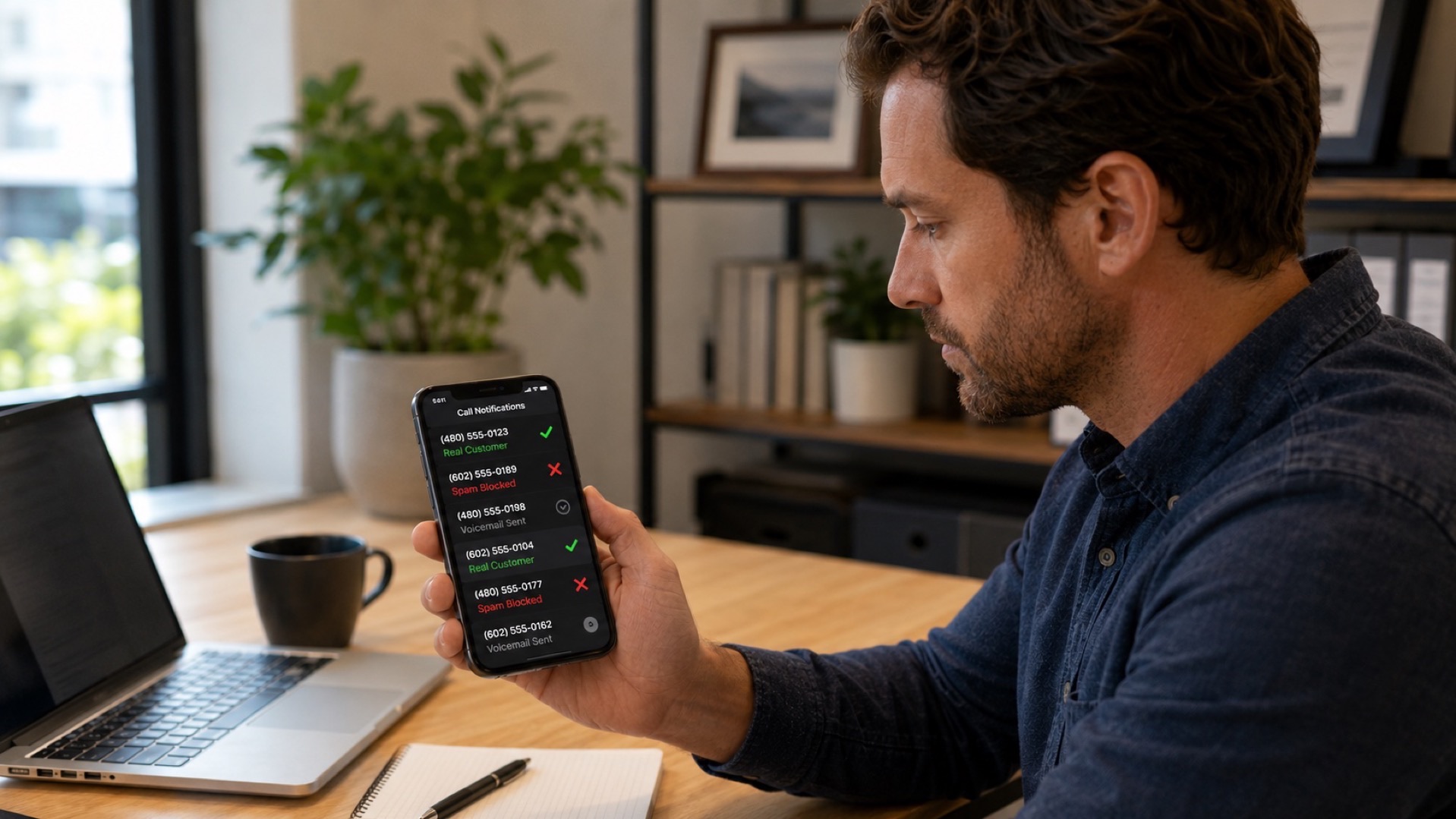
Roughly 30-50% of all phone calls received by small businesses are spam, robocalls, wrong numbers, or low-priority inquiries that do not need an immediate response. Without a system to sort the calls worth taking from the calls that waste your time, you end up answering everything and protecting nothing.
Call screening is the system. This guide covers what it is, the five methods used to do it, and how to set it up for a small business in 2026.
What Is Call Screening?
Call screening is the practice of identifying who is calling and why before deciding whether to answer the call or route it elsewhere. It separates the calls you should take immediately from the calls that can wait, the calls that should go to voicemail, and the calls that should be ignored entirely.
The "screening" part can happen in different ways: caller ID showing the number, a quick automated greeting that asks the caller their name and reason for calling, an IVR menu asking what the caller needs, or an AI receptionist that has a 30-second conversation with the caller and routes the call accordingly.
The goal is always the same: the right calls reach you, the wrong calls don't, and you spend less time on the phone overall.
How Call Screening Works
Every call screening system works in three stages:
- Capture information about the caller. This can be as simple as caller ID (number, name, location) or as deep as having the caller verbally state their name, business, and reason for calling.
- Apply a rule. The rule can be a hardcoded blocklist (known spam numbers), a whitelist (only let through your top 50 customers), a logic tree (if the caller mentions an emergency, route immediately; otherwise, take a message), or a smart AI judgment (this caller sounds like a real lead, route to your phone).
- Route the call. Options include answering live, sending to a different team member, sending to voicemail, sending to an AI receptionist, hanging up automatically (for known spam), or scheduling a callback.
The sophistication of each stage is what separates a $0 phone-based screen from a $99/month AI receptionist that handles screening as one of many features.
Why Call Screening Matters for Small Business
Four practical reasons every small business should screen calls:
- Spam is a real problem. Federal Trade Commission data shows that US consumers receive billions of robocalls per year, and small business numbers are disproportionately targeted because they are public and often answered. Without screening, 30-50% of your inbound call volume can be spam.
- Focus is expensive. Every interrupted call breaks your focus on whatever you were doing. Studies on context switching put the recovery cost at 10-20 minutes per interruption. If you're getting 15 calls a day and only 5 of them matter, you're losing several hours of productive time daily.
- Customer experience improves. When the right calls reach you immediately and the wrong calls get a professional handoff (a voicemail, an AI receptionist, a callback queue), the customers who matter feel prioritized.
- You stop paying for spam on per-minute services. If you use a live answering service that bills per minute, every spam call costs you money. Screening upstream cuts that waste.
The 5 Methods of Call Screening
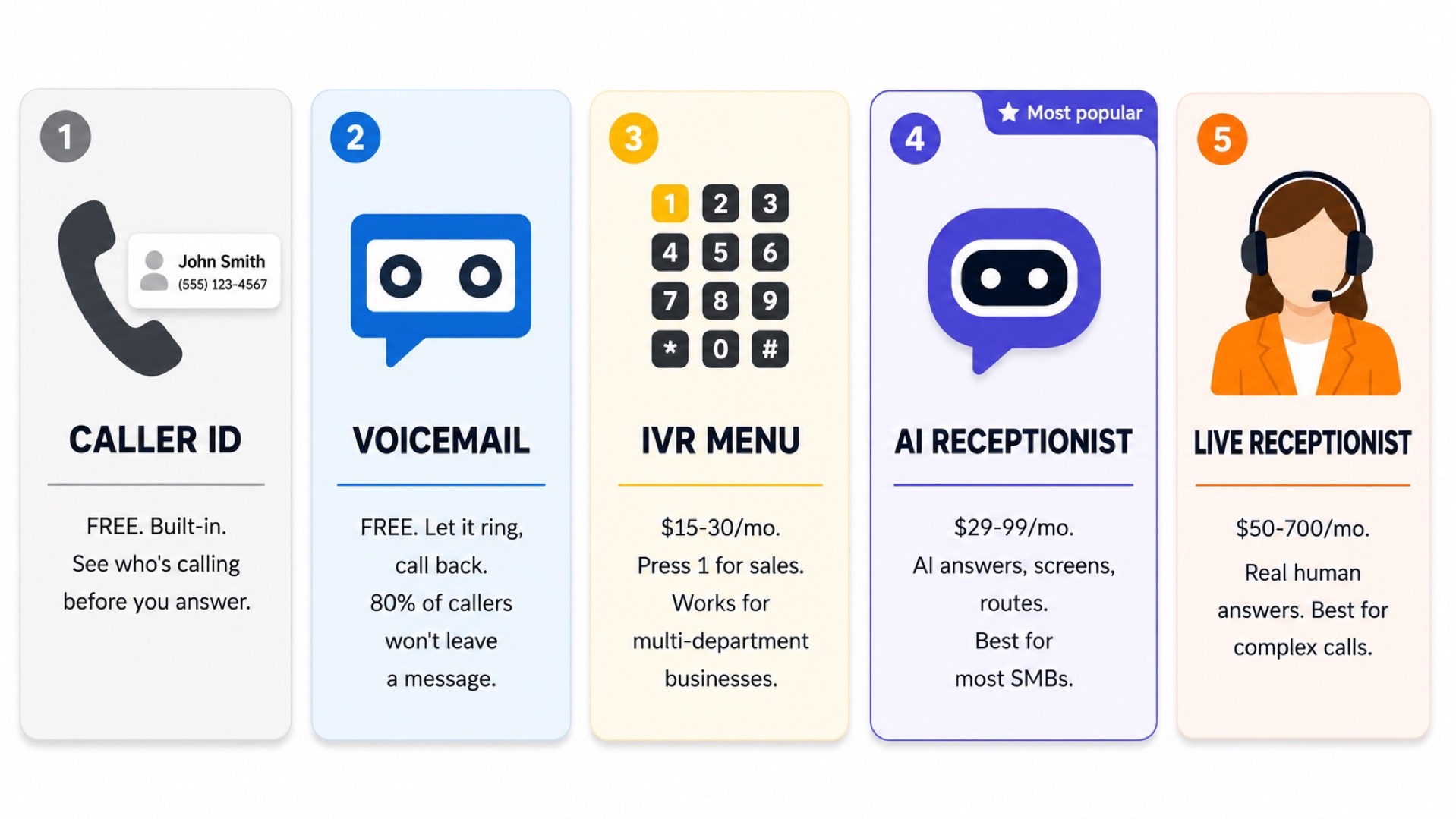
Five methods are common in 2026. Most small businesses end up combining two or three.
1. Caller ID Screening
The simplest method. You see the incoming number, recognize it (or not), and decide whether to answer. Built into every smartphone and business phone system. Free.
Best for: Solo operators who can manage call volume manually. Useful as a layer on top of other methods.
Limits: Cannot tell you what the caller wants. Spammers spoof local numbers to defeat it. Doesn't scale beyond a few dozen calls a day.
2. Voicemail Screening
Let the call go to voicemail, listen to the message, then decide whether to call back. The original call screening technique. Still works.
Best for: Solo operators or busy professionals who can't answer in the moment but will follow up.
Limits: 80% of callers don't leave a voicemail. You lose most leads this way. Slow response time even when you do return the call.
3. IVR (Press 1 for Sales, Press 2 for Support)
An automated menu that asks the caller what they need before routing the call. Standard on most VoIP phone systems and call center platforms.
Best for: Businesses with multiple departments or call types that can be cleanly categorized.
Limits: Customers hate IVR menus when they're too long or when they hide a real human behind 4 layers of menus. Use sparingly and keep menus short (2-3 options max).
4. AI Receptionist Screening
An AI voice agent answers the call, has a brief conversation with the caller (asks their name, reason for calling), and then routes the call based on context. The same agent can also handle the entire call if it's a routine request.
Best for: Most small businesses in 2026. It's the most flexible option that doesn't require staffing.
Limits: Subscription cost ($29-$99/month). Voice quality varies by provider. Doesn't fully replace humans on emotionally complex calls.
5. Live Receptionist Screening
A real person answers your calls and decides whether to put them through, take a message, or route elsewhere. Either an employee (in-house receptionist) or a third party (live answering service).
Best for: Businesses where calls require empathy, judgment, or product knowledge that AI can't reliably handle yet.
Limits: Expensive. In-house receptionists cost $35-$50k/year. Live answering services charge $1.30-$5.40 per minute.
Pros and Cons of Call Screening
Pros
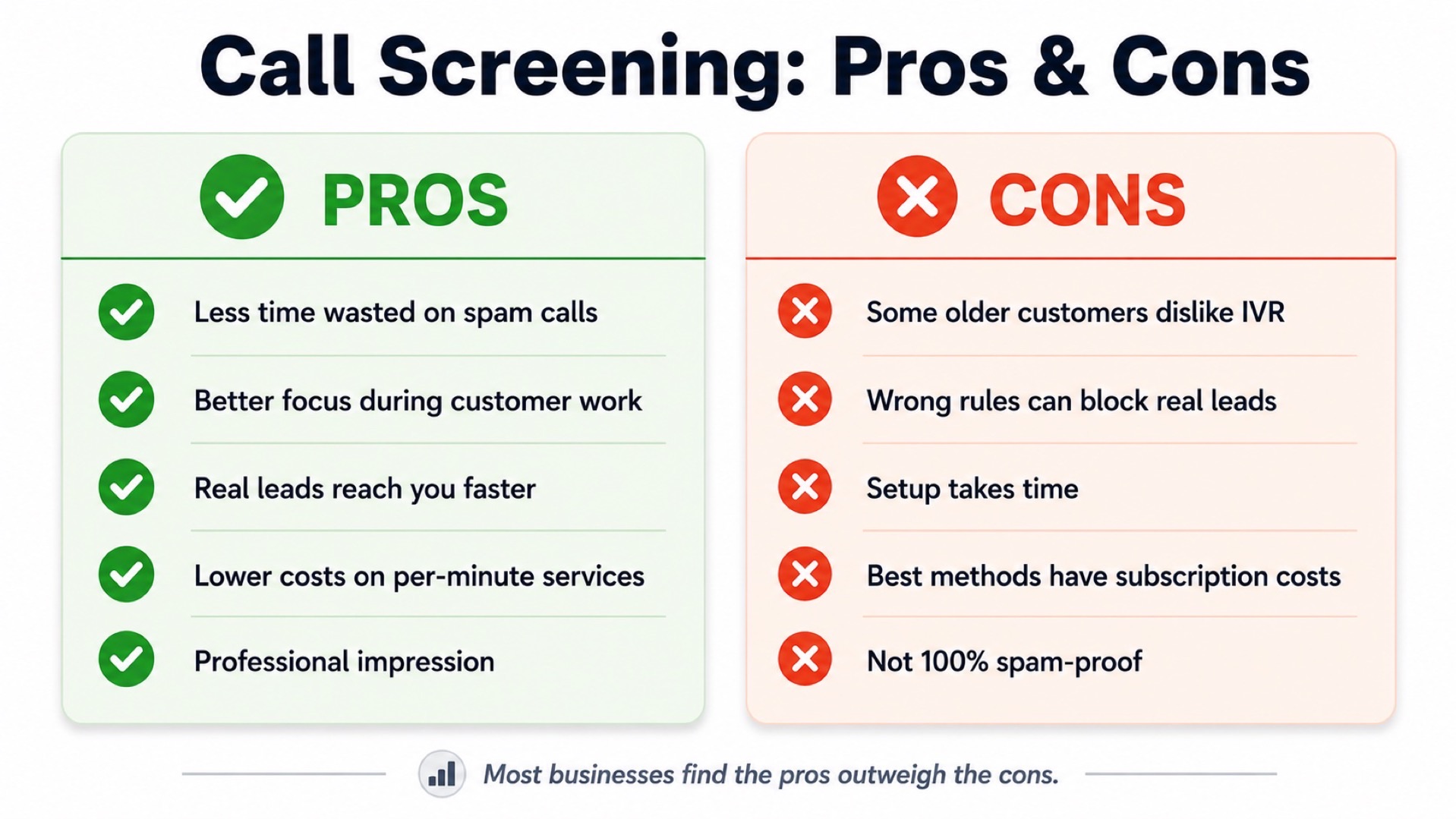
- Less time on the phone. The whole point. Calls that don't matter don't reach you.
- Better focus during deep work. Especially when you're with a customer, on a job site, or in a meeting.
- Spam and robocalls filtered out. Most modern screening methods auto-handle these.
- Improved customer experience for high-priority callers. Their calls get through faster.
- Lower costs on per-minute services. You stop paying for spam.
Cons
- Some real customers will hang up. Especially older callers who don't like IVR menus or talking to AI. Mitigate by keeping menus short and AI conversations natural.
- You can miss a critical call if rules are too aggressive. A whitelist that excludes a new lead is a problem.
- Setup time. Configuring rules, scripts, and routing takes 30 minutes to a few hours depending on method.
- Subscription costs. The better screening methods (AI receptionists, live services) cost money. Caller ID and voicemail are free but less effective.
How to Set Up Call Screening for Your Small Business
A practical setup process that takes about an hour:
- Audit your current call mix. For one week, log every call you receive: who called, what they wanted, was it spam, did you answer. You'll quickly see the patterns.
- Pick the right method based on your volume and budget. Under 20 calls/day and tight budget: caller ID plus voicemail screening. 20-100 calls/day: AI receptionist. 100+ calls/day or emotionally complex calls: live receptionist or AI plus live overflow.
- Define your routing rules. What counts as urgent? What gets a voicemail? What gets hung up on? Write these down clearly before configuring anything.
- Set up your chosen method. AI receptionists like Zinng take about 10 minutes to set up via chat. IVR setup depends on your phone system. Caller ID just requires you to start checking it before answering.
- Test it. Call yourself from a few different numbers (cell, friend's phone, blocked number) and confirm the routing works as intended.
- Tune it weekly. Check your call logs every week for the first month. Adjust rules where calls are being mis-routed.
For a deeper dive on AI options specifically, see our 10 best auto call answering apps roundup.
Frequently Asked Questions
What does it mean to screen a call?
Screening a call means identifying who is calling and why before deciding whether to answer. The simplest form is looking at caller ID before picking up. More sophisticated forms include having an AI receptionist or live receptionist ask the caller for their name and reason, then route based on the answer.
Is call screening rude?
Not when done well. Customers expect businesses to filter spam and route calls efficiently. Call screening only feels rude when it's clumsy: a 5-level IVR menu with no human option, an AI that doesn't understand the caller, or a voicemail box that never gets returned. Done well, customers don't notice it.
Can call screening block all spam?
It can block most, not all. Spammers spoof real phone numbers, so simple blocklists are limited. AI receptionists and trained human screeners are better because they evaluate the content of the call, not just the source number. Expect to block 80-95% of spam with a good system, not 100%.
How much does call screening cost?
Caller ID and voicemail screening are free. IVR is typically included with any business VoIP plan ($15-$30/user/month). AI receptionists run $29-$99/month. Live answering services run $50-$700/month. In-house receptionists cost $35-$50k/year.
What's the best call screening method for a small business?
For most small businesses in 2026, an AI receptionist is the best balance of cost, capability, and customer experience. It answers every call, screens for spam, asks the caller their name and reason, and routes accordingly. Solo operators on a tight budget can start with caller ID plus voicemail and upgrade later.
Will customers know I'm screening their calls?
Sometimes yes, sometimes no. Caller ID screening is invisible. IVR menus and AI receptionists are obvious because the caller talks to a system before reaching you. Live receptionists are obvious for the same reason. The key is that good screening systems feel professional, not evasive.
Ready to get started?
Set up your AI phone agent in minutes. Try it free for 7 days.
Try Zinng Free for 7 Days
About the Author
Timothy Bramlett
Co-Founder & CEO, Zinng
Timothy Bramlett is an American entrepreneur, software engineer, and product strategist. He is the founder of Zinng, an AI-powered phone agent platform that helps businesses never miss a customer call with intelligent call handling, real-time transcripts, and instant summaries.