Why Google Reviews Matter More Than Ever
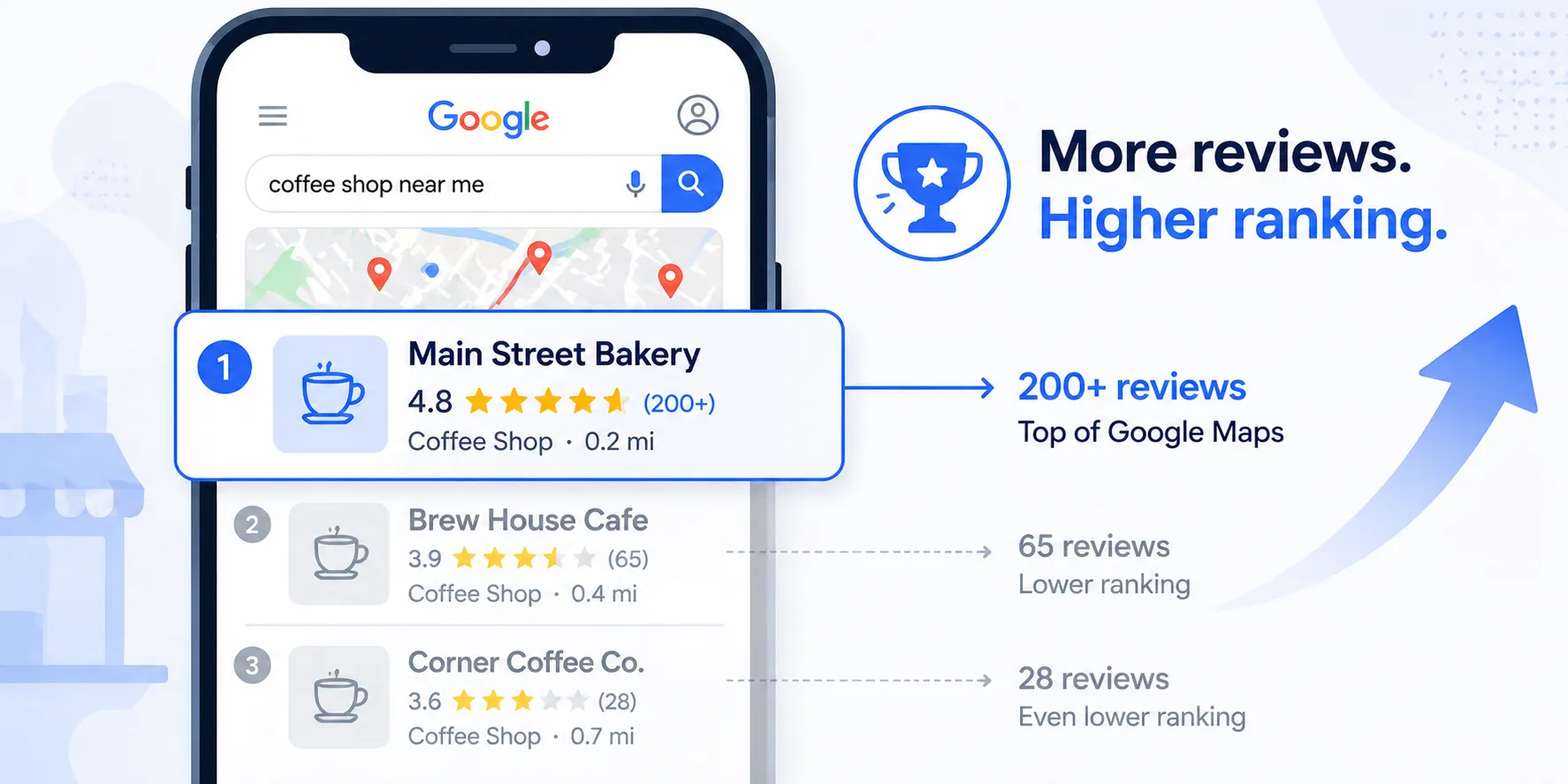
Google reviews are the single most important factor in how customers choose a local business. When someone searches "plumber near me" or "best dentist in Austin," Google ranks businesses with more reviews and higher ratings above everyone else.
The numbers are hard to ignore:
- 93% of consumers read online reviews before choosing a local business
- Businesses with 4.0+ stars receive 70% more clicks than those below 4.0
- Fresh reviews matter. Google weights recent reviews more heavily than old ones. A business with 50 reviews from 2023 loses to a competitor with 20 reviews from the past 3 months.
- Reviews with keywords help SEO. When a customer writes "great emergency plumbing service," Google associates your business with those search terms.
The problem is not that customers are unhappy. Most satisfied customers simply forget to leave a review, or the process feels like too many steps. They have to search for your business on Google, find the right listing, click "Write a Review," and then actually type something. Each step loses people.
A QR code eliminates every step except the last one.
What Is a Google Review QR Code?
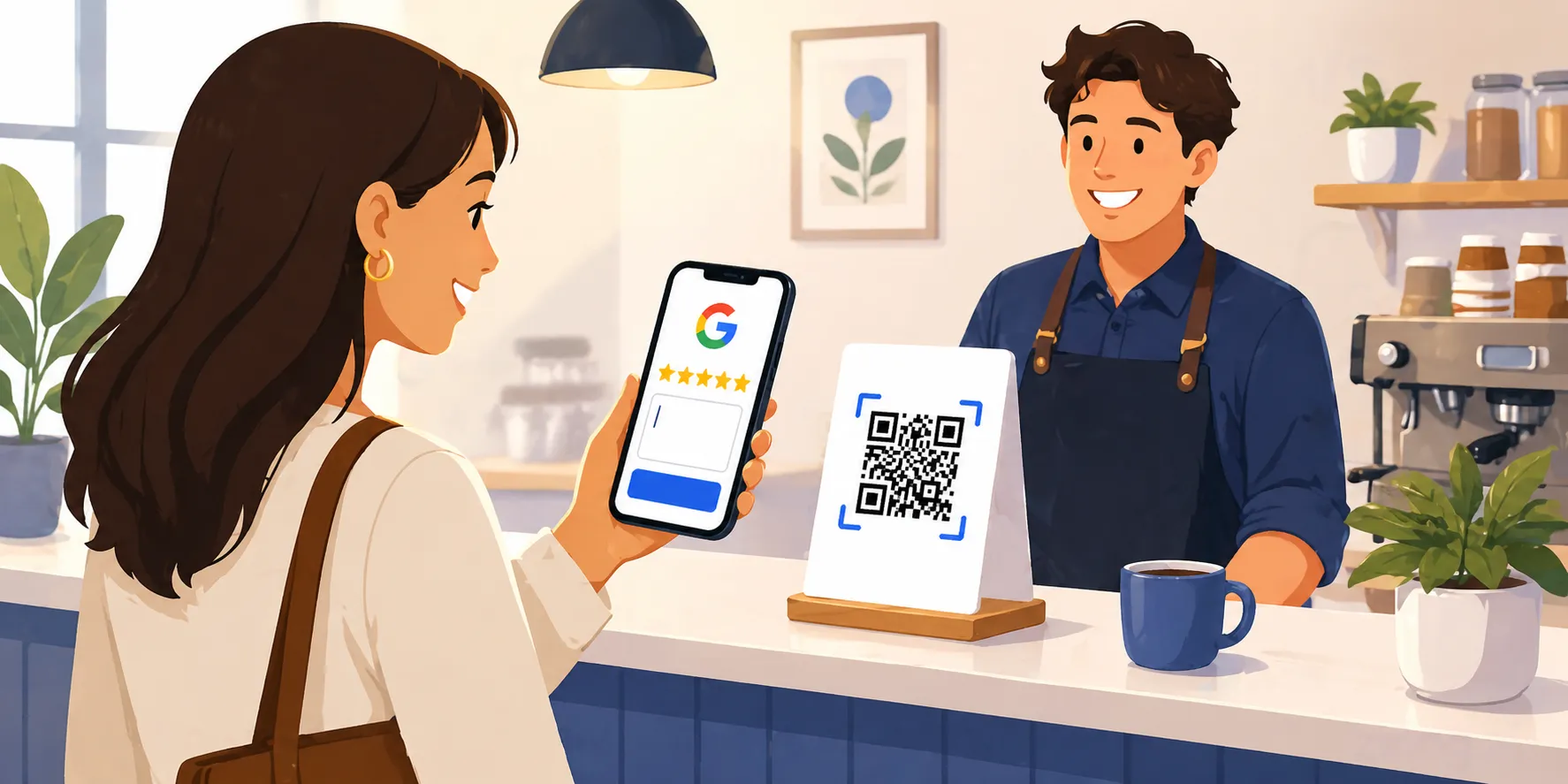
A Google Review QR code is a scannable image that takes a customer directly to your Google review form. When they scan it with their phone camera, the review page opens immediately with the star rating and text box ready to go. No searching, no navigating, no extra taps.
The QR code encodes a direct link to your Google Business Profile's review form. It skips the business listing entirely and drops the customer straight into the review writing experience.
Businesses using QR codes for review collection see roughly 3x more review submissions compared to verbal asks alone. The reason is simple: it removes friction. Instead of "search for us on Google and leave a review" (which requires 7+ steps), it is "scan this and tell us what you think" (2 steps).
How to Create a Google Review QR Code (Free)
We built a free QR code maker that generates your code in about 10 seconds. No account required, no email capture, nothing to install.
Here is how it works:
- Go to the Google Review QR Code Generator
- Search for your business by name. Start typing and select your business from the dropdown. The tool uses Google Places to find the right listing.
- Download your QR code. The tool generates a 256x256 PNG image you can download immediately. You also get a copyable direct review link.
That is it. Print the QR code, put it where customers can see it, and start collecting reviews.
You can also copy the direct review link and share it via email, text message, or on your website. The link opens the same review form that the QR code does. If you've ever wondered whether you need a separate "Google review scanner" app, you don't — the QR code itself is what gets scanned. Create your QR code here and you're done.
The QR code is one of the highest-leverage tactics for getting more reviews, but it's not the only one. For the full prioritized playbook (SMS automation, response strategy, review velocity, and a 90-day plan), see our pillar guide on how to get more Google reviews.
Where to Put Your Google Review QR Code
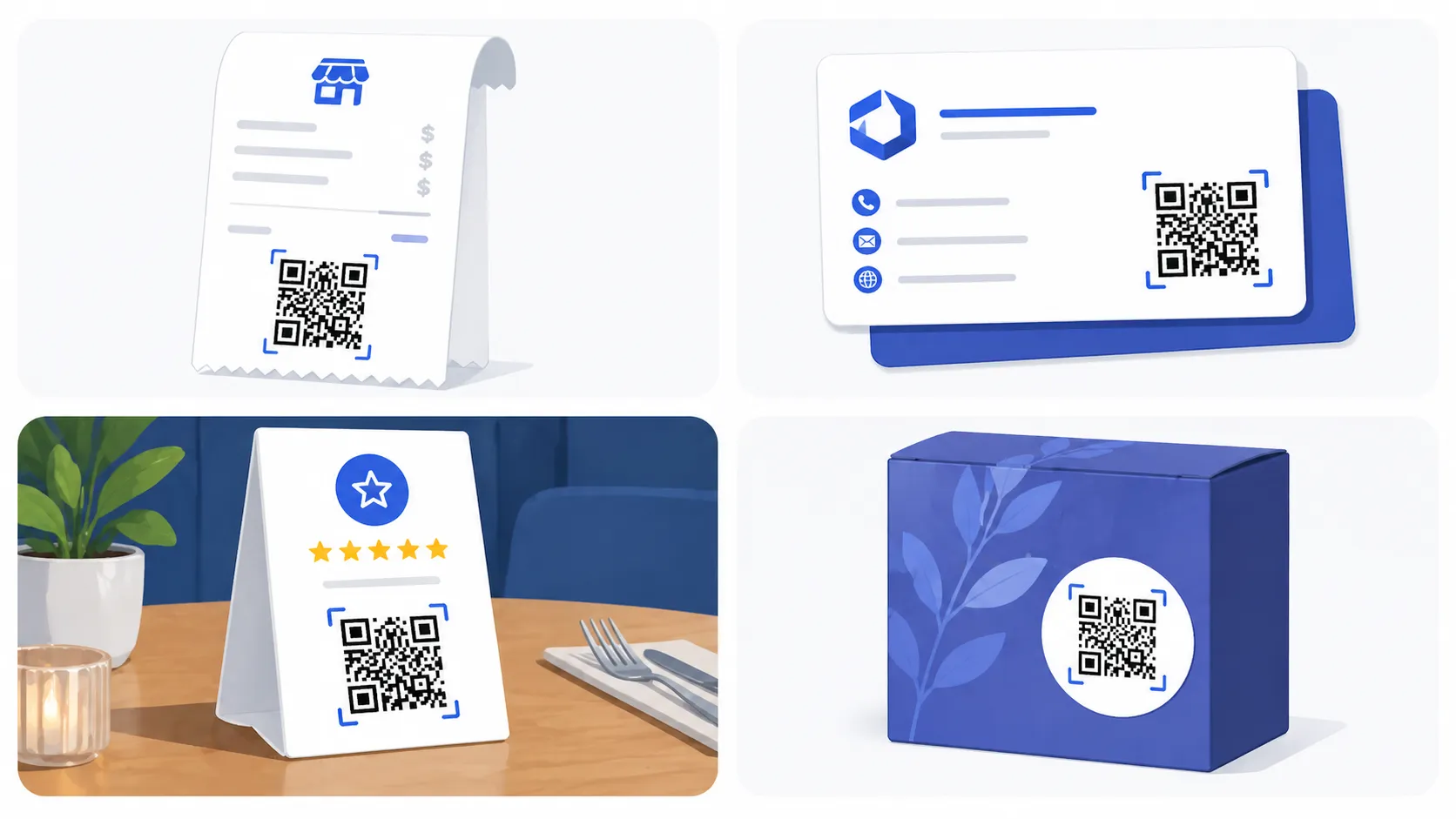
The best placement is wherever customers are when they are most satisfied with your service. That moment right after a great experience is when people are most likely to leave a positive review. Here are the highest-converting placements:
Receipts and Invoices
Print the QR code at the bottom of every receipt or invoice with a short line like "Happy with our service? Scan to leave a review." The customer is already holding the paper. One scan and they are on your review page.
Business Cards
Add the QR code to the back of your business card. When you hand someone a card, it doubles as a review request that lives in their wallet until they use it.
Table Tents and Counter Signs
For restaurants, salons, coffee shops, and any business with a waiting area or checkout counter. A small acrylic stand with the QR code and "Tell us about your visit" is enough. Customers scan while they wait or as they leave.
Exit Signage
A small sign by the door that says "Thanks for visiting. Scan to leave us a Google review." This catches people at the exact moment they are walking out, while the experience is still fresh.
Packaging and Shipping Inserts
For e-commerce or businesses that ship products. A card inside the package with the QR code turns every delivery into a review opportunity.
Service Completion Handoffs
For home service businesses (plumbers, electricians, HVAC, landscaping), hand the customer a card with the QR code when the job is done. "We finished up. If you are happy with the work, we would appreciate a quick review." This is the highest-conversion moment for service businesses.
Email Signatures
Add the direct review link (not the QR code image) to your email signature. Every email you send becomes a passive review request.
Best Practices for Getting More Reviews
- Ask at the peak of satisfaction. The moment a customer says "thank you" or compliments your work is the highest-conversion window. Have the QR code ready.
- Keep the ask simple. "We would really appreciate a Google review. You can scan this QR code, it takes about 30 seconds." That is the entire script.
- Make it visible, not pushy. A QR code on the counter is an invitation. Following up three times is harassment. One ask, one visible placement, and move on.
- Respond to every review. Google rewards businesses that engage with reviewers. Reply within 24 to 48 hours, even to short reviews. It shows future customers that you care and it signals activity to Google's algorithm.
- Do not offer incentives. Google explicitly prohibits offering discounts, freebies, or rewards in exchange for reviews. If caught, your reviews get removed and your profile can be penalized.
- Ask consistently, not in bursts. A steady stream of 2 to 3 reviews per week is better for SEO than 20 reviews in one week followed by silence. Google views consistent review velocity as a sign of a healthy, active business.
- Send SMS follow-ups within 2 hours. If you have the customer's phone number, a text message with the review link within 2 hours of service has a 3 to 5x higher conversion rate than email. Keep the text short: "Thanks for choosing [Business Name]. If you have a minute, we would love a Google review: [link]"
How Google Reviews Improve Your Local Search Ranking
Google uses three main factors to rank businesses in local search results (the "map pack" and "near me" searches):
- Relevance: How well your business matches the search query. Reviews containing keywords like "emergency plumber" or "wedding photographer" help Google understand what you do.
- Distance: How close your business is to the searcher. You cannot control this, but reviews help you win the tie-breakers.
- Prominence: How well-known and well-reviewed your business is. This is where reviews have the biggest impact. More reviews, higher ratings, and recent reviews all increase prominence.
A business with 150 reviews and a 4.6 rating will almost always outrank a competitor with 30 reviews and a 4.8 rating. Volume matters more than perfection.
Fresh reviews also signal to Google that your business is active and relevant. A review from today carries more weight than a review from two years ago. This is why consistent review collection (through QR codes, follow-up texts, and in-person asks) is more valuable than a one-time push.
Common Mistakes to Avoid
- Buying fake reviews. Google's AI detection is sophisticated and getting better. Fake reviews get flagged and removed, and your profile can be suspended. It is not worth the risk.
- Only asking happy customers. This sounds counterintuitive, but asking everyone normalizes the process. Most customers are satisfied. The ones who are not will often tell you directly instead of leaving a bad review, which gives you a chance to fix the issue.
- Making the QR code too small. If customers cannot scan it easily, they will not bother. The QR code should be at least 1 inch by 1 inch in print, with enough white space around the edges for phone cameras to read it.
- No call to action. A QR code by itself is meaningless. Always include a short line of text explaining what happens when they scan: "Scan to leave us a Google review" or "Tell us about your experience."
- Forgetting to test the QR code. Before printing 500 business cards, scan the QR code yourself and make sure it opens the correct Google review page for your business.
- Ignoring negative reviews. Responding professionally to criticism shows potential customers that you take feedback seriously. A business that replies thoughtfully to a 2-star review often looks better than one with only 5-star reviews and no replies.
Frequently Asked Questions
Is the QR code generator really free?
Yes. Our free Google review QR code generator is completely free. No account required, no email capture, no hidden fees. Generate as many QR codes as you need.
Do customers need a special app to scan the QR code?
No. Every modern smartphone (iPhone and Android) can scan QR codes using the built-in camera app. As of 2025, 84% of smartphone users have scanned a QR code at least once. Your customers already know how it works.
Does the QR code expire?
No. The QR code encodes a direct URL to your Google review page. As long as your Google Business Profile exists, the QR code will work. You can print it once and use it for years.
Can I use the same QR code at multiple locations?
No. Each Google Business Profile has a unique place ID, so each location needs its own QR code. Use the generator to create one for each location.
Will Google penalize me for asking for reviews?
No. Google explicitly encourages businesses to ask for reviews. What Google prohibits is offering incentives (discounts, freebies) in exchange for reviews, buying fake reviews, or selectively soliciting only positive reviews. Asking honestly and making it easy with a QR code is exactly what Google wants you to do.
How many reviews do I need to see a difference in local rankings?
There is no magic number, but studies consistently show that businesses in the local map pack have an average of 47 to 150+ reviews. Focus on getting 2 to 3 new reviews per week consistently rather than a one-time burst. Review velocity (the rate at which you get new reviews) matters more than total count.
Can I customize the QR code with my brand colors?
Our free generator creates a standard black-and-white QR code. For branded QR codes with custom colors and logos, you would need a paid QR code platform. However, standard black-and-white codes scan more reliably and work for the vast majority of businesses.
Ready to get started?
Set up your AI phone agent in minutes. No credit card required.
Try Zinng Free for 7 Days
About the Author
Timothy Bramlett
Co-Founder & CEO, Zinng
Timothy Bramlett is an American entrepreneur, software engineer, and product strategist. He is the founder of Zinng, an AI-powered phone agent platform that helps businesses never miss a customer call with intelligent call handling, real-time transcripts, and instant summaries.