The Zinng iOS app is here, and we're inviting users to install it now.
To get your invite, we just need the email address tied to your Apple Account. Here's how to find it:
- Open the Settings app on your iPhone
- Tap your name at the very top
- Your email is shown right under your name, in the Apple Account section
Send that email address to us at [email protected] and we'll send you an invite to install the app.
The invite comes through TestFlight, which is Apple's free app for installing apps that are still in early access, before they land on the App Store. You'll install TestFlight first (one tap), then use it to install Zinng. Once it's installed, you can start using Zinng right from your phone.
Also new: our referral program is live.
Head to the Refer & Earn tab in your dashboard to grab your personal referral link, or your referral code that people can enter when they register for Zinng.
When someone signs up through your link or code, they get 50% off their first month. And every person you refer who becomes a paying customer earns you a full month of Zinng, completely free. It's stackable: refer 10 paying customers and that's 10 months free. Refer enough, and Zinng could be free for you.
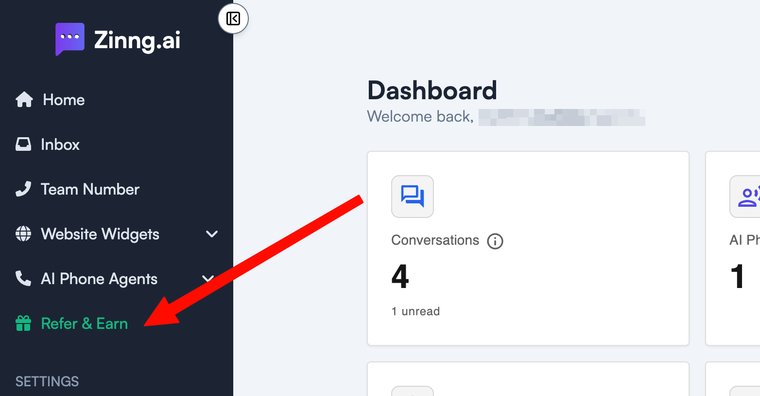 Find it in your dashboard sidebar, under Refer & Earn.
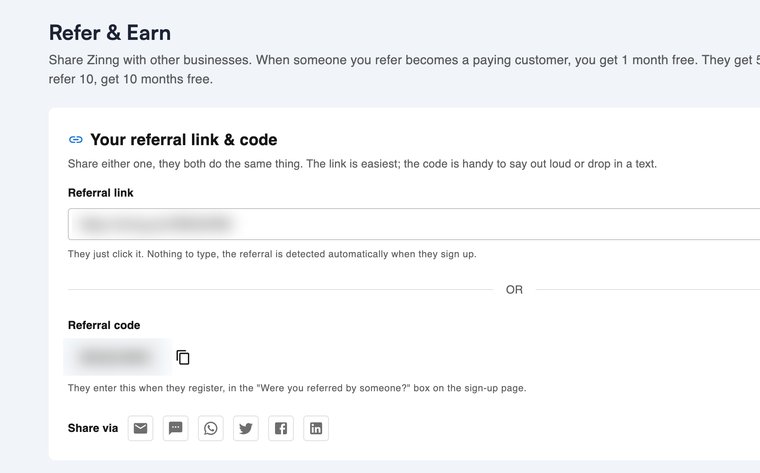 Copy your own link or code and share it. Both do the same thing.