It has been a few weeks since our last update. Not because we stopped shipping, but because I was out sick with the flu for a couple of weeks. There is a lot to cover, so from here on expect more frequent updates.
💬 The chat widget is about to be available to everyone
- It has AI in it now, in case you missed that. We have been testing it with a few key beta customers and running it on Zinng and our other products, and it is working well. Want it now? Email us and we will turn it on for you.
- Fixed this past Monday: the AI was not always resuming after handing a chat off to a human. That is fixed, and it now resumes on its own after one hour, so you no longer need to click resume.
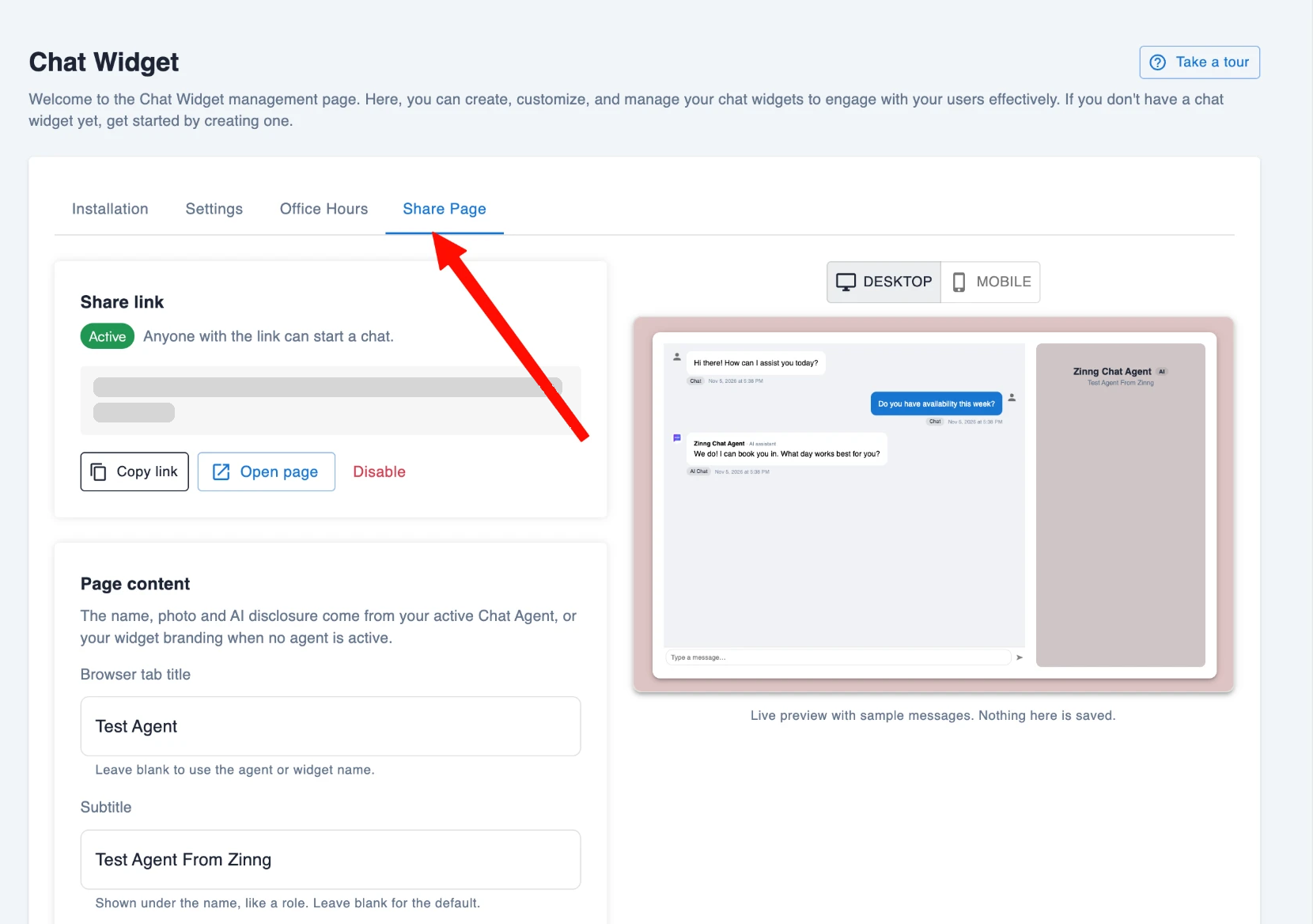
- Share page. Your chat widget now comes with a link that opens a full page with your chat right there, no website required. Text it to customers, put it in an email signature or social bio, and they can start chatting instantly. This one came straight from a customer request.
- Email when they leave. The widget now knows when a visitor leaves the chat. If they have given their email, it waits three minutes in case they come back, then emails them your reply. Whether email is required or just suggested is a setting in the widget.
- Typing indicators so both sides can see when the other is responding, read and unread status on messages, and voice dictation.
- Everything the chat widget does in the web app now works in the mobile apps too, including typing indicators and the email notifications. If anything is missing, tell us and we will build it.
📱 Mobile apps
- Chat with the AI Copilot in the Android app. We are still working with Apple on bringing it to iOS, since they want AI features like this sold through App Store subscriptions. If that is what it takes we will do it, but we are looking for a better path first.
- The apps now ask for push notification permission the first time you open the inbox. Many of you did not have it on and did not know it was there. We highly recommend turning it on.
- Image uploads are fixed and now allow up to 20 MB. Let us know if you need more.
- Plus a long list of smaller fixes and cleanup across both apps.
✅ More that shipped
- Zinng Help Center at zinng.ai/docs, our full documentation. A tutorial series walking through every part of Zinng is next, and it is one of my top priorities now that I am back on my feet.
- Better translations in the inbox. When a message or voicemail comes in another language, Zinng recognizes it and lets you translate it. It has worked well in my tests with Spanish voicemails, which is good, because I still do not speak Spanish.
- Workflows can send images with your SMS messages. One of you asked for this, so we built it.
- Continued improvements to the AI Copilot. It still only works with phone agents, and a version for chat agents is coming very soon.
- Improvements to the free Google Reviews widget and our Zapier integration. Questions about Zapier? Just ask.
- A batch of inbox fixes we found while testing over the past few weeks.
🚀 Coming very soon
- Take calls yourself, live. The biggest and most complicated thing we have built, since it meant re-architecting parts of Zinng while keeping everything working the old way. Turn it on and incoming calls ring in the web app and the mobile app, so you can answer as a human or let the AI pick up. It is already running in production; we are finishing testing and cleanup.
- Zinng Scheduling. Do all your scheduling inside Zinng, with much of what Cal.com and Calendly offer, and it will be completely free. The goal is that you can replace those tools entirely. It is nearly ready for beta testers, so email us if you want in and tell us what we missed.
- One shared knowledge base. One of our top developers has rebuilt how knowledge bases work. Soon there will be one knowledge base shared by your phone agents and chat agents, and it will work better than ever. We will migrate all of your existing phone agent knowledge bases for you.
- An always free plan with the chat widget (without AI), Zinng Scheduling, the Google Reviews widget, and soon the forms widget. If you are already subscribed this does not change much for you; it is how we get more businesses onto Zinng.
🙏 Help us spread the word
- The most helpful thing you can do for us right now is share Zinng with anyone you think would benefit.
- Refer & Earn gives you a month free when someone you refer becomes a paying customer. I will up that: just tell me who you referred and you get two months free once they subscribe.
As always, keep the feature requests coming. Everything we can build, we will build.