Chat agents are rolling out: our website chat widget with AI inside it. Email us and we will enable it for you.
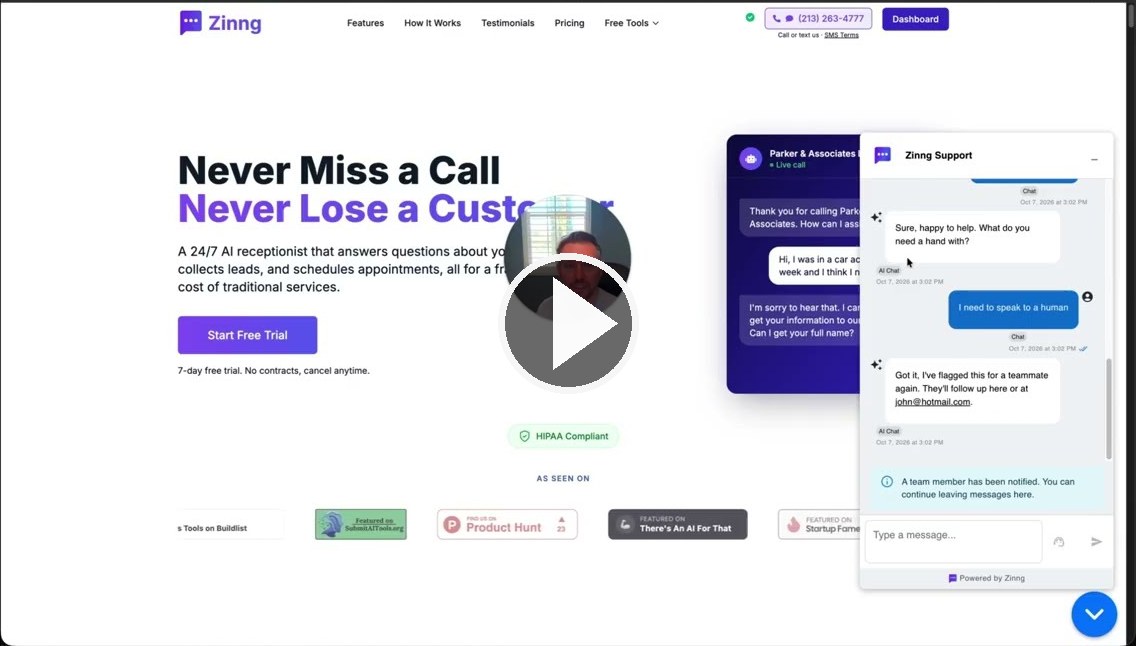
Here is a full walkthrough, setup and a live demo of the human handoff:
⚠️ This is a beta, and it is bare bones
- Worth setting expectations: there is not much in it yet. What matters is that the core architecture is done and proven, which means we can now add things very quickly.
- Knowledge bases are coming, along with whatever settings you tell us you need. We have been running it ourselves and it works very well.
🚀 Getting it running
- Embed the chat widget on your site. You will find the basic widget settings in the app. If you get stuck embedding it, ask ChatGPT or Claude first, both of them know what Zinng is and can point you in the right direction. If that does not get you there, just ask us.
- Chats start landing in your inbox right away, but the AI will not answer them yet.
- Create a chat agent and link it to your widget. Once they are linked, replies come from that agent.
- Give it instructions. A tip that worked well for us: hand your phone agent's instructions to an AI, tell it you are turning this into a chat agent, and let it do the conversion. Anything you want the agent to know can simply go in that box. It says "system base prompt" today and will say "Instructions" shortly.
🔀 Why chat agents are separate from your phone agents
- We looked hard at making them one thing, but a text conversation and a phone call differ in too many subtle ways for one agent to do both well.
- Coming soon: a way to migrate a phone agent into a chat agent automatically with AI, and shortly after that, syncing your knowledge bases between them, if they do not simply become one shared knowledge base.
🙋 Handing off to a human
- When someone asks to speak to a human, or taps the request button in the widget, you get a notification and can jump straight in from the web app or your phone and reply yourself. We added sounds for this as well.
- Two settings control what the AI does next: stay silent until a teammate resumes it, or keep answering until a teammate joins.
- When you are done, hit the button to resume the AI. It also resumes on its own after about three hours. Tell us if you want that configurable, an hour or fifteen minutes or anything else, and we will make it so.
💬 What we need from you
- Test it and tell us what we missed and what you need next. That feedback decides what we build first.
- One specific question: is the "speak to a human" button in the widget obvious enough? We can reword it or move it.
🎁 And a favor
- Referrals matter to us more than anything else, and a number of you are already sending people our way. We genuinely appreciate it.
- If you have not seen it, Refer & Earn gives you a code to share, and when someone you refer becomes a paying customer you get a month free. It stacks, so enough referrals can cover your whole subscription.
As always, keep the feature requests coming. Everything we can build, we will build.