This is a full walkthrough of building a simple business website with GoDaddy's Airo AI Builder, from a domain that only showed a parking page to a live site with a blog. Our founder Tim Bramlett recorded it while building a site for a sample business, Tim's Dry Cleaning, on timsdrycleaning.shop.
Tim has a lot of web development experience but had never used Airo before. A Zinng customer told him they loved it and rebuilt their whole website in a few hours, so he wanted to see for himself. Everything below, including the problems he ran into, comes from that first try.
Don't have a domain yet? Start with how to buy a domain on GoDaddy. And if you're buying one for a real business, get a .com. The .shop domain here is only for the tutorial.
Watch the video
The video runs about 29 minutes. The site is live by 6:00; the blog starts at 14:31. Everything in it is written out below.
Chapters: 0:53 Opening Airo · 1:49 Describing the business · 4:15 Editing with prompts · 4:53 Publishing and DNS · 6:02 Publish failures and security issues · 6:56 Is it server-side rendered? · 11:36 Click-to-call button · 12:17 Services, About and Contact · 14:31 Adding a blog · 19:58 Checking mobile · 21:13 Local SEO pages · 22:01 Does Google care about AI content? · 25:17 Making AI write like you · 27:10 Verdict
The short answer
- In your GoDaddy dashboard, click Website and choose Airo AI Builder.
- Describe your business in plain words, answer Airo's questions (location, customers, goal, style, tone) and click Generate.
- Fix anything you don't like by typing a request, like "remove the em dashes" or "we've been in business since 2016."
- Click Publish and let Airo update your DNS records so your domain shows the new site.
- Run the security check and click Fix all issues if it finds any, then republish.
- Replace any button that does nothing with something that works, like a click-to-call phone button.
- Optionally, ask Airo to build a blog with a shared header and footer, then add new posts by pasting in Markdown.
What Airo costs
Airo AI Builder runs on AI credits: each request you type into the chat uses some. GoDaddy's own comparison page (prices checked July 2026) lists:
- Free: 50 AI credits a month, no credit card needed. Enough to build and preview.
- Starter: from $9.99 a month, 150 AI credits a month. This is the plan that publishes your site on your own domain.
Higher plans add more credits and more sites. Prices change often, so check GoDaddy's pricing before you buy. Because credits are limited, Tim used a separate AI assistant for questions that didn't need Airo, like checking the site's tech stack, rather than spending Airo credits on them.
Step 1: Describe your business to Airo
Before starting, Tim's domain only showed GoDaddy's parking page, the placeholder you see on a new domain.
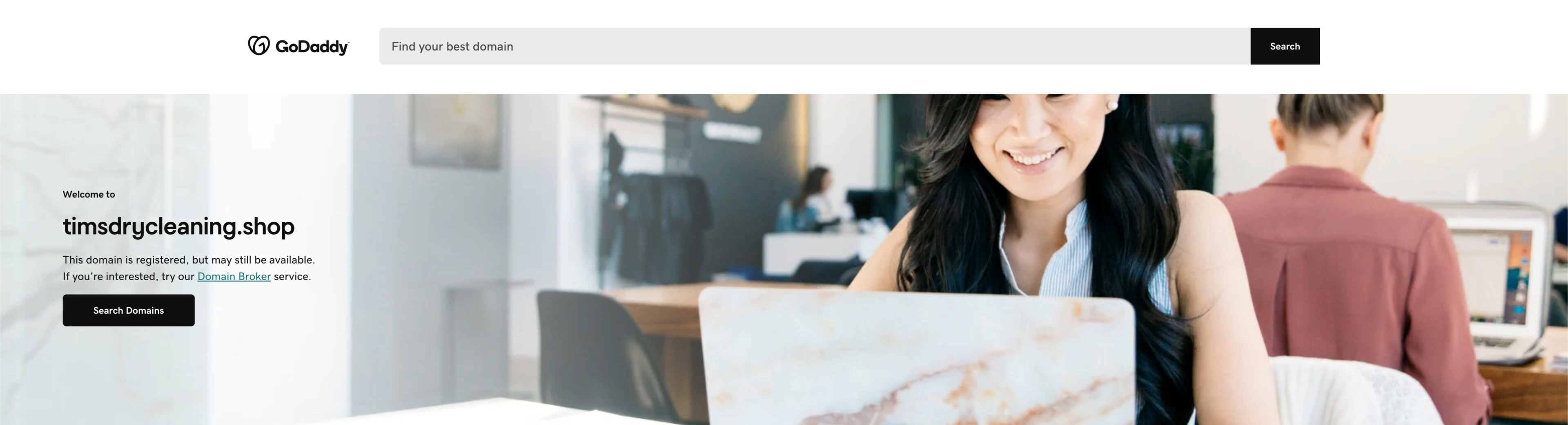
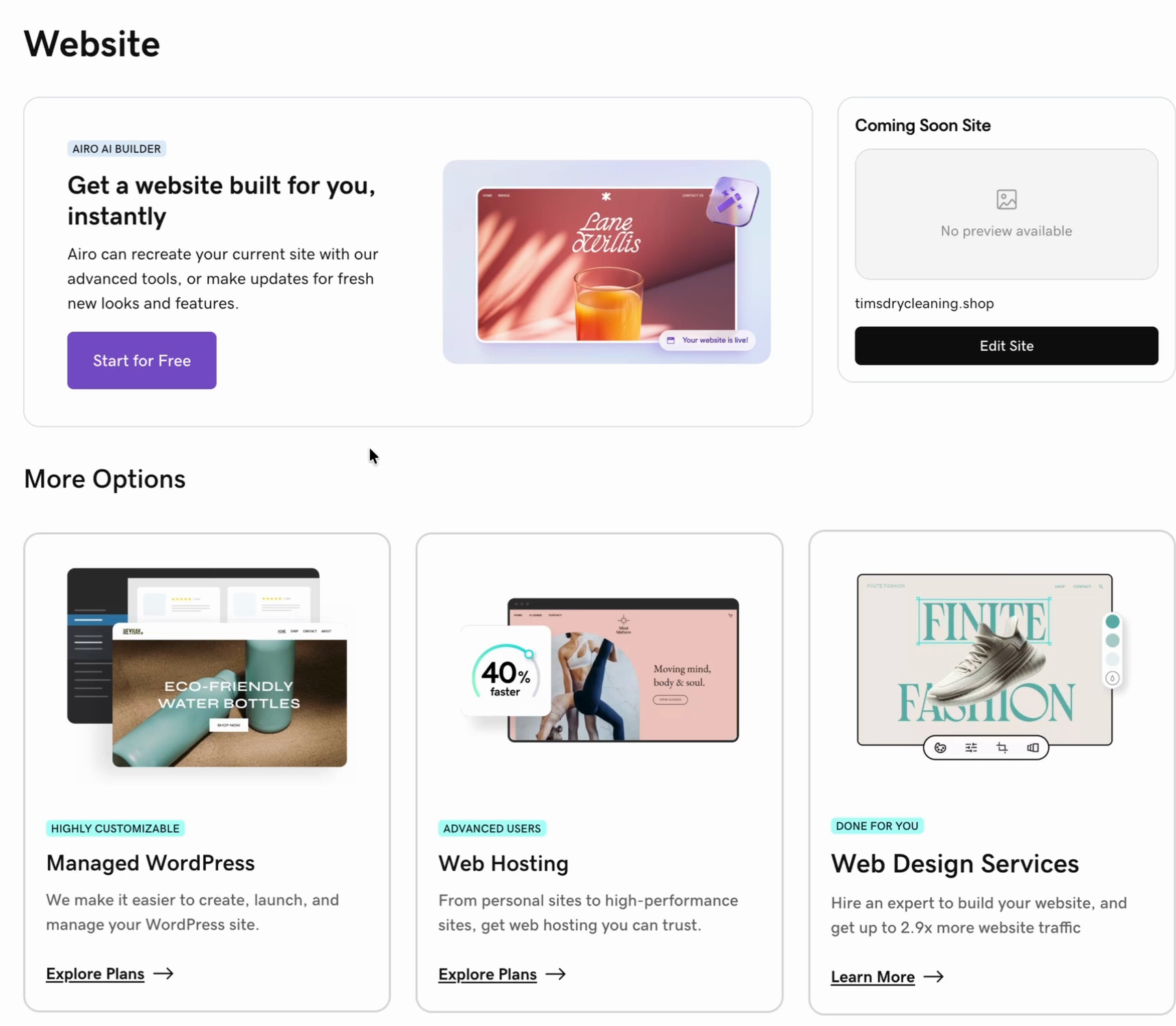
From the GoDaddy dashboard for your domain, click Website. GoDaddy offers several ways to build a site; pick Airo AI Builder.
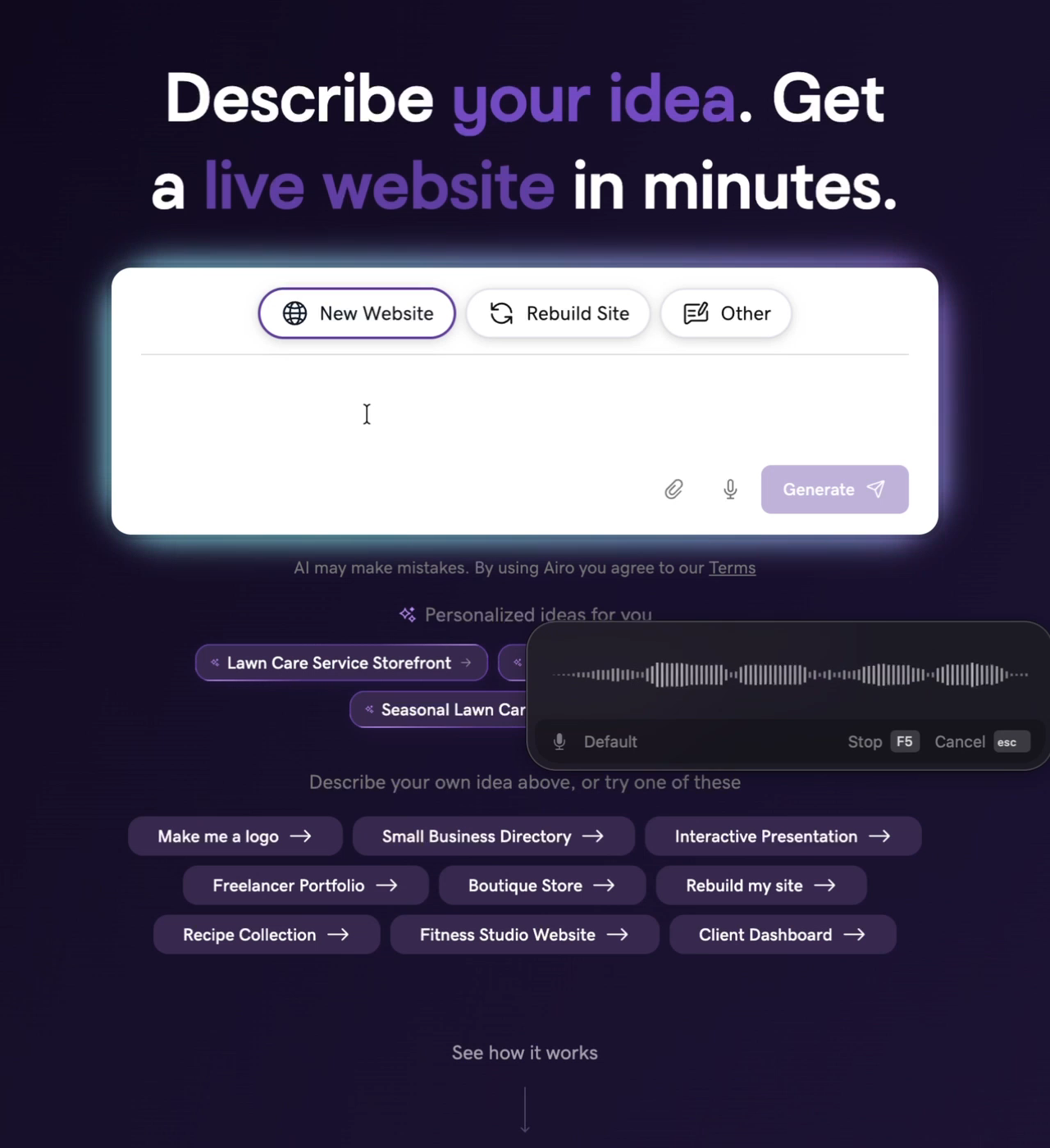
Tim set a simple goal: a basic business website he can add to the Google Business Profile so the business shows up properly on Google Maps. He dictated his request with a transcription app (he uses Super Whisper), which is a fast way to give the AI lots of detail:
"I would like a simple modern business website for my dry cleaner. Ask me any questions that you need further clarification on. The domain is timsdrycleaning.shop."
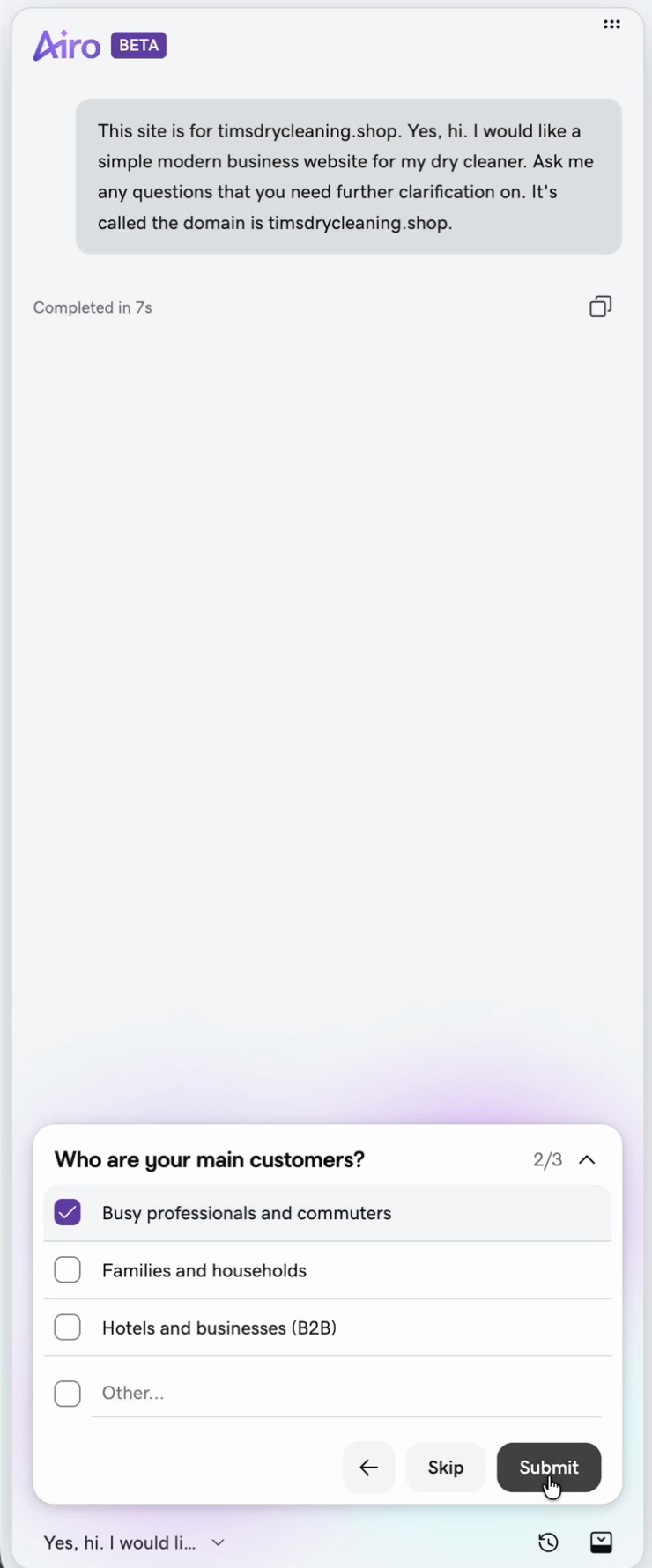
Airo then asked a few questions. Tim's answers:
- Location: a street address (use your real one).
- Primary customers: busy professionals and commuters.
- Main goal of the website: show services, hours and location.
- Visual style: clean and crisp.
- Tone: premium and polished.
Tip: keep it simple. From Tim's experience talking with business owners, the best small business websites look clean and follow familiar patterns. Skip flashy animations. People visit to find out what you do, your hours and how to do business with you, and they should be able to find that instantly.
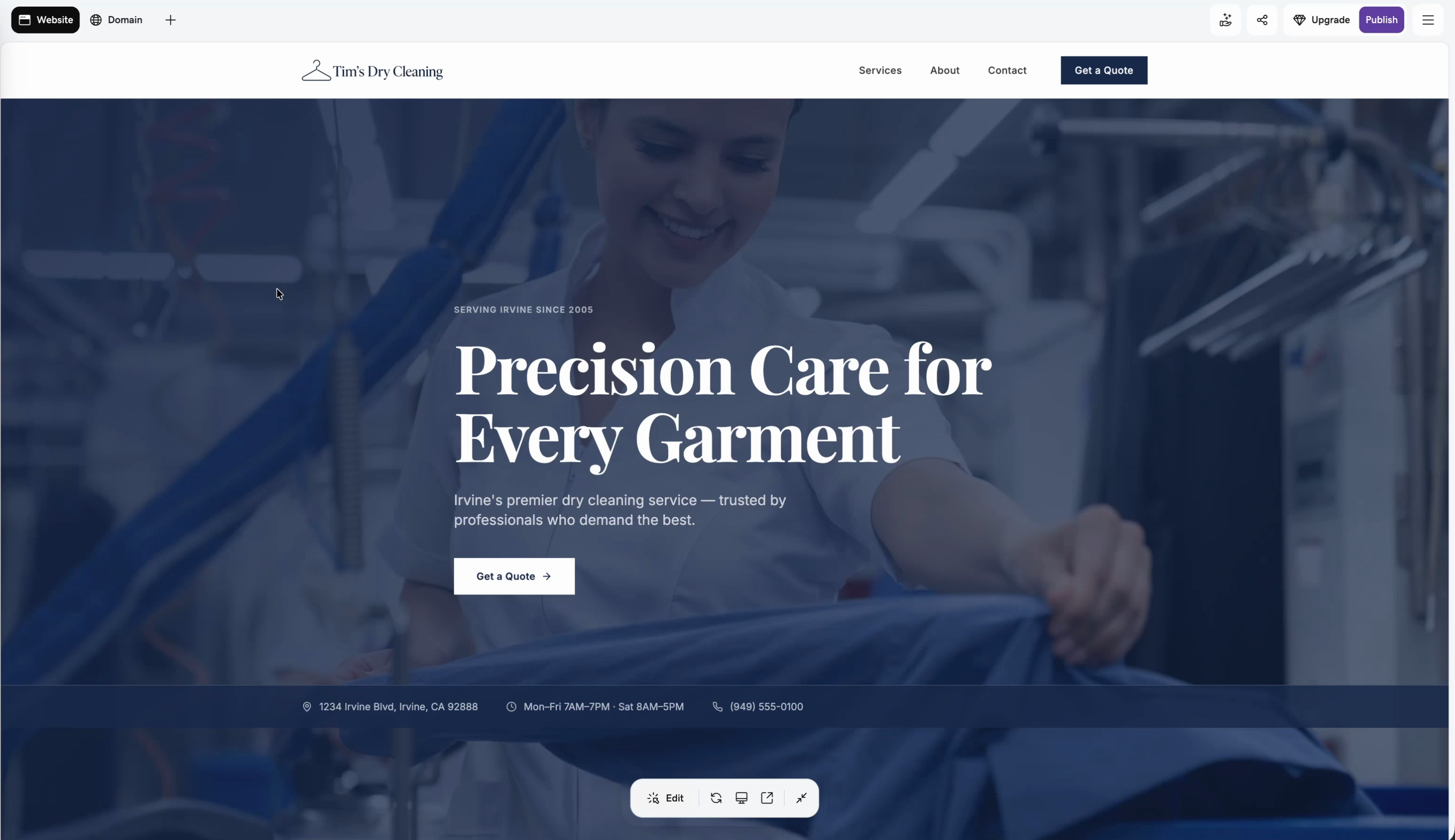
The first version was solid: a logo (easy to swap for your own), a hero area with the tagline "Precision care for every garment," and a simple layout.
Step 2: Make edits with prompts
To change anything, type what you want into the chat. Tim made two edits:
- "Can you go through the landing page copy? I don't want any em dashes in there." Em dashes are a common sign of AI-written text, and Airo removed them all.
- "We've only been in business 10 years, since 2016." Airo had written "Serving Irvine since 2005," so check every fact it writes about your business.
Step 3: Publish and update your DNS records
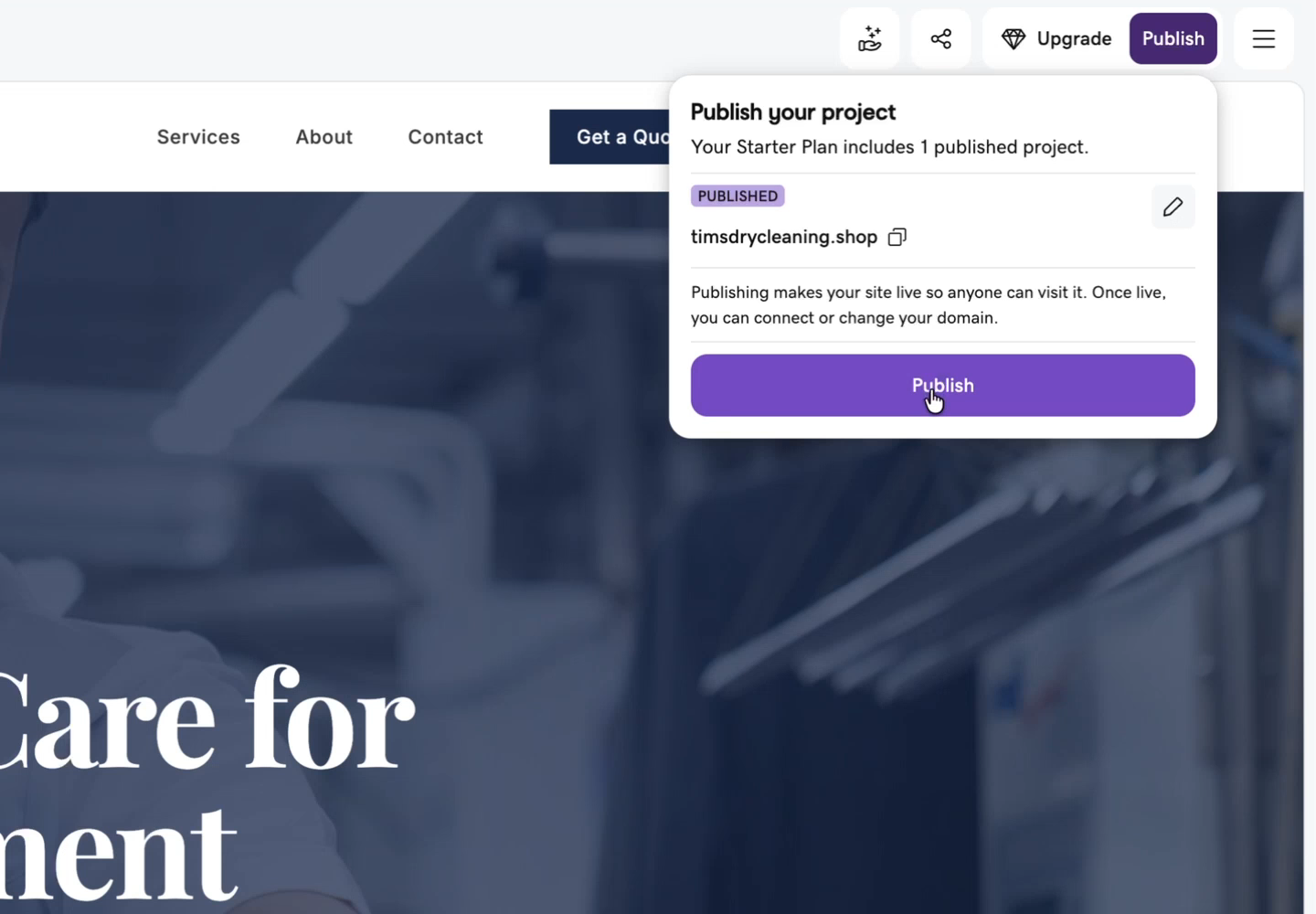
Publish early so you can see the real, live page, then keep making changes. Click Publish. Airo asks to update DNS records. DNS records decide what shows up when someone types your domain; right now they point to the parking page. Click update.
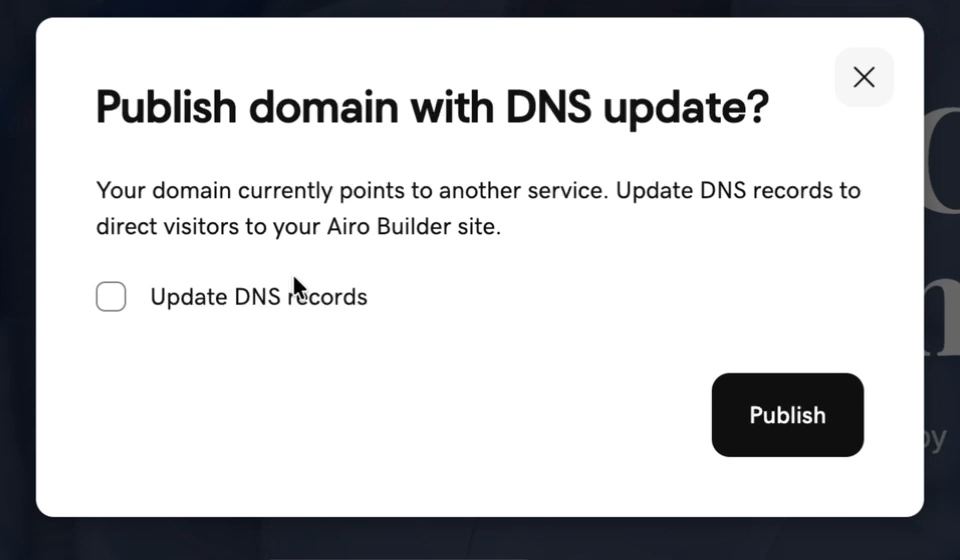
Tim bought the domain from GoDaddy and uses GoDaddy's DNS, which makes this one click. If your DNS is somewhere else, like Cloudflare, it should still be possible, but you'll have to update the records yourself.
If publishing fails
Tim's first publish failed with no details and no logs. He clicked Publish again, and this time the site went live, along with a list of 8 security issues from Airo's scan.
The issues were in the site's code libraries, flagged as vulnerable packages. Clicking Fix all issues had Airo work through them. Note that fixing them uses credits.
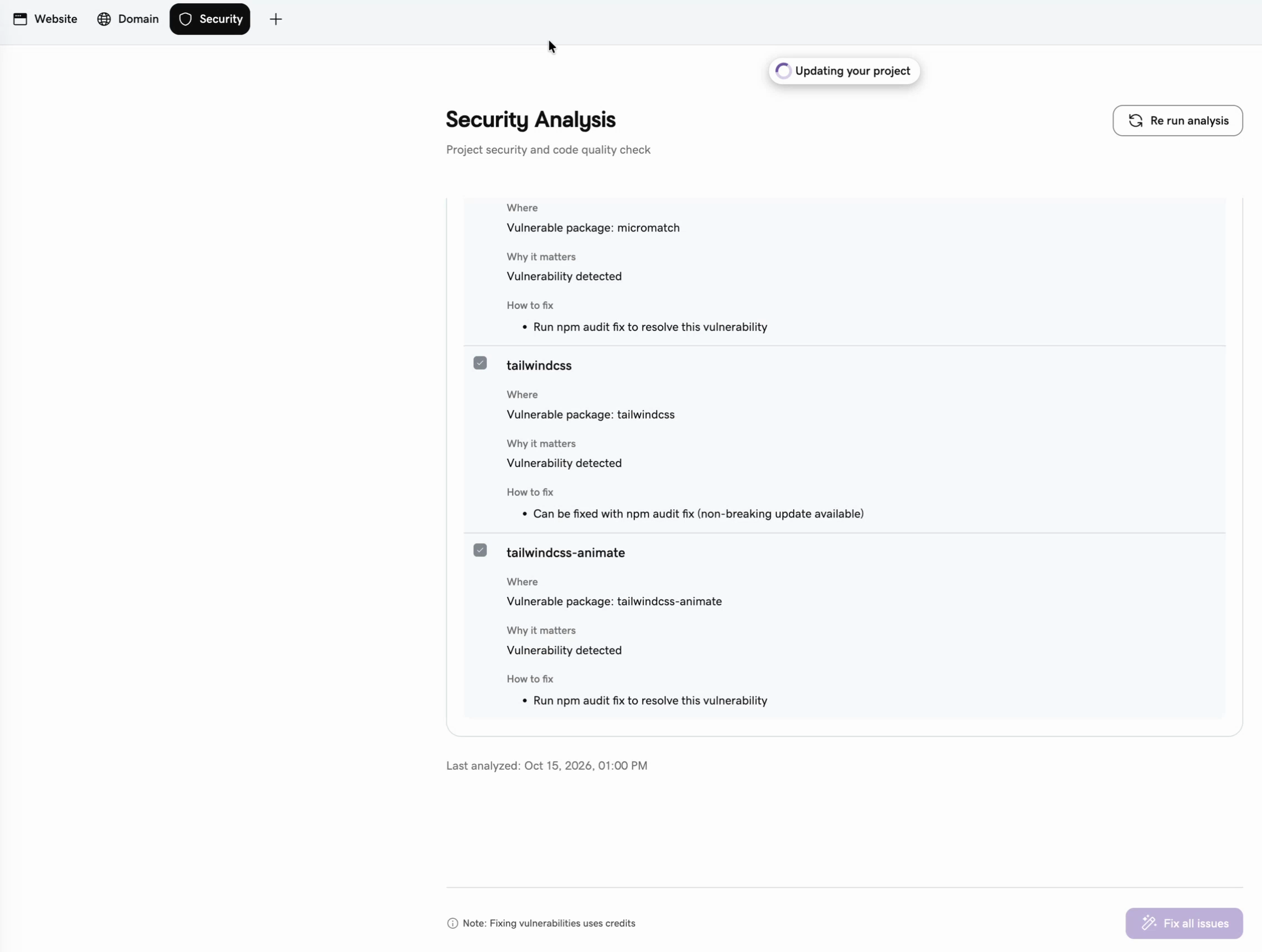
Two more hiccups came later: Tim got signed out of GoDaddy in the middle of republishing, and the next publish failed again. Signing back in and rerunning the security analysis got it to publish. Some of the same issues still showed afterward. For a simple information-only site like this, Tim didn't consider that a big risk, but it's worth rerunning the check now and then.
Step 4: Check the site is good for SEO
This is the step most people skip. Google, and the AI tools that answer questions about local businesses, read your site best when it's server-side rendered: the page is built on the server and arrives ready to read, rather than being assembled by code in the visitor's browser.
Tim didn't know what technology Airo uses, so he pasted his live URL into Claude and asked it to look at the site and tell him the tech stack, and specifically whether it uses server-side rendering. The answer: it's GoDaddy's own Airo stack (React, TypeScript and Tailwind), not Next.js, and the page content is all in the HTML as served, before any JavaScript runs. So it's server-rendered or pre-rendered, and crawlers can read it. Good for SEO.
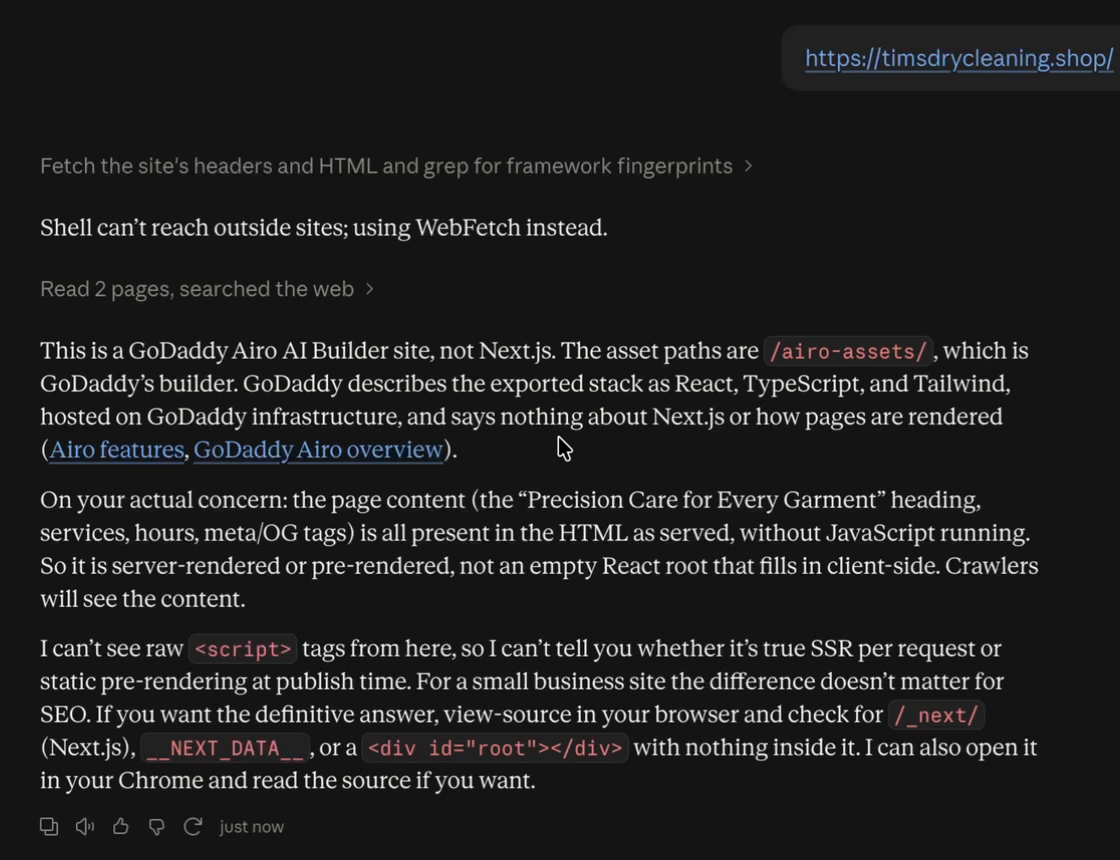
Whatever website builder you use, check this. You can ask any AI assistant, "Is this site server-side rendered, or built in a way that's good for SEO?" A quick do-it-yourself check: right-click the page, choose View Page Source, and look for your headlines and service descriptions in the text. If they're there, search engines can read them.
For a broader look at what Google sees, try our free SEO audit tool.
Step 5: Fix the call to action
Airo added a Get a Quote button. Tim clicked it on the live site and it did nothing. Check every button on your AI-built site this way.
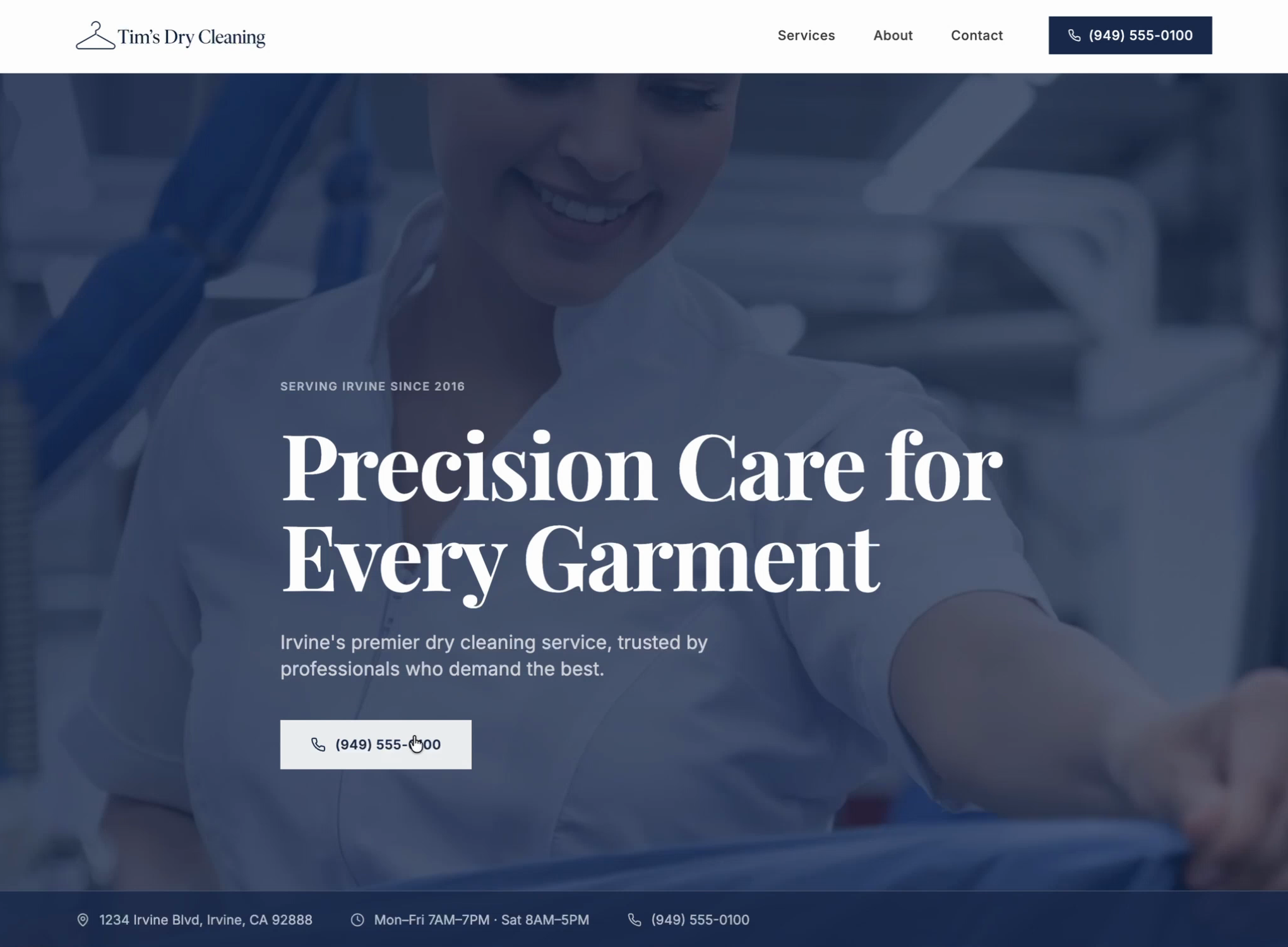
A simple dry cleaner doesn't need quotes, so Tim asked Airo to remove the button and add one that dials the business phone number instead, so calling becomes the main call to action.
Need a working form? Having an AI builder create a real, secure contact form is harder than it looks and can create security problems if you're not technical. Zinng's free plan includes embeddable forms, a website chat widget and a Google reviews widget. Paste the embed code into your site and form submissions and chats land in your Zinng inbox. See Zinng.
Step 6: Services, About and Contact as sections
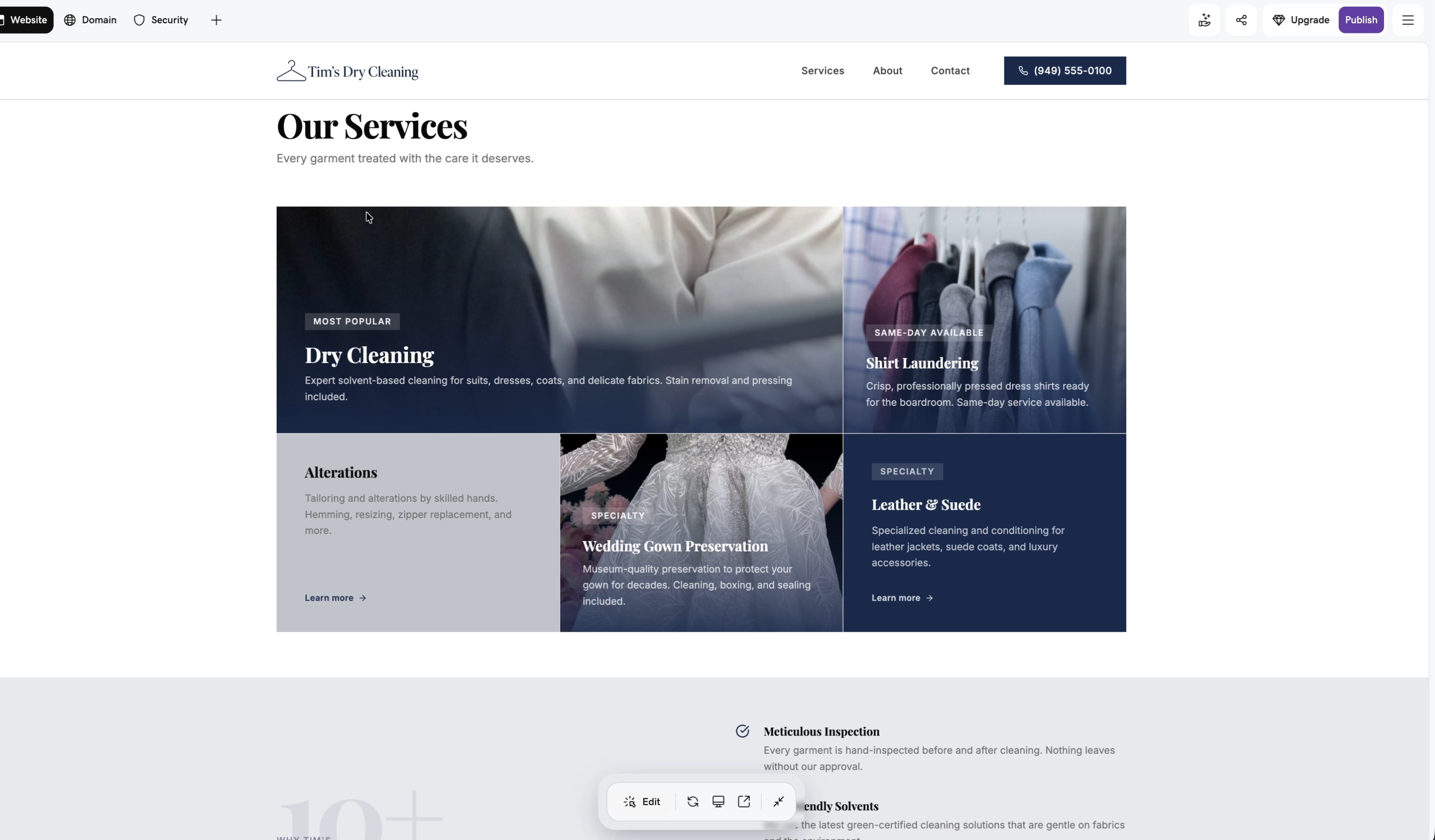
You could build Services, About and Contact as separate pages. For a simple site, Tim made them sections of the homepage instead, reusing what Airo had already built:
- The header's Services link jumps to the existing services section (dry cleaning, shirt laundering, alterations, wedding gown preservation).
- About jumps to the "Why Tim's" section.
- Contact jumps to the "Find us" section with hours and location.
He republished and tested each link. Airo also added a cookie consent banner by default. For a real business, make the About section more personal: why you started and what makes you different.
Step 7: Add a blog for SEO
Search engines and AI search tools find you mostly through two things: backlinks and content that answers what people are searching for. Airo has no built-in blog or content management system, so you have two options:
- WordPress on a subdomain, like blog.timsdrycleaning.shop. It works, but a blog at a path like timsdrycleaning.shop/blog is usually considered better for SEO.
- Have Airo build the blog as part of the site. This is what Tim did.
The key instruction is to make the header and footer shared, so a change to the menu updates every page. Tim's prompt:
"We need to build a blog for this website. The key thing is I want a shared header and a shared footer. I will give you the content to put in each blog post, but design and develop a structure that makes sense for a blog, and make sure we have everything we need for SEO. For the first post, you can just make something up as an example."
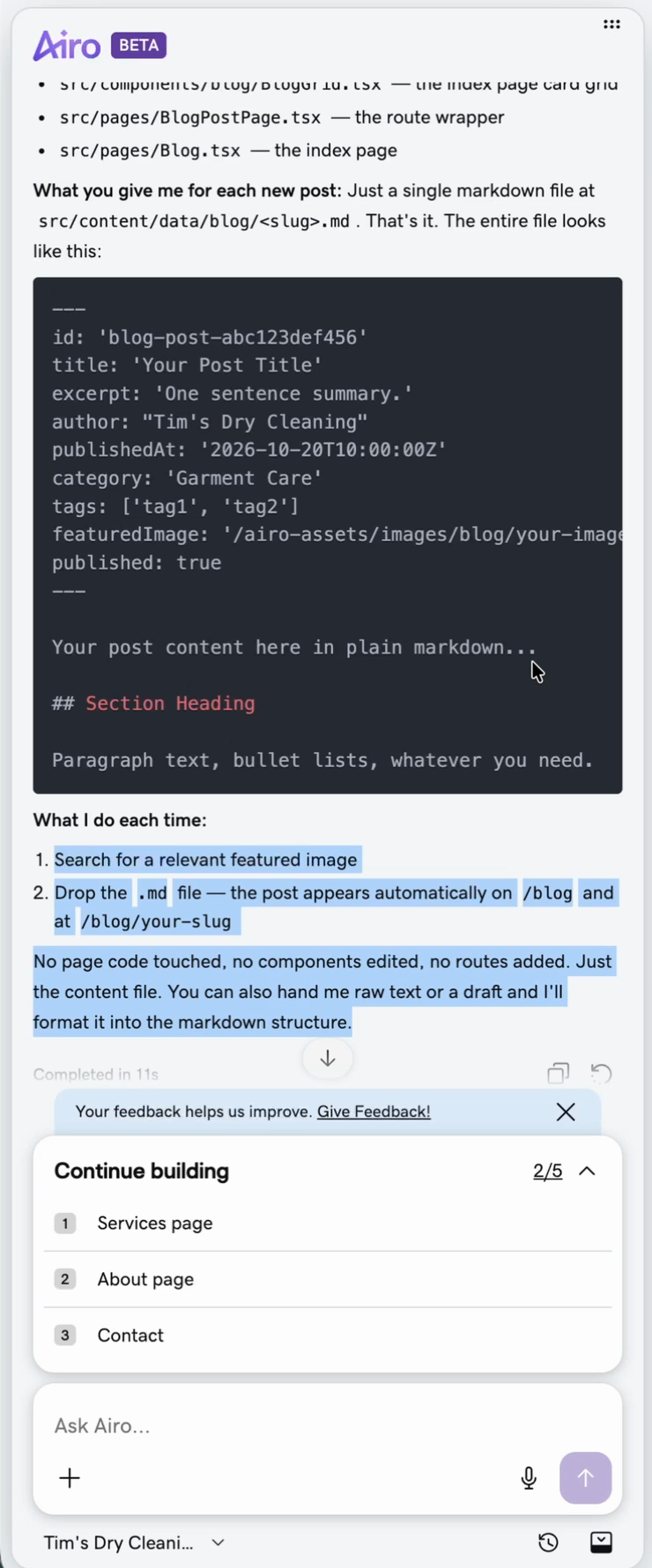
Then he double-checked by asking whether it had built reusable components, so each new post only needs the main content. Airo confirmed the blog is fully component-driven and that each new post only needs a single Markdown file. Markdown is a simple text format (# for headings, ** for bold) that becomes the web page.
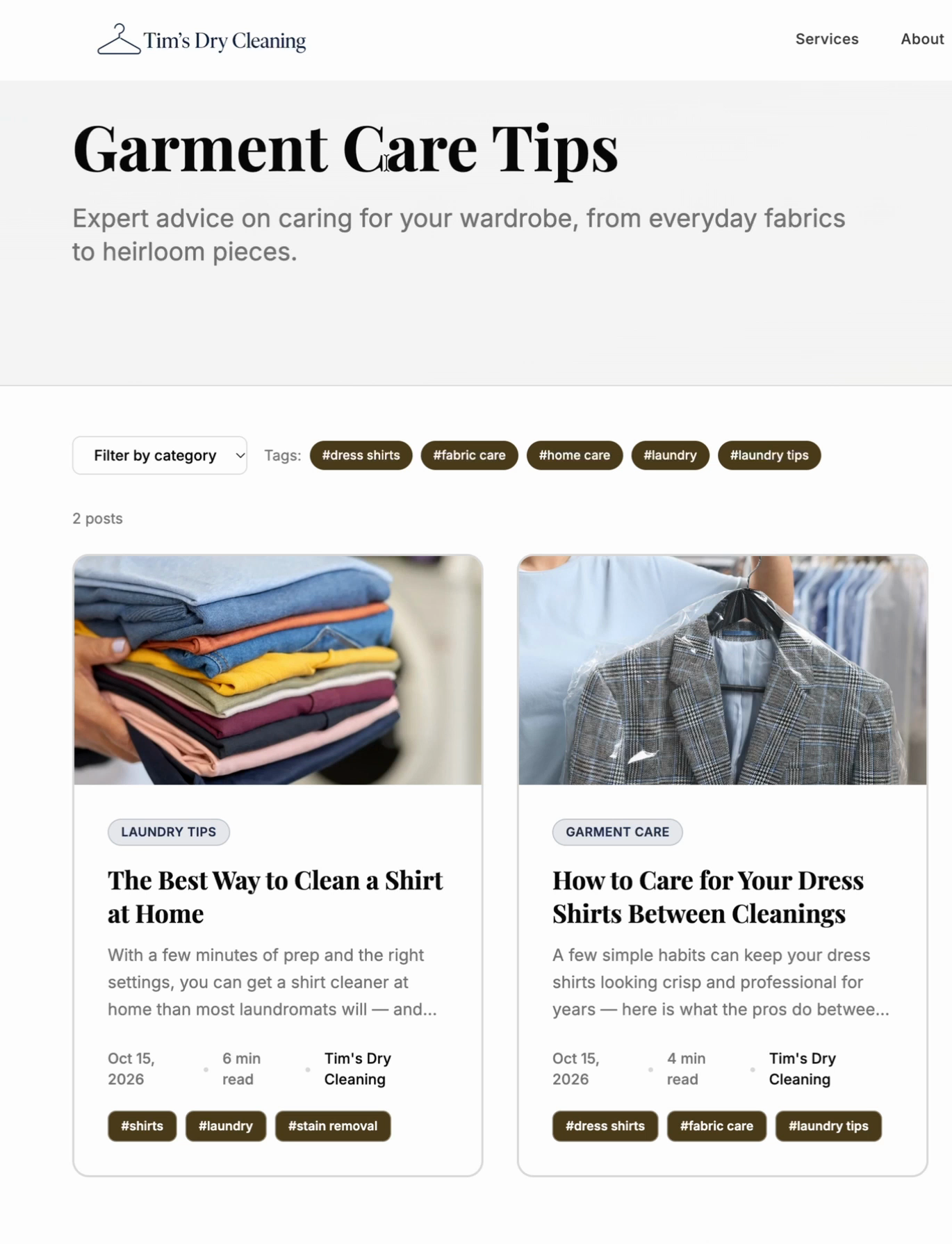
After publishing, the blog had a professional-looking first post with a featured image.
Step 8: Check how it looks on mobile
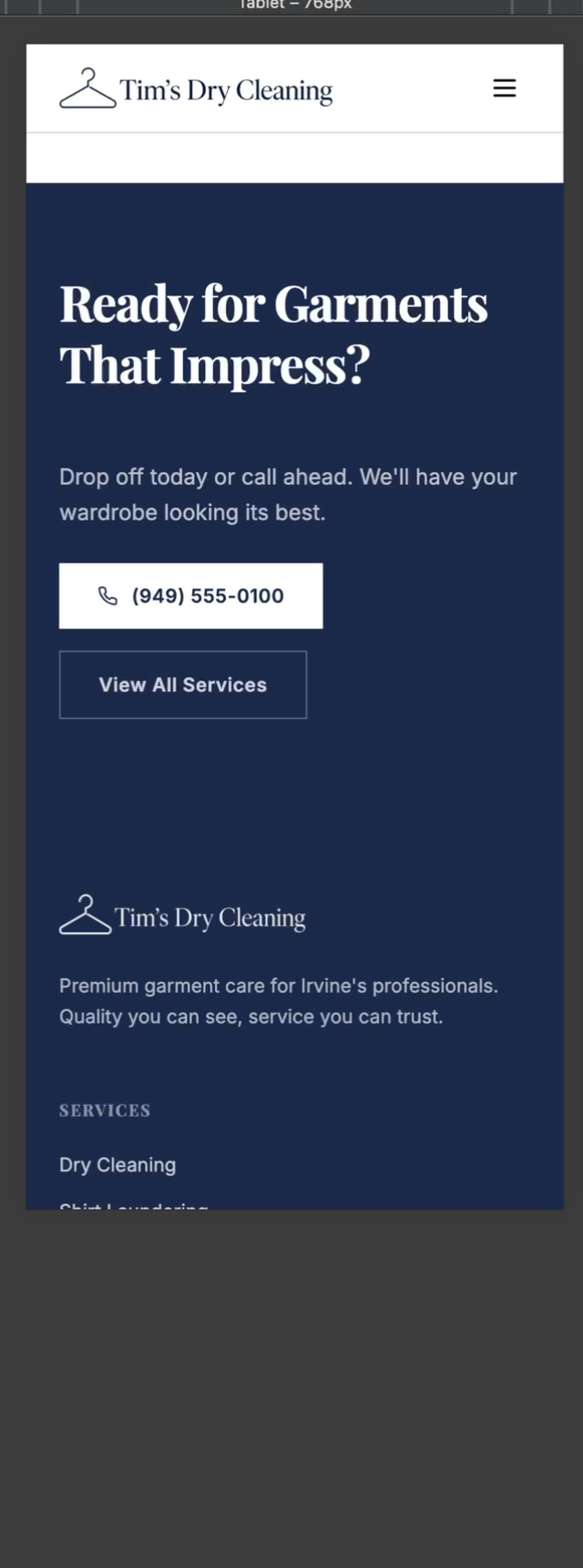
Most people will see a local business's website on their phone, so always check mobile. Open the site on your phone, or in Chrome open the developer tools and pick a phone such as the iPhone 16 Pro. Tim's site looked good. If something looks off, tell Airo what you see; you can also send it a screenshot so it knows exactly what you mean.
Step 9: Add new blog posts
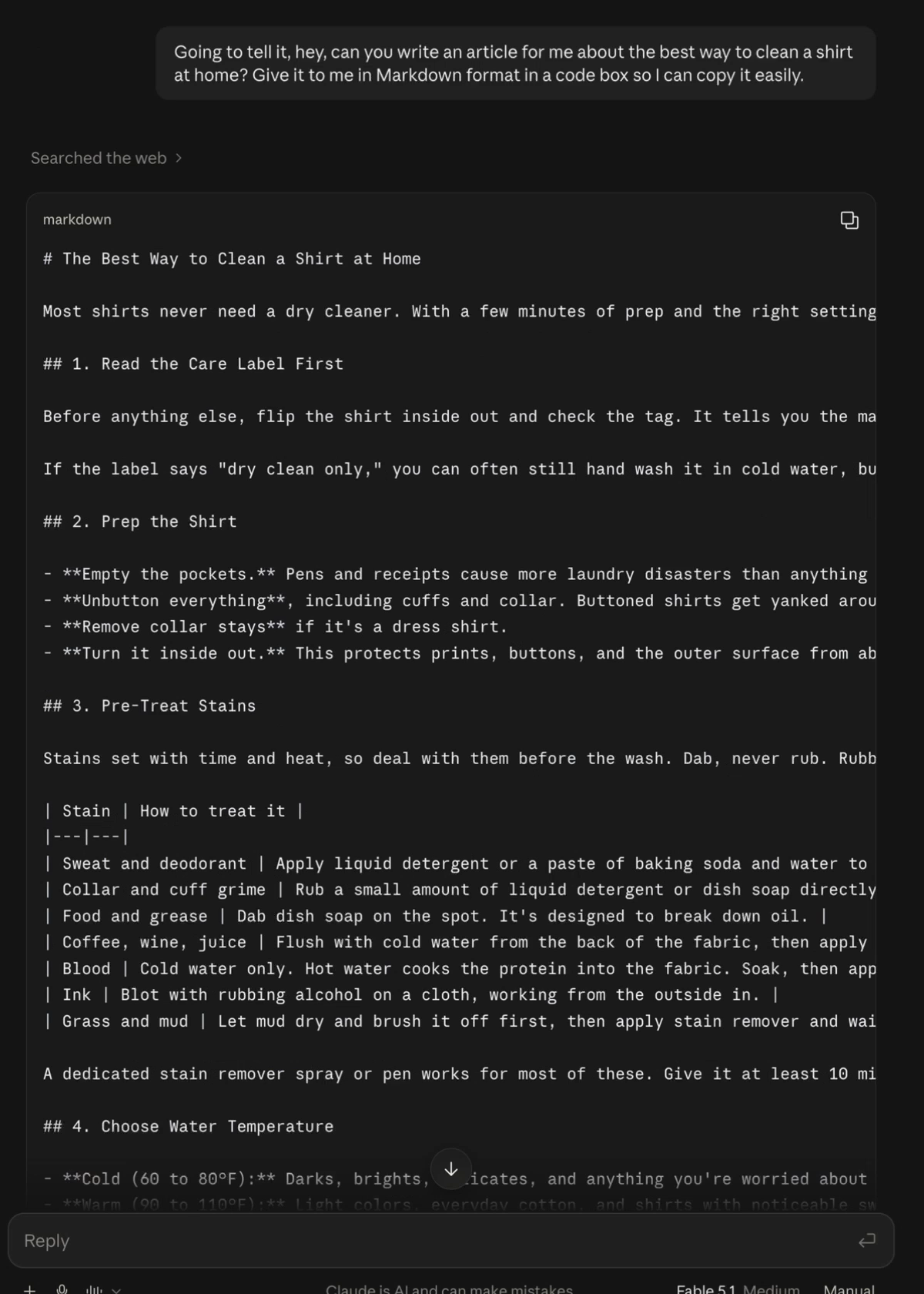
To add a post, write it in Markdown and paste it into Airo with "Here's the next blog post, can you get it created?" Then republish. Tim had Claude write a sample post ("the best way to clean a shirt at home") and asked for it "in Markdown format in a code box so I can copy it easily." It showed up as the blog's second post.
What should a local business write about? Start with local SEO pages: pages that target searches in your area for your services. That's usually the first thing an SEO expert builds for a local business, and it matters more than general blog posts. Don't copy the same text onto every page; each one needs to be meaningfully different.
Does Google care if you use AI to write content?
Google's official position is that it rewards helpful, original content however it was produced, and penalizes content made mainly to manipulate rankings, whether a person or AI wrote it.
Tim's take: Google judges content mostly by how people respond to it. Do they stay and read, or go straight back to the search results? You can't fake that. AI-written content can rank if it's actually good; thin content won't, whoever wrote it. The best setup is a writer who researches with AI and edits what it drafts. If you're writing yourself:
- Don't just type "write a blog post about cleaning shirts." That's the shortcut Tim took in the demo, and it's the one to avoid.
- Dictate your own thoughts. Use a transcription app (Tim uses Super Whisper, available for Mac and Windows) and talk through what you'd want to say, mistakes and all. The more of your voice and knowledge you give the AI, the more it sounds like you.
- Read everything before you publish. At the very least, scan it and fix anything that's wrong or doesn't sound like you.
Is GoDaddy Airo worth it?
Tim's verdict: impressed. The result was a clean homepage and a working blog, built by typing requests. The downsides: Airo is a little slow, publishing failed a couple of times without explanation, and he got logged out once.
It's easy enough for non-technical owners to get a real website up. Even if you upgrade your plan over time to keep making changes, it costs far less than hiring a developer, and a developer would also need a lot of back and forth to learn your business.
Frequently asked questions
What is GoDaddy Airo AI Builder?
It's GoDaddy's AI website builder. You describe your business in plain language, it generates a site, and you change it by typing requests instead of dragging elements around. It can publish to a domain you have with GoDaddy and update the DNS for you.
How much does GoDaddy Airo cost?
GoDaddy lists a free plan with 50 AI credits a month (no credit card) for building and previewing, and a Starter plan from $9.99 a month with 150 credits that publishes one site on your own domain (prices checked July 2026). Higher plans add more credits and sites.
Is a GoDaddy Airo website good for SEO?
In Tim's test, yes: the page content is already in the HTML when it arrives (server-rendered or pre-rendered), which search engines and AI tools read well. Airo has no built-in blog, but you can ask it to build one with a shared header and footer, then add posts as Markdown files.
Why did my Airo site fail to publish?
Airo didn't give a reason in Tim's test. Clicking Publish again worked once; another time, signing back in and rerunning the security analysis fixed it. Check whether you've been signed out and whether the security scan shows issues.
Can I add a contact form to a GoDaddy Airo site?
Airo may add buttons like Get a Quote that don't do anything yet, so test them. Instead of having AI build a form from scratch, you can embed a free Zinng form, chat widget or Google reviews widget; form submissions and chats go to your Zinng inbox.
Ready to get started?
Set up your AI phone agent in minutes. Try it free for 7 days.
Try Zinng Free for 7 Days
About the Author
Timothy Bramlett
Co-Founder & CEO, Zinng
Timothy Bramlett is an American entrepreneur, software engineer, and product strategist. He is the founder of Zinng, an AI-powered phone agent platform that helps businesses never miss a customer call with intelligent call handling, real-time transcripts, and instant summaries.