Free Google Review QR Code Generator (No Signup)
Make a QR code that opens your Google review form, plus printable table tents, cards, and stickers.
✓ Instant download · ✓ No email · ✓ No account · ✓ No ads · ✓ Print-ready PDF and SVG
Have a website? Add this free tool to itFind Your Business
Search for your business name to find your Google Business Profile.
Can't find your business? Paste your review link instead
Is this the right business? If not, clear it and search again.
Your Google Review QR Code
Pick a printable template, make it yours, and download. Free, no signup.
Checking that the code scans...
This design may not scan reliably. Try a darker QR color or remove the logo.
Scan it with your phone before printing.
Some text was shortened to fit this template. Try fewer words, or a larger template like the table tent.
That QR color is light. Dark codes on a light background scan most reliably.
Your logo stays in your browser. Nothing is uploaded.
Useful? Add this free tool to your website so your clients or readers can make their own.
How to Make Your Google Review QR Code (3 Steps)
Search for Your Business
Type your business name in the search bar above. Our review link generator uses Google's Places API to find your exact Google Business Profile listing.
Generate Your QR Code & Link
Select your business from the results. Your Google review QR code and direct review link are generated instantly. Free, no signup, no watermark.
Download and Print
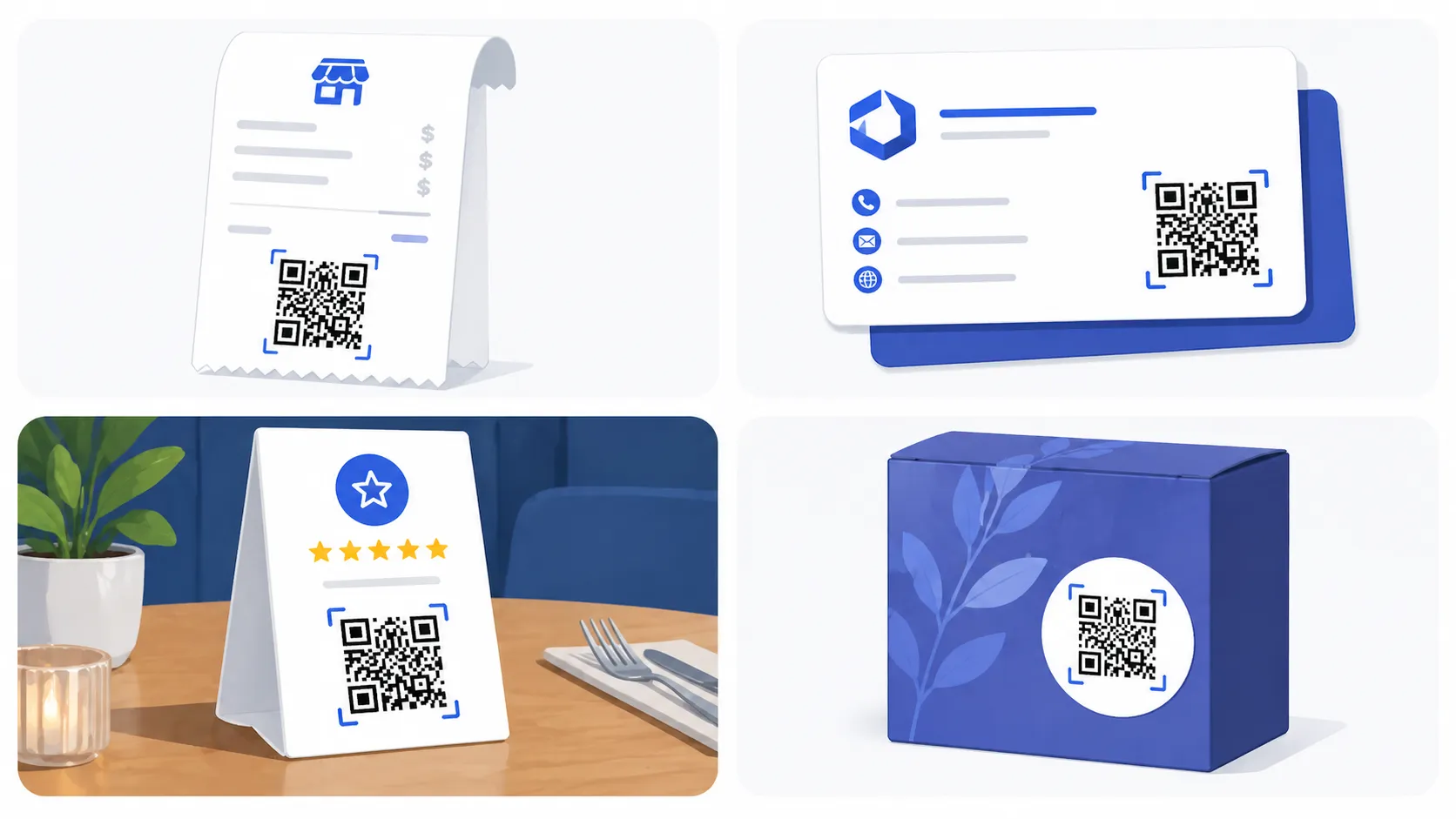
Pick a printable template (table tent, business card, sticker, receipt insert, or poster), add your colors and logo, and download a print-ready PDF, a 300 dpi PNG, or an SVG.
Free Printable Google Review QR Code Templates
Every template is free, with no signup and no watermark. Add your headline, business name, brand color, and logo, then download a print-ready PDF (laid out on a US Letter sheet with cut lines), a 300 dpi PNG, or a vector SVG for your print shop.
Table tent / counter sign
4 x 6 in. For checkout counters, tables, and waiting rooms. Fits a standard acrylic stand.
Business card
3.5 x 2 in, 8 per sheet. Hand one over when the job is done.
Round sticker
3 in circle, 6 per sheet. For doors, windows, packaging, and equipment.
Receipt / invoice insert
4 x 1.5 in, 5 per sheet. Slip it into bags, invoices, and shipping boxes.
Poster / window sign
8.5 x 11 in. For entrances, exits, and front windows.
QR code only
A clean code to drop into your own designs in Canva, Word, or your invoicing software.
Google's Built-In Review QR Code vs This Generator
Google Business Profile can create a review link and QR code for you, and it's free. If you manage your profile and just need a plain code, it works well.
This generator is for everything after that. You don't need to be signed in to the profile, and you get printable designs, your own colors and logo, and files a print shop can use.
It's also different from most free QR sites, which ask for your email, make you create an account, or show ads before you get the file. Here you search, design, and download. That's it.
| Google's built-in code | This generator | |
|---|---|---|
| Price | Free | Free |
| Needs profile access | Yes | No, just search your business |
| Printable templates | No | Table tent, card, sticker, receipt, poster |
| Your colors and logo | No | Yes |
| File types | Image | PDF, PNG (300 dpi), SVG |
Printing Tips and Mistakes to Avoid
- Don't print it too small. Keep the code at least 1 inch (2.5 cm) wide, with white space around it so phone cameras can read it.
- Print at actual size. In the print dialog, choose 100% or "Actual size," not "Fit to page," so cards and stickers come out the right size.
- Always add a call to action. A code on its own gets ignored. "Scan to leave us a Google review" tells people what happens.
- Test before you print 500. Scan it with your own phone and make sure it opens the review form for the right business.
- Keep it dark on light. Light-colored codes or busy backgrounds scan poorly. A dark code on white is the safe choice.
- Don't offer a reward for reviews. Google's policies don't allow incentivized reviews, and they can be removed.
How the Google Review Scanner Works
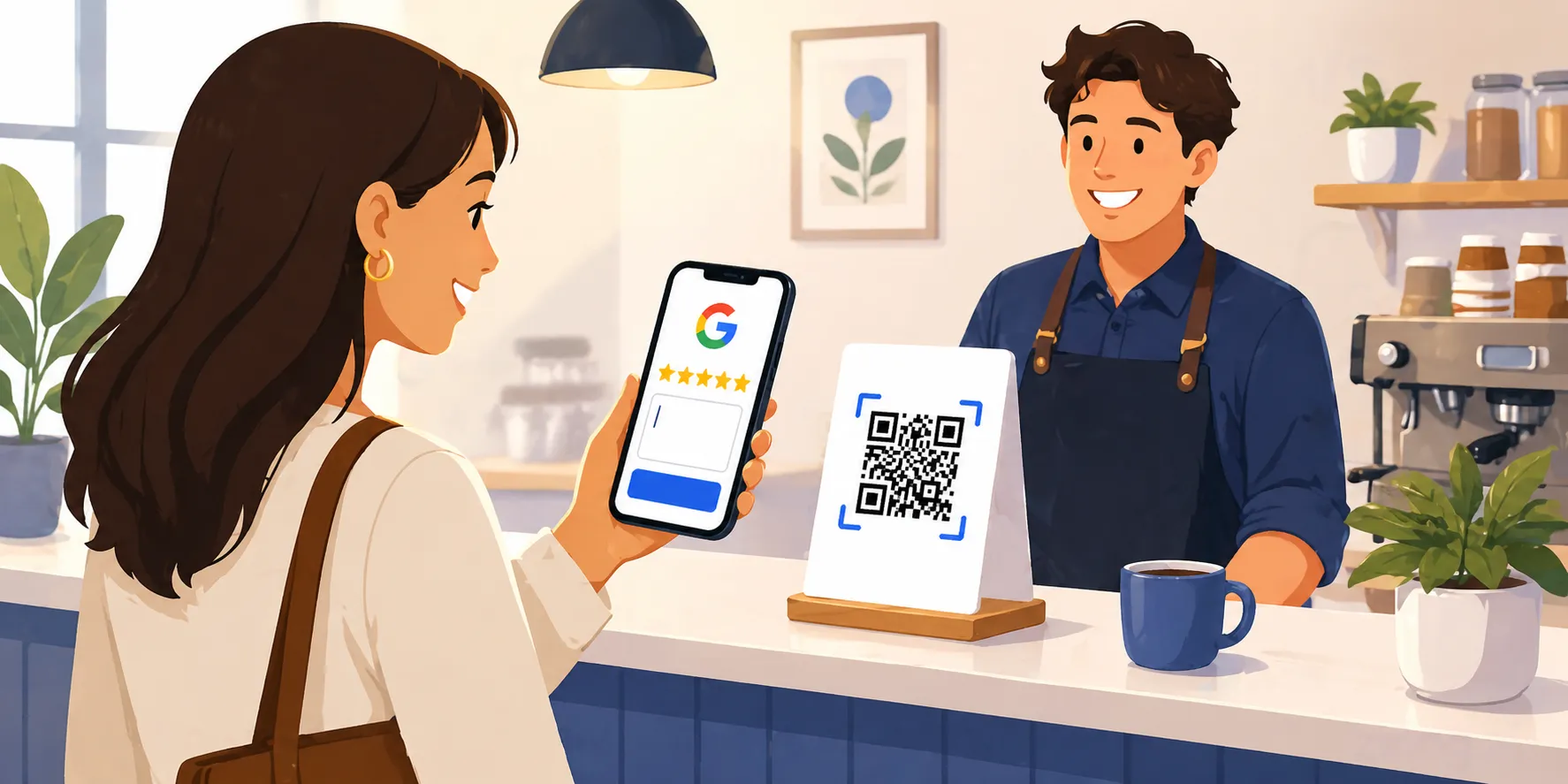
People often search for a "Google review scanner" expecting a separate app to install. You don't actually need one. The QR code is the scanner. Print it on something your customer sees right after a positive experience, they point their phone camera at it, and the phone opens your Google review form immediately. That is the entire workflow.
Behind the scenes, the QR code encodes a special Google review link that includes your business's Place ID. When the customer scans the code, their phone opens that link directly, skipping the search step that loses most reviews. They tap a star, type a sentence, and hit submit. No searching for your business, no scrolling to find the review section, no Google Maps detour.
This is the difference between a generic QR code generator and a real Google review scanner workflow: a generic generator turns whatever URL you paste into a QR code. A purpose-built Google review QR code maker (like this one) finds the right write-review URL for your specific business automatically, so you don't have to figure out Place IDs or write-review URLs yourself.
Why Your Business Needs a Google Review QR Code
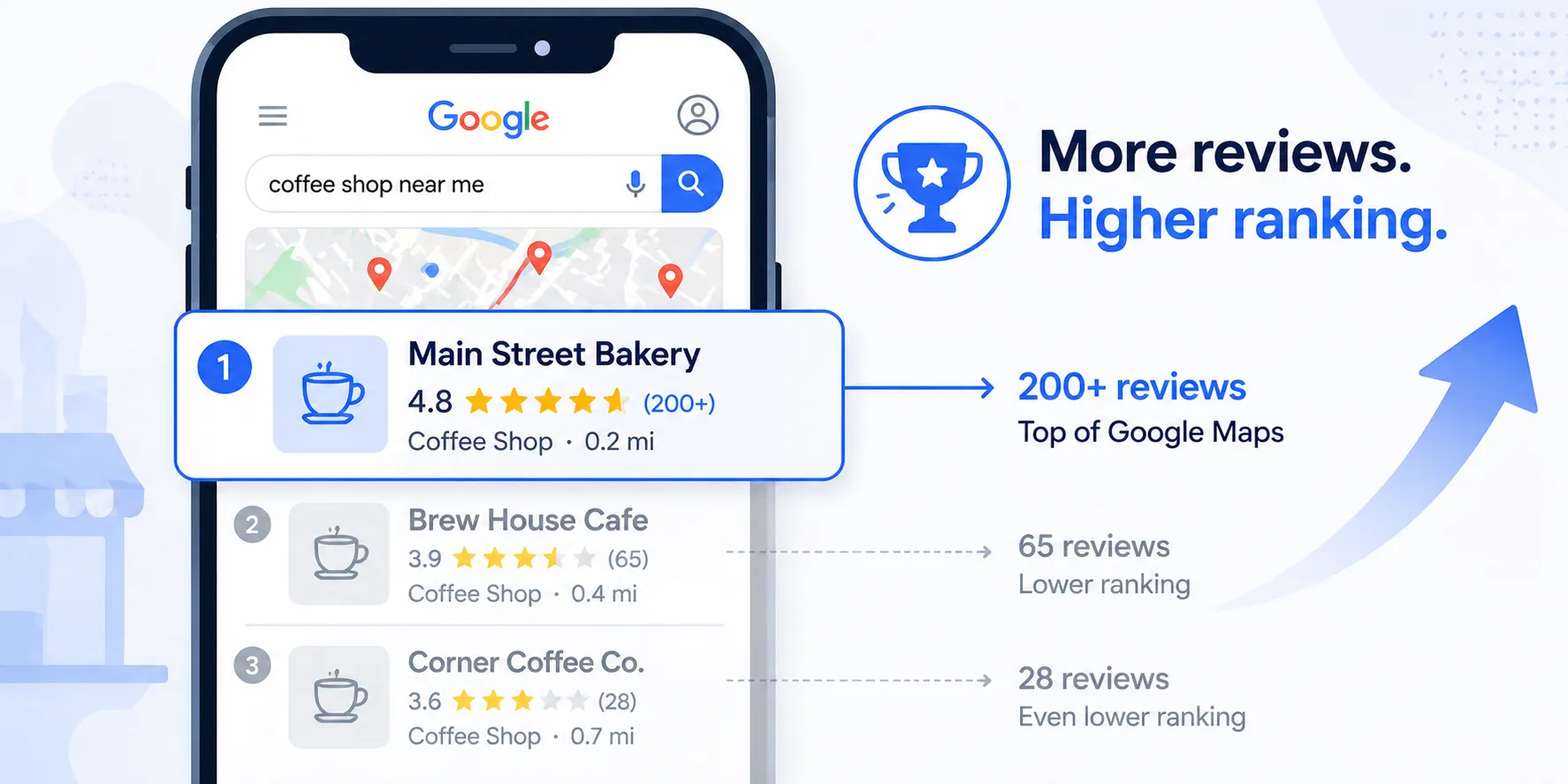
Google reviews are one of the most important factors in local search ranking. Businesses with more positive reviews appear higher in Google Maps results and in the local pack at the top of search results. For most small businesses, the difference between showing up on the first page and being buried comes down to review volume and quality.
The problem is that most satisfied customers never leave a review. Not because they had a bad experience, but because it takes too many steps. They have to open Google, search for your business, find the right listing, scroll to the review section, and then start writing. Most people give up before they get there.
A Google review QR code removes that friction entirely. When a customer scans the code with their phone camera, it opens your Google Business Profile directly to the review form. No searching, no scrolling. They tap a star rating, type a few sentences, and submit. The whole process takes under a minute.
This free QR code maker generates that code instantly. Just search for your business, select it from the results, and download the QR code image. You also get a direct Google review link you can share via email, text message, or on your website. Both the QR code and the direct review link take customers straight to the review form for your specific business.
Where to Use Your Google Review QR Code
The most effective placements are anywhere a customer sees the code right after a positive experience with your business. Print it on receipts so customers see it as they leave. Add it to invoices that go out after a completed job. Put it on a table tent or countertop sign near your checkout area. Include it on business cards, packaging inserts, follow-up emails, and thank-you cards. Some businesses print it on a small sticker and attach it to the product or service documentation they hand to customers.
How Google Reviews Impact Your Business
According to Google, businesses that respond to reviews are 1.7 times more trustworthy than businesses that do not. Reviews also directly influence whether potential customers choose your business over a competitor.
Beyond trust, reviews feed directly into Google's local search algorithm. More reviews with higher ratings signal to Google that your business is active, reputable, and relevant. This translates into higher placement in local search results, which means more visibility, more clicks, and more customers walking through your door. If local SEO is something you're actively trying to improve, our free SEO audit tool will surface other on-page issues holding your rankings back.
Who Uses a Google Review QR Code
Every local business with a Google Business Profile benefits, but a few industries see outsized impact.
Field Service Businesses
HVAC, plumbing, electrical, landscaping, pest control, and roofing companies print the QR code on the bottom of the printed invoice or on a "thanks for your business" leave-behind card. The customer scans it on the doorstep while the job is fresh, which is when 5-star reviews convert best.
Restaurants & Cafés
Table tents and check holders are the highest-converting placements. A QR code at the end of the meal earns reviews from happy customers who would never go home and search for the restaurant on Google.
Salons, Spas & Barbershops
A countertop sign at checkout with the QR code asks for the review the moment the stylist hands the customer the mirror. The conversion rate on these placements is higher than any digital channel.
Dentists, Chiropractors & Healthcare
A small printed card handed out at checkout (or on the way to the X-ray room) turns satisfied patients into reviewers. Patient acquisition cost is so high that even one extra review per week pays for itself many times over.
Contractors & Home Services
Add the QR code to the final walk-through document, the change-order packet, or a sticker on the job binder. Reviews from major projects are some of the most persuasive social proof a contractor can earn.
Auto Repair Shops
Print the QR code on the keys-ready notification text or on a card clipped to the keychain at pickup. The review goes in the moment they drive off and notice the rattle is gone.
Related Free Tools & Guides
How to Get More Google Reviews: 15 Tactics
The full prioritized playbook: SMS automation, response strategy, review velocity, and a 90-day plan.
How to Respond to Negative Google Reviews
5-step framework, 10 copy-paste templates by review type, and what NOT to write.
How to Remove a Fake Google Review
What Google will and won't remove, the 4 paths to pursue, and what to do when removal isn't possible.
20 Google Review Request Templates
SMS, email, and in-person scripts that actually convert. By channel, timing, and industry.
How to Create a Google Review Link
The direct link that opens straight to the star box, for texts, emails, and your website.
Free AI SEO Audit
Paste any URL and get an instant report on what's holding your search rankings back.
Missed Call Revenue Calculator
See how much revenue your business loses from unanswered phone calls every month.
After-Hours Lost Revenue Calculator
Calculate what you leave on the table every time your business is closed.
Add This Free Tool to Your Website
Run a marketing agency, a local business blog, or a resources page for small businesses? Paste this code into any page and your visitors can make their own Google review QR codes and printables, free. It resizes itself to fit.
Tips for Getting More Google Reviews
Ask at the right moment
The best time to ask is right after a positive interaction, when the customer is happiest with your service.
Make it effortless
A QR code eliminates the friction of searching for your business. One scan and they are ready to write.
Place it where customers see it
Print the QR code on receipts, business cards, table tents, invoices, and exit signage.
Respond to every review
Responding shows you value feedback and encourages more customers to leave their own reviews.
Stop losing calls. Start with Zinng.
Set up your AI phone agent in minutes. Try it free for 7 days.
Try Zinng FreeFrequently Asked Questions
Common questions about missed calls and their impact on your business.