Nearly half of callers (46%) say they'd hang up after more than four menu choices. That's from a 2025 survey of 2,243 U.S. adults by Forethought.
So a phone tree can help your business or quietly cost you calls. Here's what one is, how to build a short one that works, and when you're better off without it.
What is a phone tree?
A phone tree is the recorded menu that answers a business line and sends callers somewhere based on the key they press. "For appointments, press 1. For billing, press 2."
It's called a tree because each choice can branch into more choices. RingCentral's help center describes it as "an automated phone system that guides callers through a series of options using recorded prompts."
You'll see the same thing sold under other names:
- Auto attendant or automated attendant (Google Voice, Nextiva)
- IVR menu (RingCentral)
- Phone menu (Quo, formerly OpenPhone)
Strictly speaking, a full IVR can do more than route calls, like look up an account. We break that down in auto attendant vs IVR.
The other kind of phone tree: a call tree
About half of Google's top results for "phone tree" mean something different. Schools, churches, clubs and offices use "phone tree" for a call chain, where each person calls a few others to spread news fast.
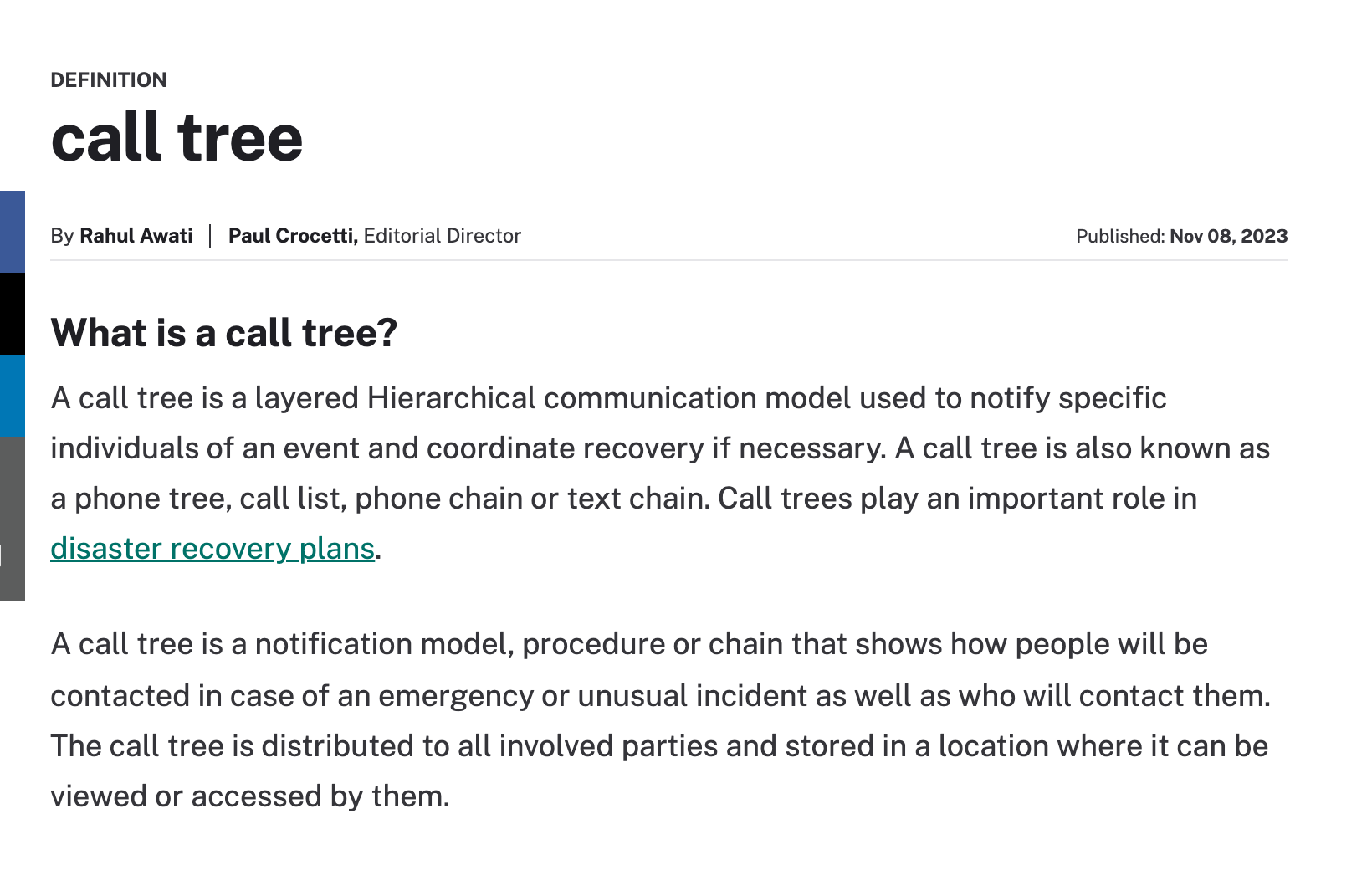
That's also why most "phone tree templates" online look like an org chart. Each box is a person with a name and phone number, not a menu option.
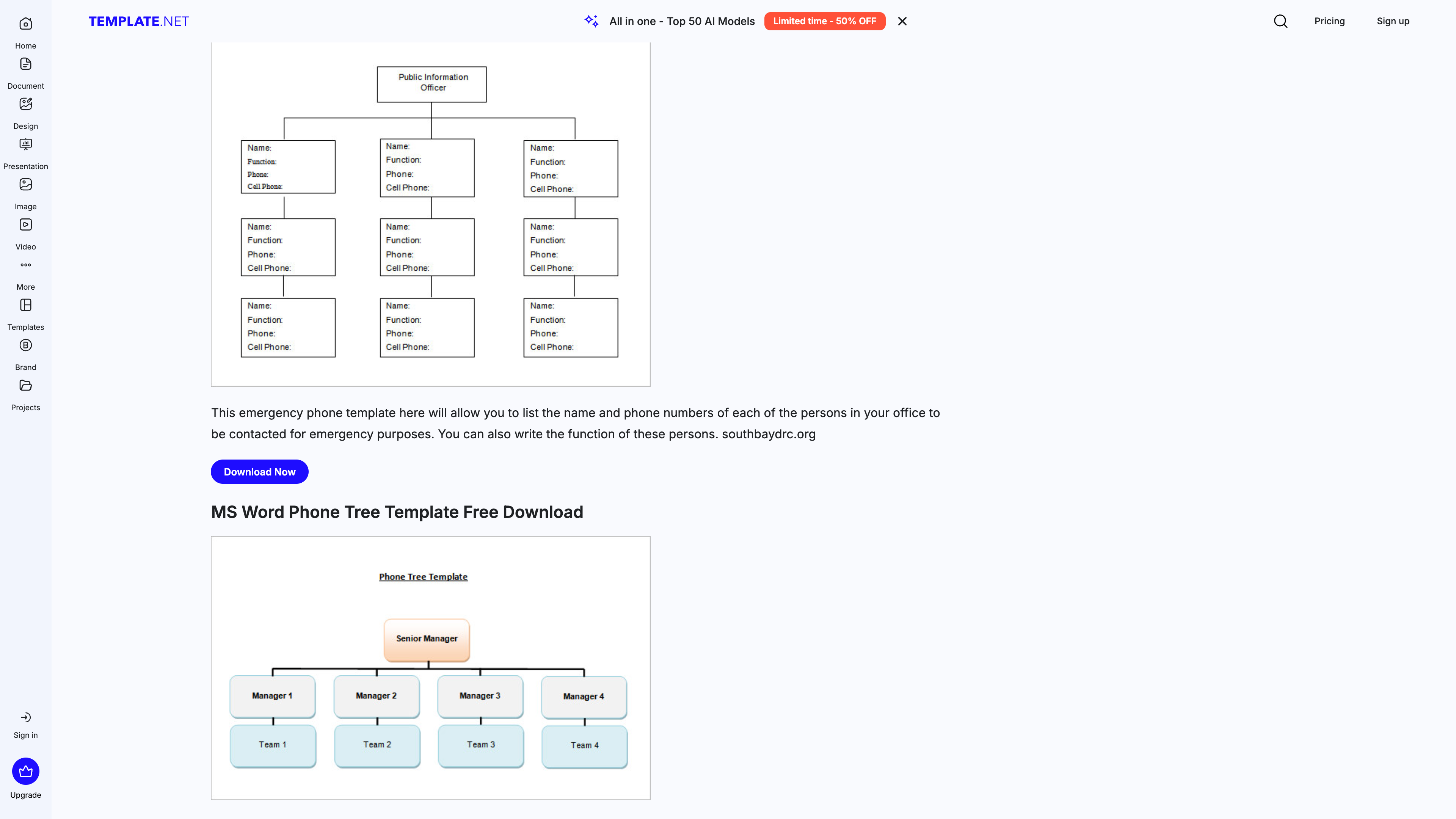
If that's the kind you need, a free Word or Google Docs template works fine. The rest of this guide covers the business kind: the menu your customers hear when they call.
How a business phone tree works
Every phone tree has the same parts: a greeting, a few numbered choices, and a place each choice sends the caller. A two-level tree for a small HVAC company might look like this:
"Thanks for calling Summit Heating and Air."
1 No heat or no AC right now → rings the on-call tech
2 Schedule service or a tune-up
1 Residential → office line
2 Commercial → commercial manager
3 Billing → bookkeeper's voicemail
0 Anything else → front desk
Each branch ends at a person, a group of phones that ring together, or a voicemail box. Most systems also let you play a different tree after hours.
Phone tree examples for small businesses
Copy one of these and swap in your own names. Each keeps to three or four options and always gives the caller a way to reach a person.
Medical or dental office
- "Thanks for calling Lakeside Family Dental."
- "If this is a dental emergency, press 1."
- "To book, move or cancel an appointment, press 2."
- "For billing or insurance, press 3."
- "For anything else, press 0."
Salon or spa
- "Thanks for calling Willow Salon."
- "To book online, press 1 and we'll text you the link."
- "To reach the front desk, press 2."
- "For our hours and address, press 3."
Office with a few departments
- "Thanks for calling Harbor Insurance."
- "For a new quote, press 1."
- "To report a claim, press 2."
- "If you know your agent's extension, dial it now."
- "For the operator, press 0."
Spam filter only
- "Thanks for calling Ortiz Plumbing."
- "To reach us, press 1."
That last one isn't really a tree at all. It exists to block robocalls, which can't press a button, and owners swear by it (more on that below).
Need words for the voicemail at the end of each branch? See our business voicemail greeting scripts.
How many options should a phone tree have?
Three, maybe four. Here's what the research says.
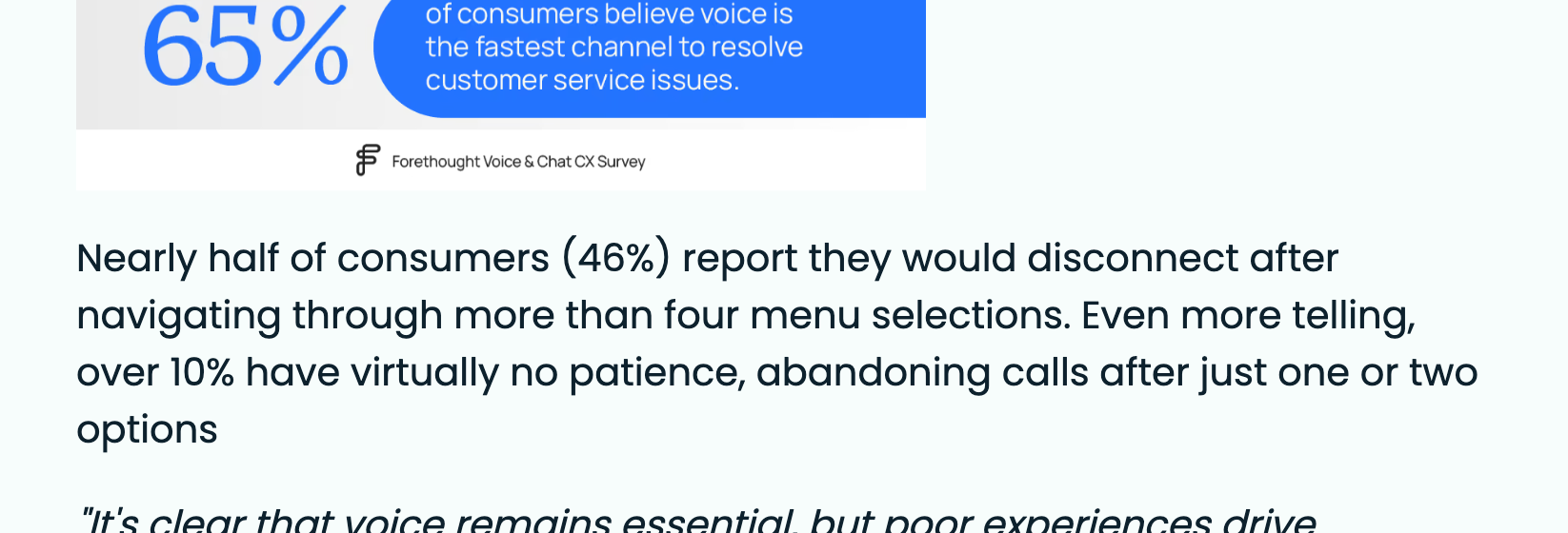
Over 10% in that survey give up after just one or two options. Forethought sells customer service software, so read it as industry data, but the older numbers point the same way.
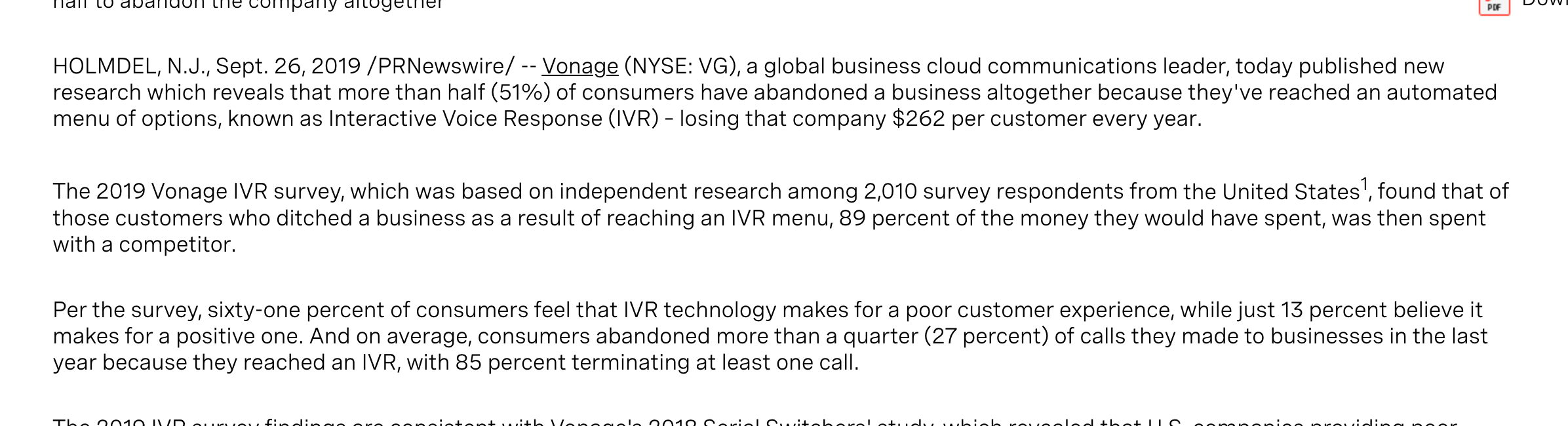
Vonage surveyed 2,010 U.S. adults back in 2019. Callers said they had abandoned 27% of their calls to businesses because they reached an automated menu.
Phone companies give the same advice to their own customers. Quo's help center says to keep it to "3-4 options maximum," keep the recording under 20 seconds, and always include a zero option.
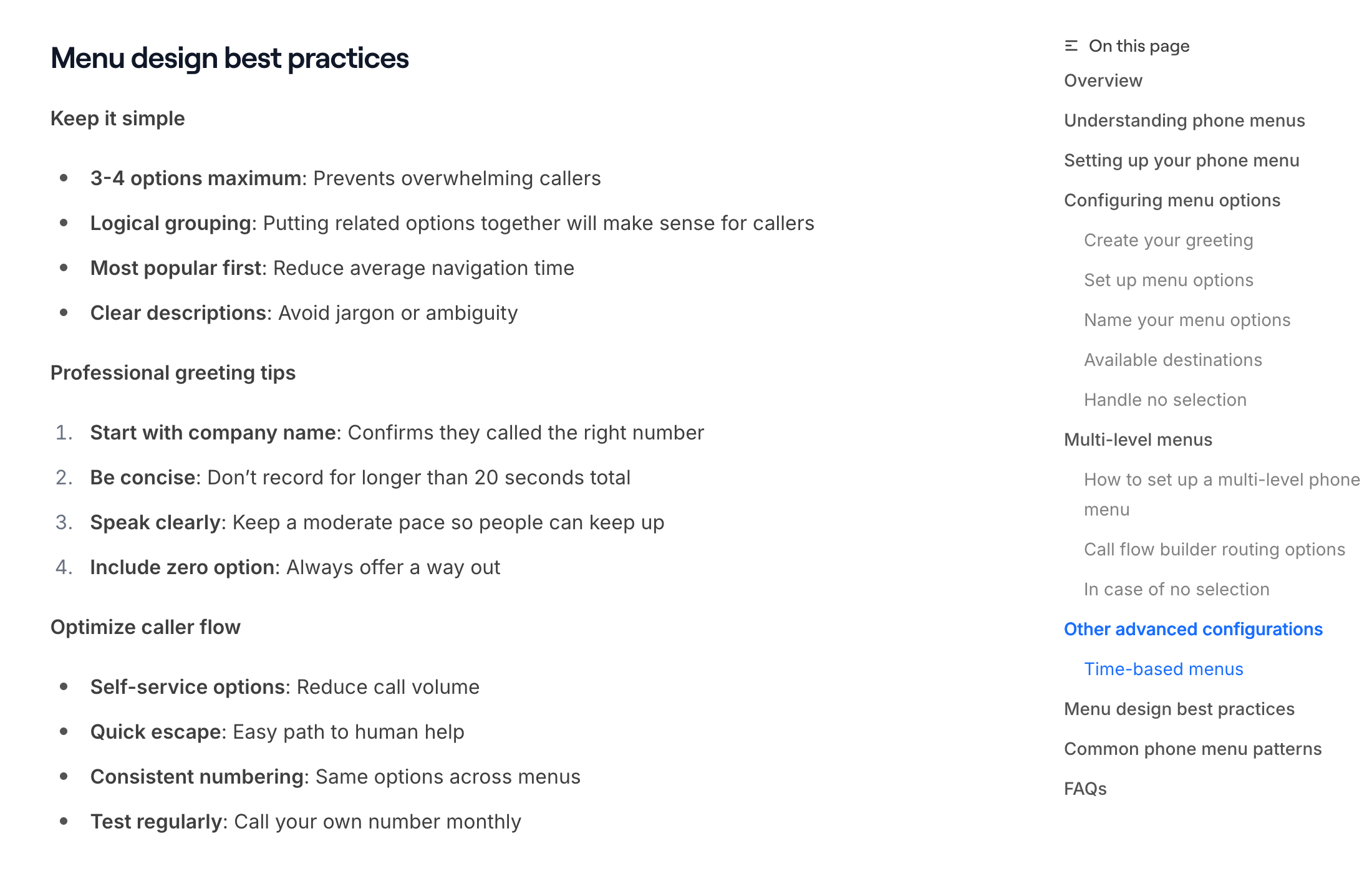
Clutch's report on its survey of 501 callers quotes an expert who puts the limit at three. "If phone menus are longer than 3 choices, customers tend to bypass the options offered."
What do business owners say about phone trees?
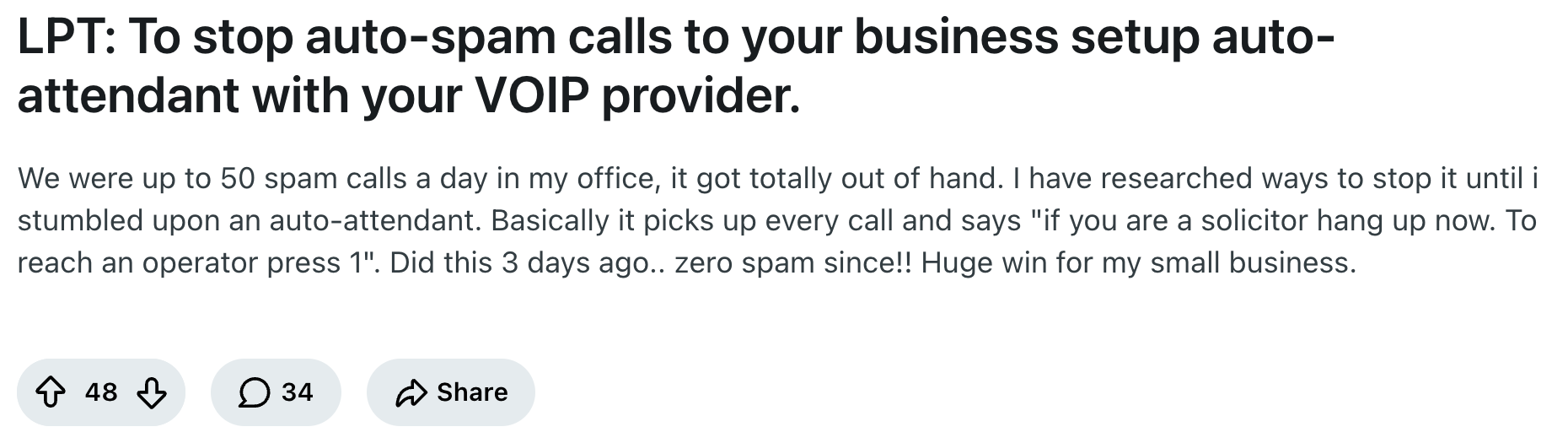
The biggest fans use a phone tree as a spam filter. This r/smallbusiness post kicked off a whole thread:
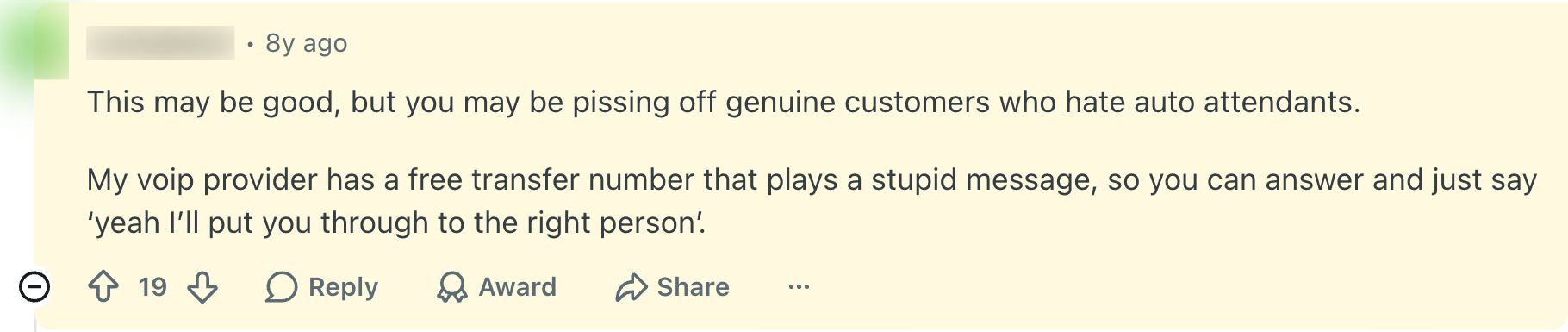
One reply pushed back:
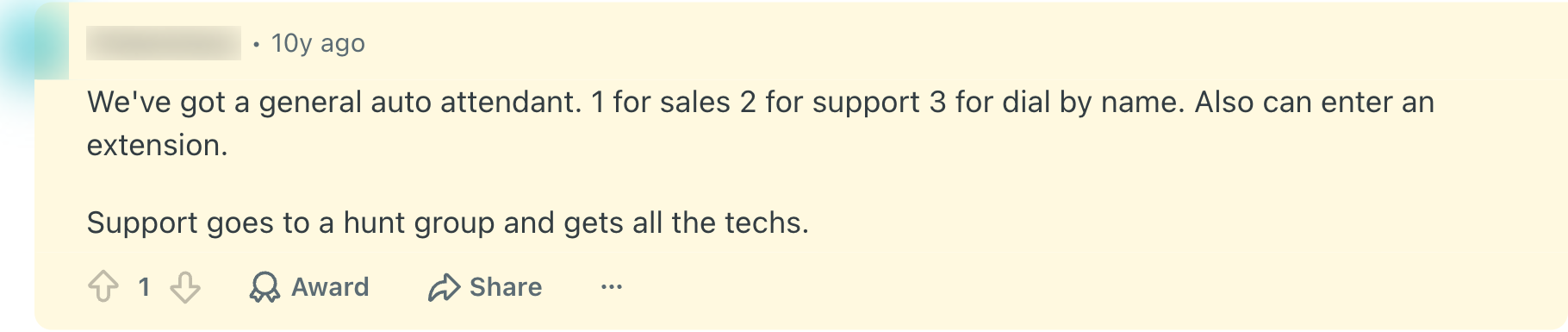
Another owner in the same thread found the middle ground. Greet the caller, offer extensions, then move on fast:

A typical small business tree really is this simple. An IT company owner in r/msp shared theirs:
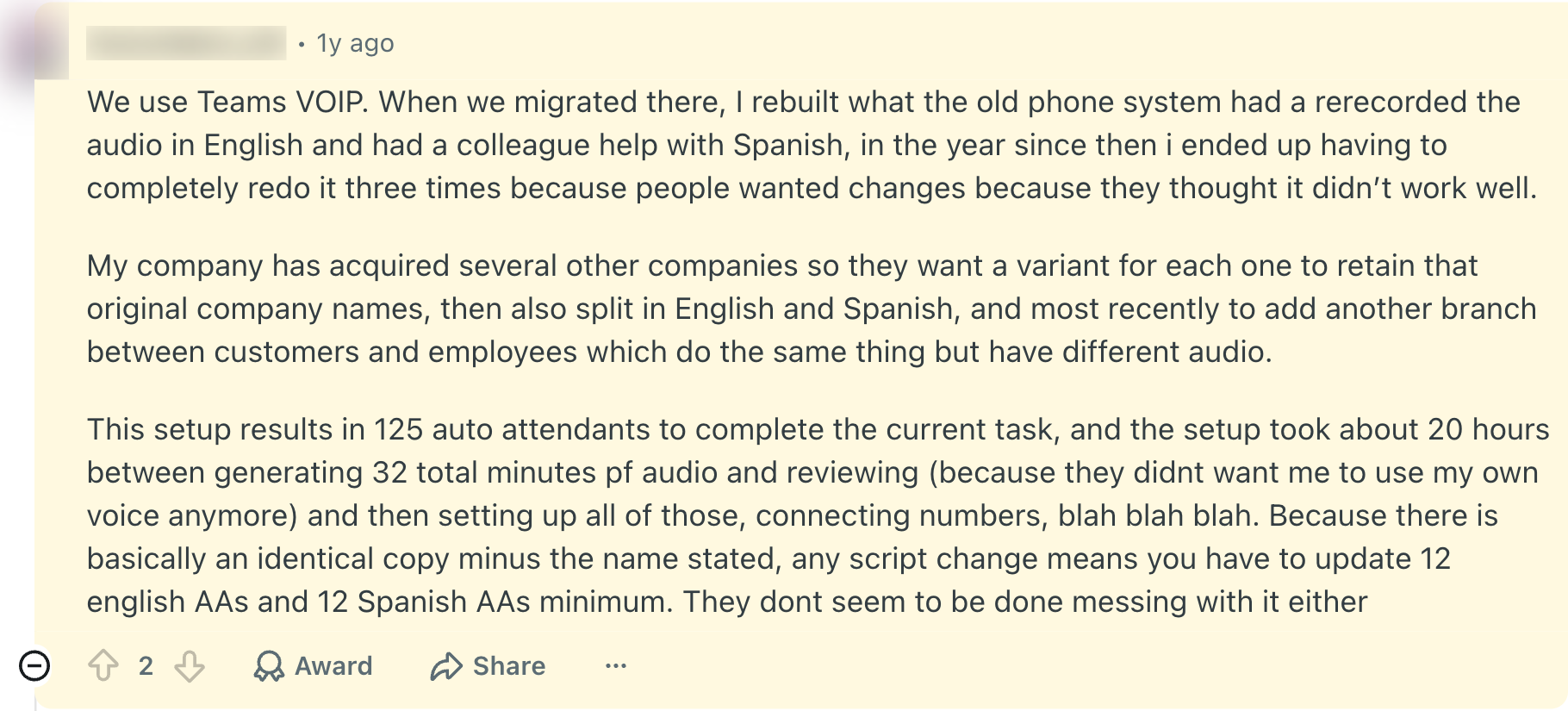
Trees also tend to grow. This IT admin in r/sysadmin rebuilt theirs three times in a year:
How to set up a phone tree
You build a phone tree in your phone provider's admin settings, not on the phone itself. Here's how it works with the most common options.
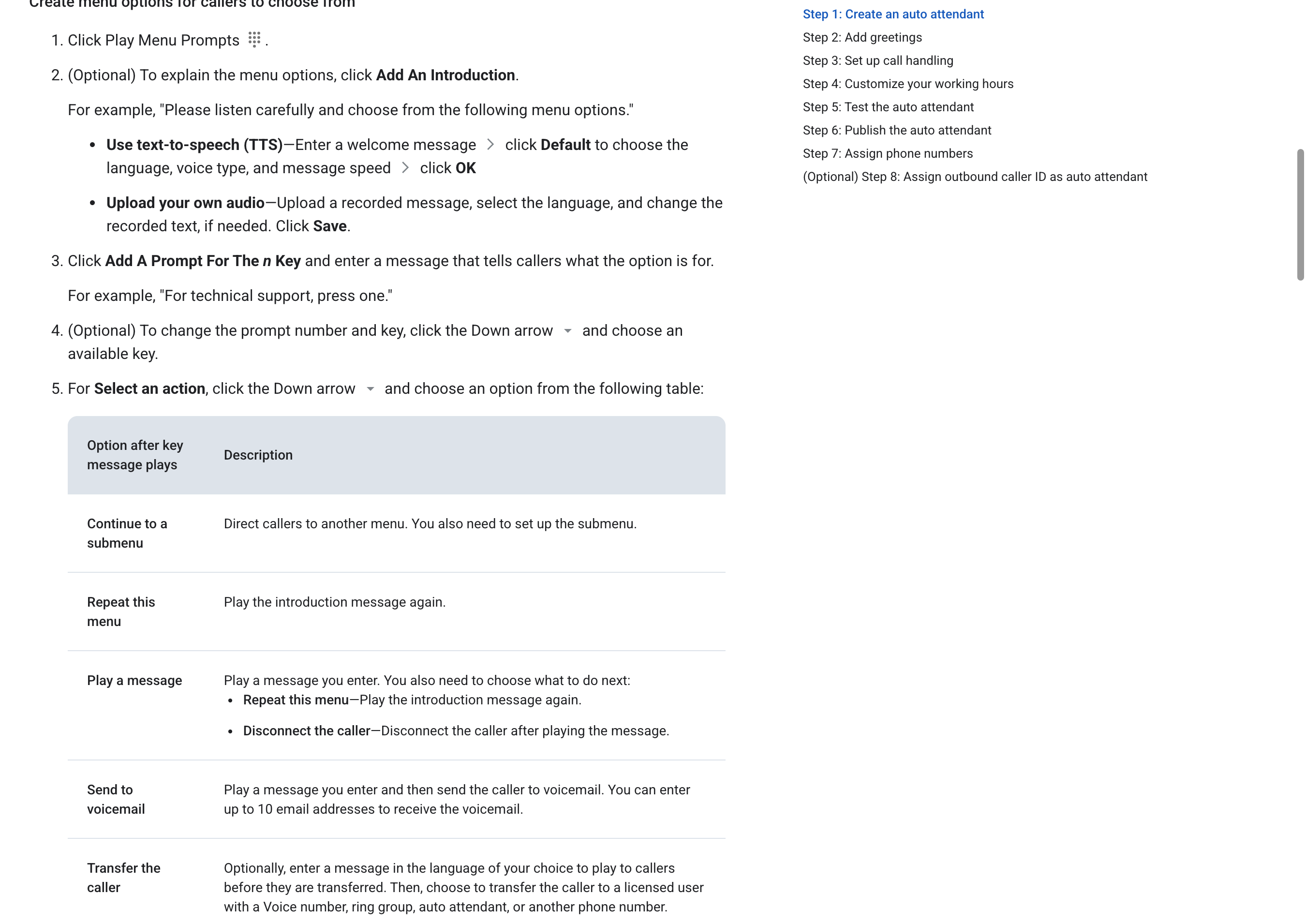
Google Voice
Google Voice calls it an auto attendant, and it needs the Standard ($20 per user a month) or Premier ($30) plan. The Starter plan and free personal Google Voice don't include it.
Google Voice phone tree setup
"Continue to a submenu" is what turns a simple menu into a tree. Each submenu is set up the same way.
More on the plans and catches in our Google Voice for business guide.
RingCentral
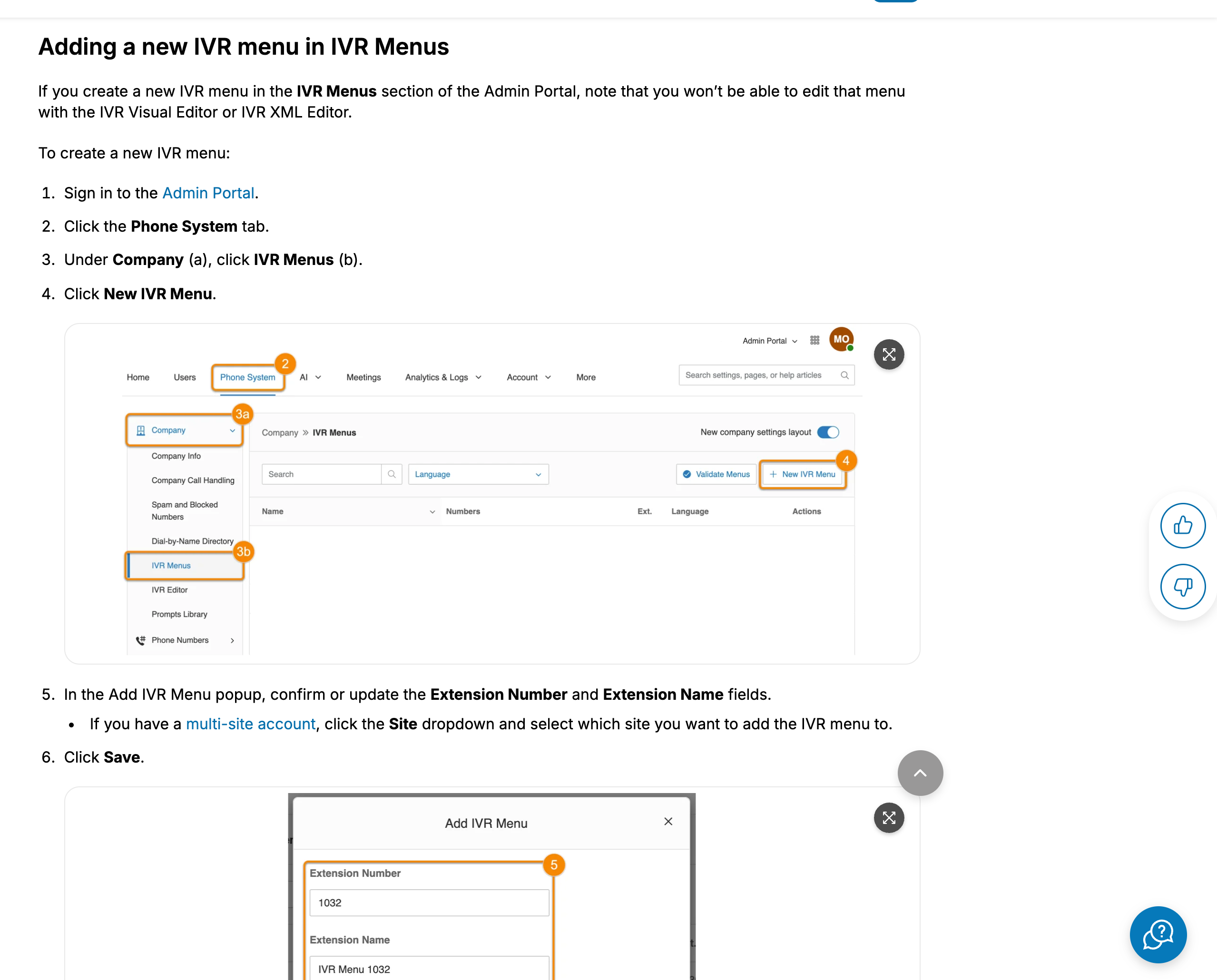
RingCentral calls it an IVR menu. Sign in to the Admin Portal, open the Phone System tab, then go to Company, IVR Menus, and click New IVR Menu.
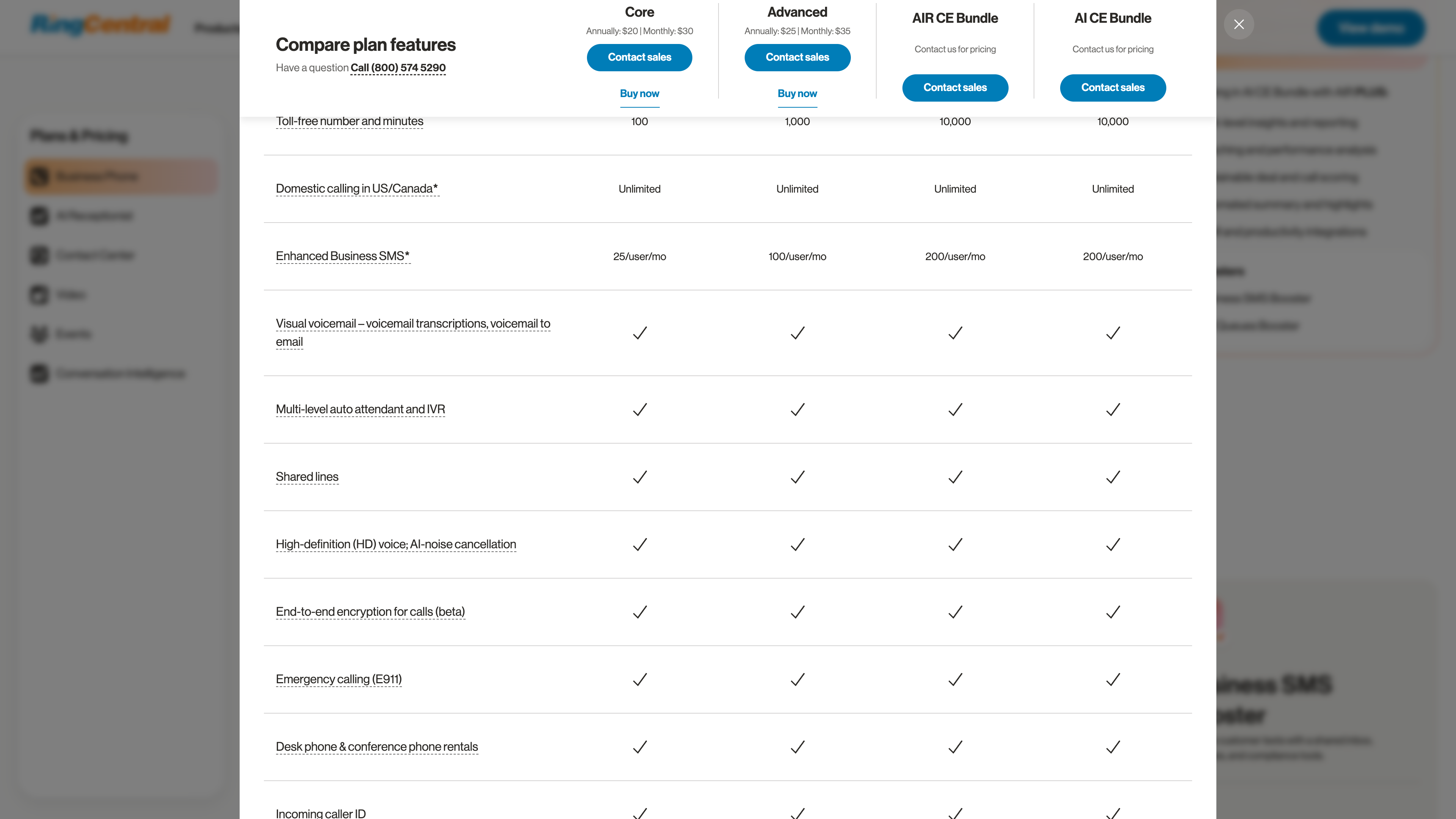
Every RingEX plan includes it, starting with Core at $20 per user a month paid annually ($30 monthly). Its pricing table lists "Multi-level auto attendant and IVR" on all four plans.
iPhone or Android
You can't build a phone tree on a regular cell phone. Apple's iPhone guide covers Call Screening, which asks unknown callers for their name and reason, but there's no "press 1" menu.
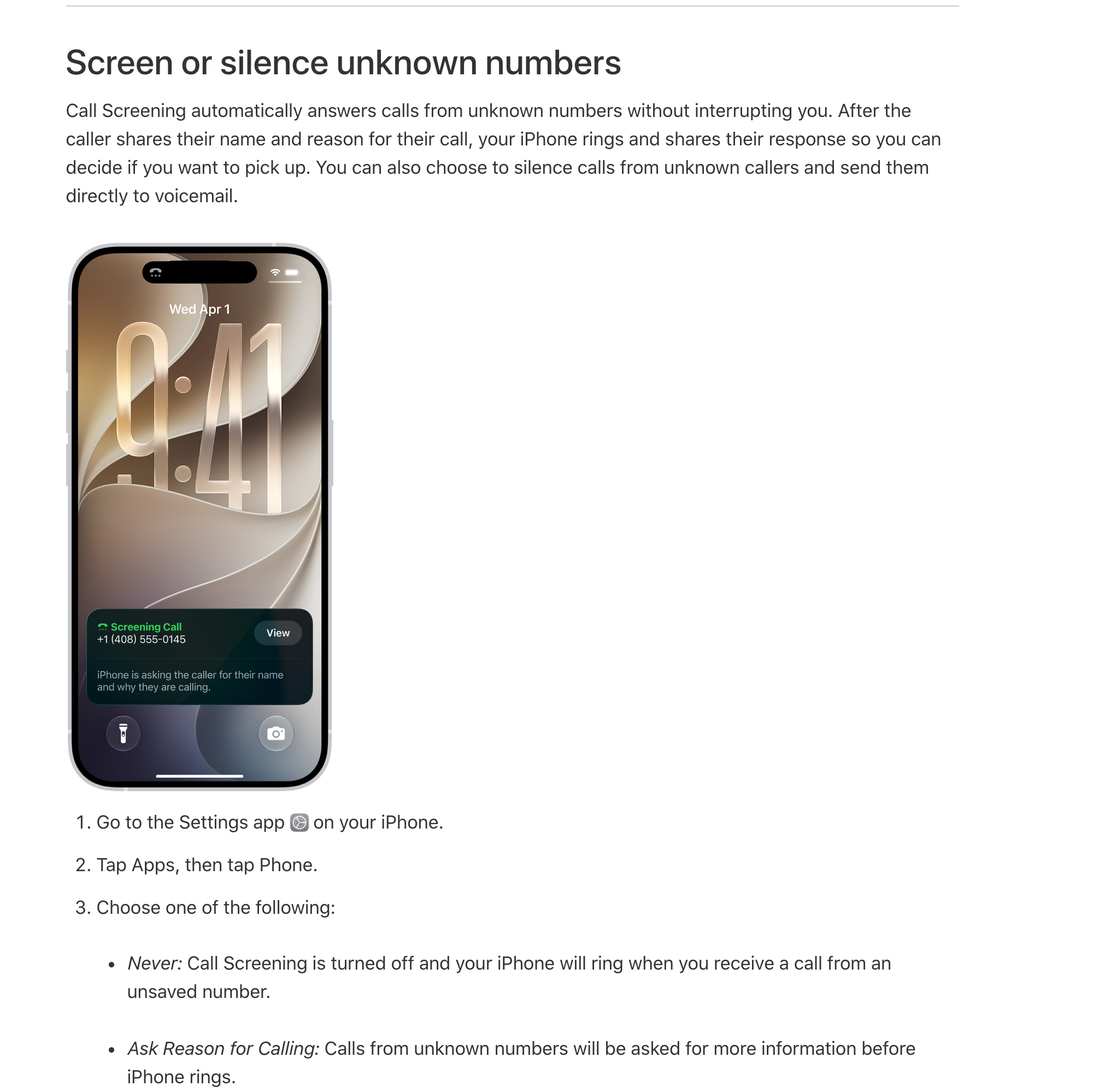
To get a phone tree on your cell, use a business phone service with its own app, like Google Voice, RingCentral, Nextiva or Quo. You set up the menu on their website, and calls still ring on your phone. Our guide on call screening covers the iPhone feature in more detail.
Nextiva and Quo
Nextiva includes a "Simple IVR" on all three of its plans, from $15 per user a month on an annual contract. You build it under Advanced Routing, then Auto Attendants.
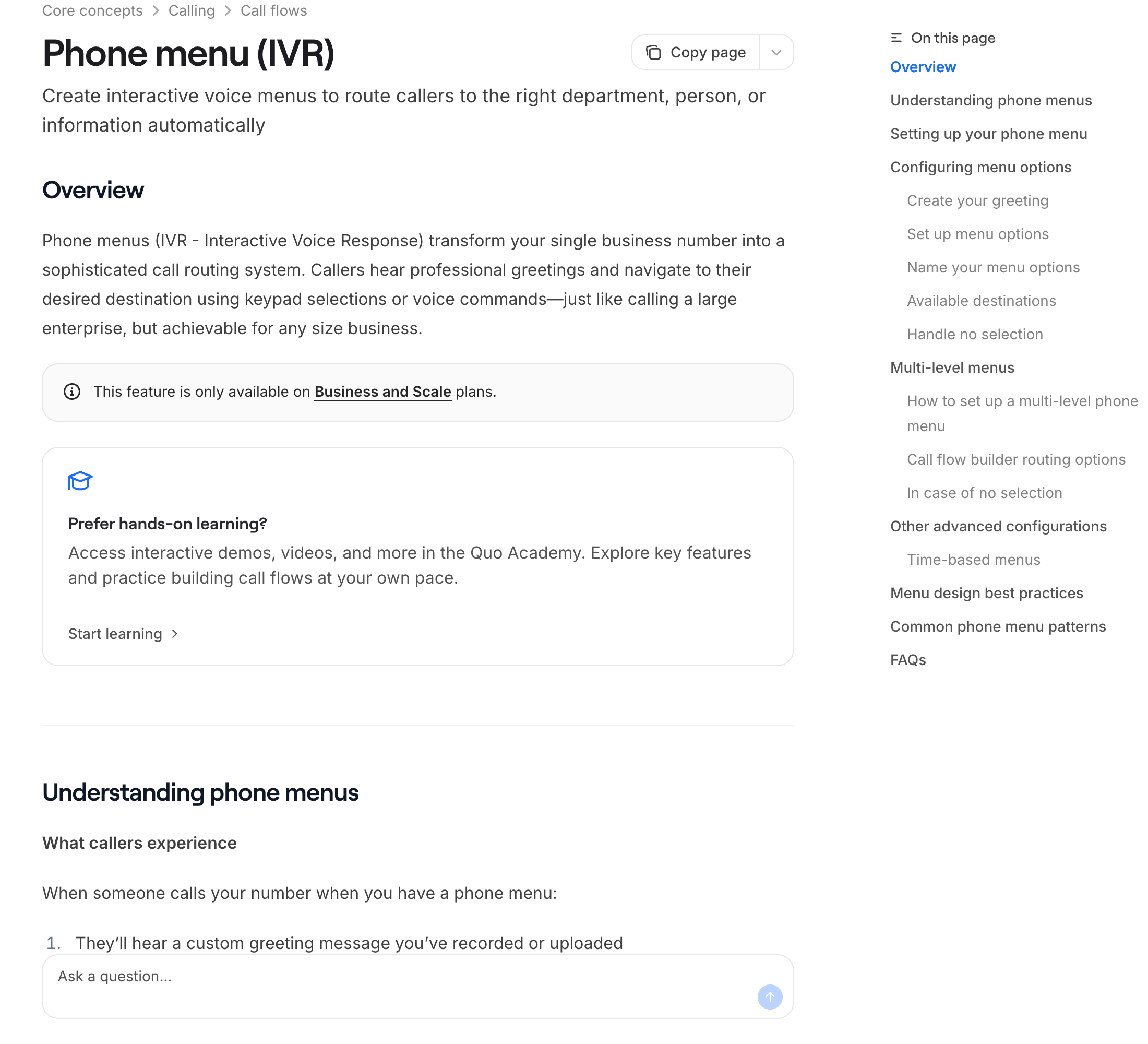
Quo (formerly OpenPhone) only offers phone menus on its Business and Scale plans. You build them on the web or desktop app, not the mobile app.
How much does a phone tree cost?
Usually nothing extra. It comes with the business phone plan, so the real question is which plan level includes it.
| Provider | What they call it | Cheapest plan that includes it |
|---|---|---|
| Nextiva | Simple IVR | NEXT Core, $15 per user a month (annual) |
| Google Voice | Auto attendant | Standard, $20 per user a month, plus a Google Workspace plan |
| RingCentral | Multi-level auto attendant and IVR | Core, $20 per user a month (annual) or $30 monthly |
| Quo | Phone menu | Business plan (not Starter) |
Prices are from each company's pricing page on October 23, 2026. Quo's page showed two different sets of prices that day, so check it directly.
6 rules for a phone tree callers don't hate
When a small business should skip the phone tree
A phone tree sorts calls, but it doesn't answer them. If you're a crew of three and everyone's on a job, every branch ends in the same voicemail box.
Some teams skip the tree entirely. Asked how their help desk line should be set up, this r/sysadmin admin said:

And a lot of callers who land in voicemail just hang up. We dug into that in does anyone actually leave voicemails anymore?
An AI phone agent replaces the tree with a conversation. The caller says "my AC is out" instead of pressing 1, and the agent answers questions, books the job, or transfers the call to the right person.
It does the spam-filter job too. Zinng's agent can end robocalls and sales calls, and blocked spam calls don't count against your minutes.
Zinng starts at $49 a month for 300 minutes, with done-for-you setup and a 7-day free trial. You can hear a demo built from your own website in about a minute.
Before you record "press 1," think about the last time you called a business. Did you want a menu, or did you just want someone to pick up?
Sources
All pages were checked and captured on October 23, 2026. Forethought, Vonage, Quo, Nextiva and RingCentral sell phone or customer service products, so treat their numbers as industry data.
- Forethought, customer support consumer survey (2,243 U.S. adults, early 2025; the page shows no publish date).
- Vonage, IVR research press release (2,010 U.S. adults, September 26, 2019).
- Clutch, How Businesses Should Set Up Their IVR Menu (501 U.S. consumers, updated April 14, 2025).
- Definitions: TechTarget, call tree (November 8, 2023).
- Templates: Template.net phone tree templates.
- Setup and plans: Google Voice auto attendant help, Google Voice plans, RingCentral IVR help, RingCentral pricing, Nextiva auto attendant help, Nextiva pricing, Quo phone menu help, Quo pricing.
- iPhone: Apple iPhone User Guide, screen and block calls.
- Owner quotes: public Reddit threads in r/smallbusiness, r/msp and r/sysadmin, linked where quoted. These are individual opinions, not research, and several threads are from 2017 to 2022.
- Zinng: zinng.ai pricing.
FAQ
What is a phone tree?
A phone tree is a recorded menu that answers a business phone line and sends callers to a person, department or voicemail based on the key they press. The term can also mean a call chain, where each person calls a few others to spread news.
What is a phone tree system called?
Phone companies call it an auto attendant, an automated attendant, an IVR menu or a phone menu. They all mean a recorded "press 1, press 2" menu.
Can Google Voice do a phone tree?
Yes, with an auto attendant on the Google Voice Standard ($20 per user a month) or Premier ($30) plan, and it supports submenus. The Starter plan and free personal Google Voice don't include it.
Can I set up a phone tree on my iPhone?
Not with the built-in Phone app. You need a business phone service with an iPhone app, like Google Voice, RingCentral, Nextiva or Quo, and you build the menu on their website.
How many options should a phone tree have?
Three or four at most. In a 2025 Forethought survey, 46% of callers said they'd hang up after more than four menu selections.
How much does a phone tree cost?
Usually nothing extra, because it's included in business phone plans that start around $15 to $20 per user a month. Some providers only include it on their middle plans, so check before you buy.
Ready to get started?
Set up your AI phone agent in minutes. Try it free for 7 days.
Try Zinng Free for 7 Days
About the Author
Timothy Bramlett
Co-Founder & CEO, Zinng
Timothy Bramlett is an American entrepreneur, software engineer, and product strategist. He is the founder of Zinng, an AI-powered phone agent platform that helps businesses never miss a customer call with intelligent call handling, real-time transcripts, and instant summaries.