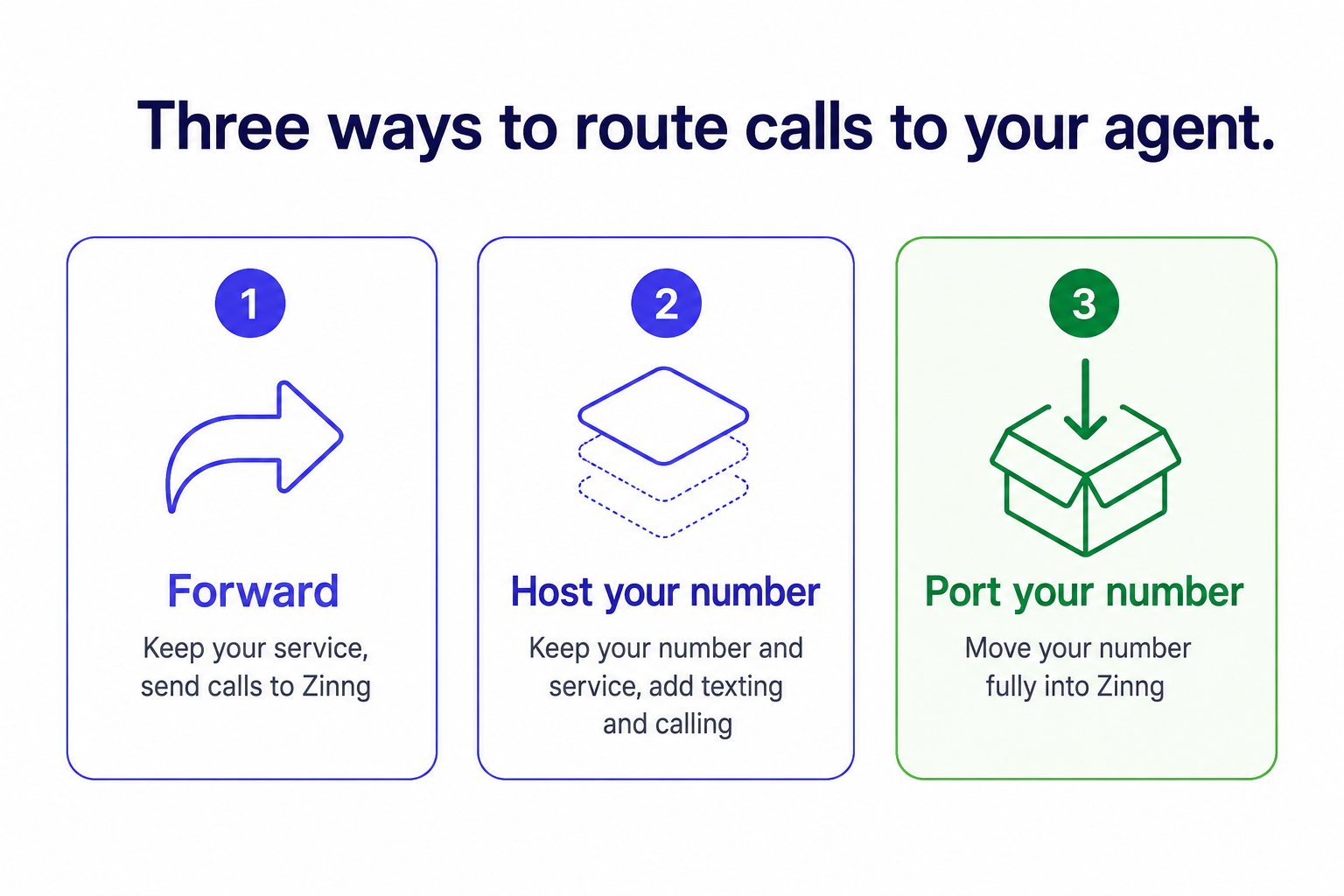
Ways to Route Calls to Your Agent
There are three main ways to get phone calls to your Zinng AI agent. Which one is right for you depends on your current phone setup and how much you want it to change.
1. Forward calls to your agent
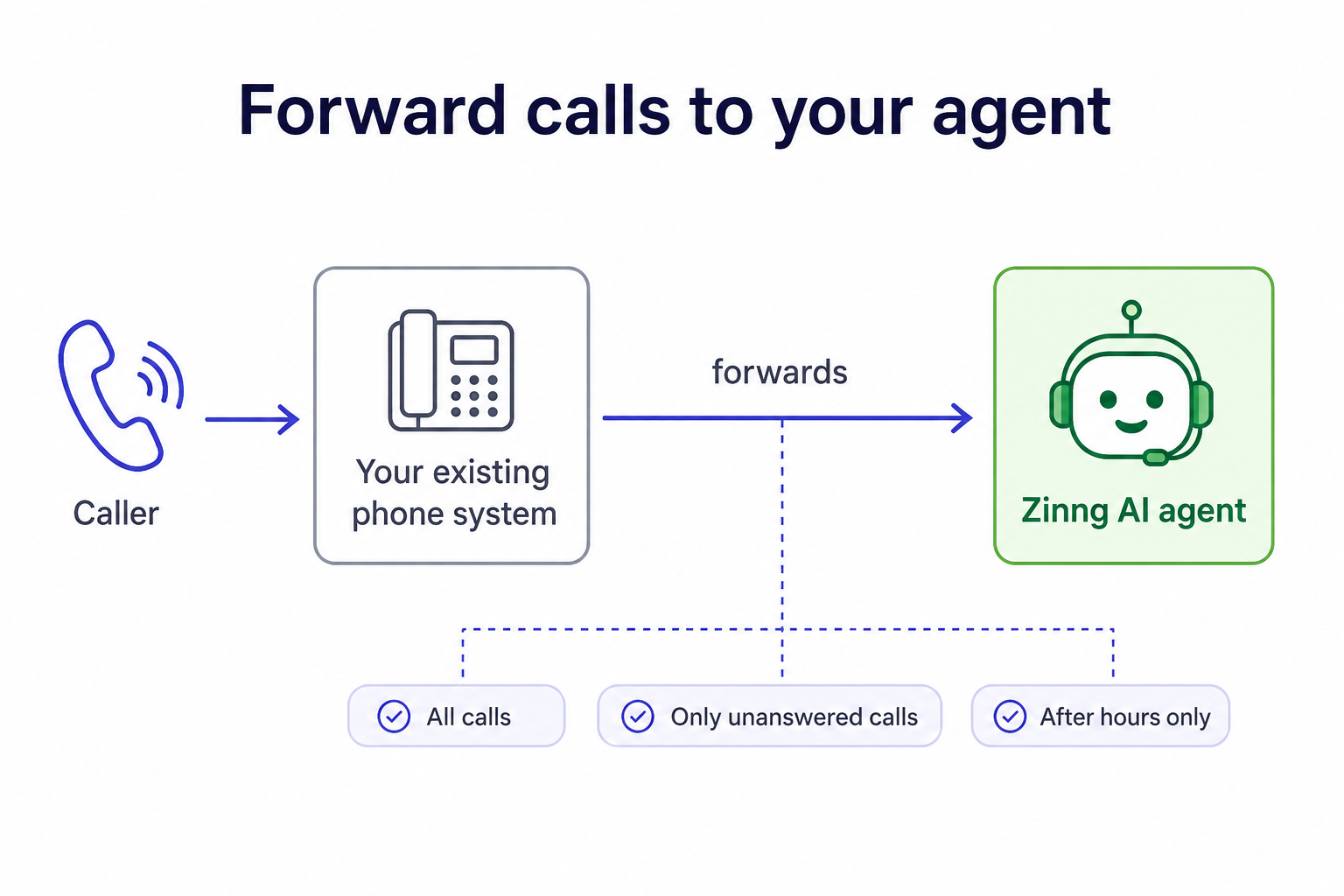
The simplest approach is to set up call forwarding in your existing phone system so calls are sent to your Zinng agent. You keep your current phone service exactly as it is and just point calls at Zinng.
What forwarding rules you can set up depends on the features your carrier or phone system offers. At a high level, the common options are:
- Forward all calls to the agent, so Zinng answers every call.
- Forward only unanswered calls to the agent, so it picks up when you're busy or don't answer.
- Time-based rules, if your phone system supports them. For example, during business hours a person can answer if they're available, and after hours the agent automatically takes over.
We have step-by-step forwarding guides for major carriers in the Forwarding section of these docs.
2. Host your number
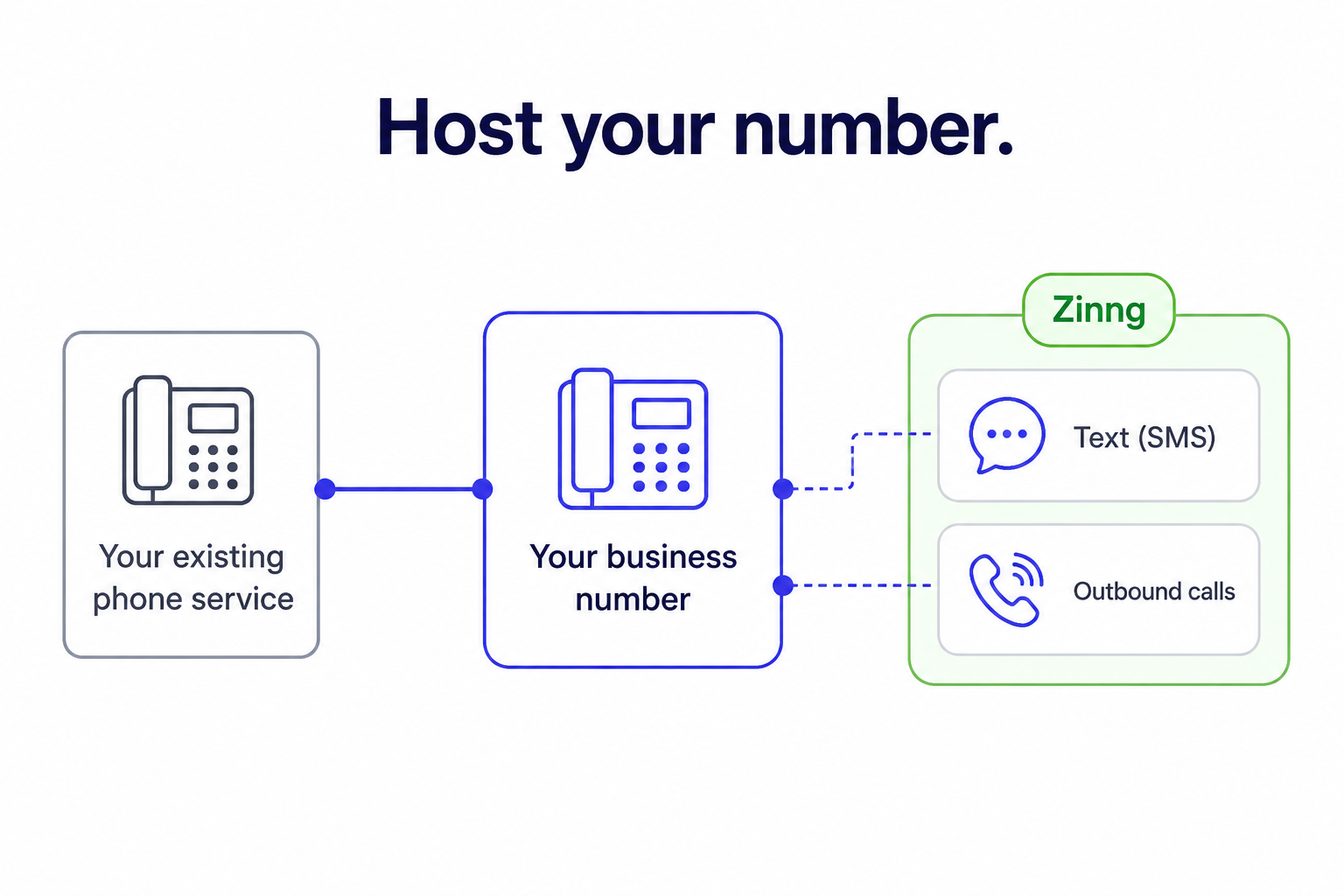
If you already have a business line, often a landline, we can host your number. Hosting lets us add texting (SMS) for your business number and make calls on its behalf, while you keep your existing phone service running as-is. You don't move your number away from your current provider, we simply gain the ability to text and call from it.
3. Port your number into Zinng
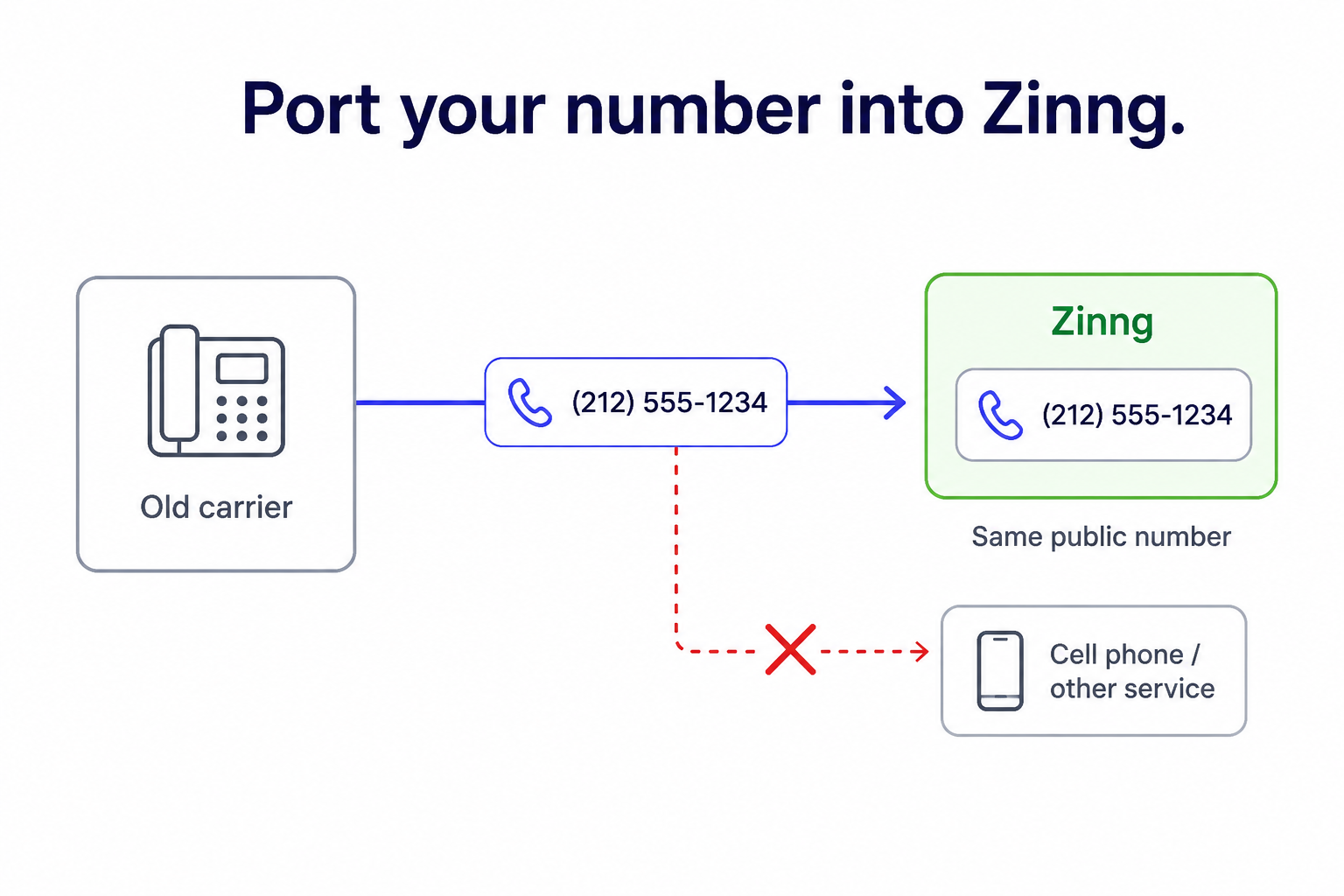
You can also fully port your number into Zinng. This moves the number into our system so we have full control of it, and your public-facing number stays exactly the same.
The trade-off: once a number is ported in, it lives entirely in Zinng. You can no longer attach it to a cell phone or another phone service, the way you could before.
Not sure which is right for you?
If you're not sure which option fits your business, contact our team. We'll help you figure out the best way to get calls to your agent.