How to Block a Caller
Block an unwanted number so it can no longer reach your AI phone agent. You do this right from the conversation in your inbox.
1. Open the Inbox
Sign in to your Zinng dashboard and click Inbox in the left sidebar.
2. Open the conversation with the number you want to block
In your list of conversations, click the one with the phone number you want to block to open it.
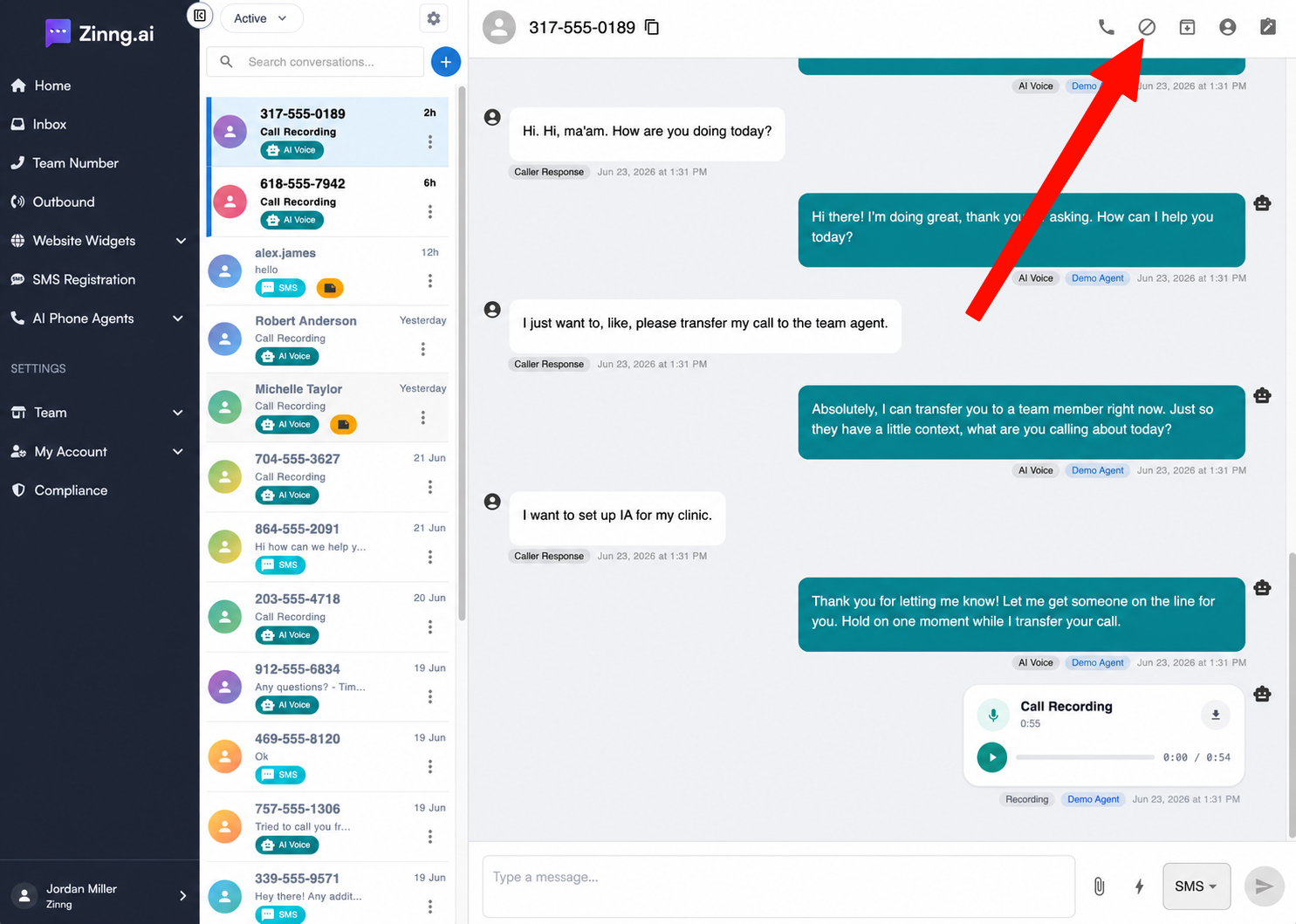
3. Click the block icon
In the upper-right corner of the conversation, click the block icon. It's the small crossed-out icon in the row of icons above the conversation.
If you're asked to confirm, confirm the block.
What happens after you block a number
Once a number is blocked, that caller can no longer reach your AI phone agent. Future calls and messages from that number are stopped, so it won't bother you again.
Need help?
If you run into any issues or have questions, contact our team. We're happy to help.