
Send call details to Zapier after every call
Connect Zapier with an API key and the Call Finished trigger so each analyzed call can start a Zap that sends details to thousands of apps.
The Zapier: Call Finished Trigger add-on fires a Zapier trigger after each call is analyzed, so you can pass the call summary, caller details and more to other apps without code. It is available on the Pro plan and above.
Before you start
Section titled “Before you start”- A Zapier account.
- Permission to open the agent’s settings and the API keys page.
Connect Zapier to your agent
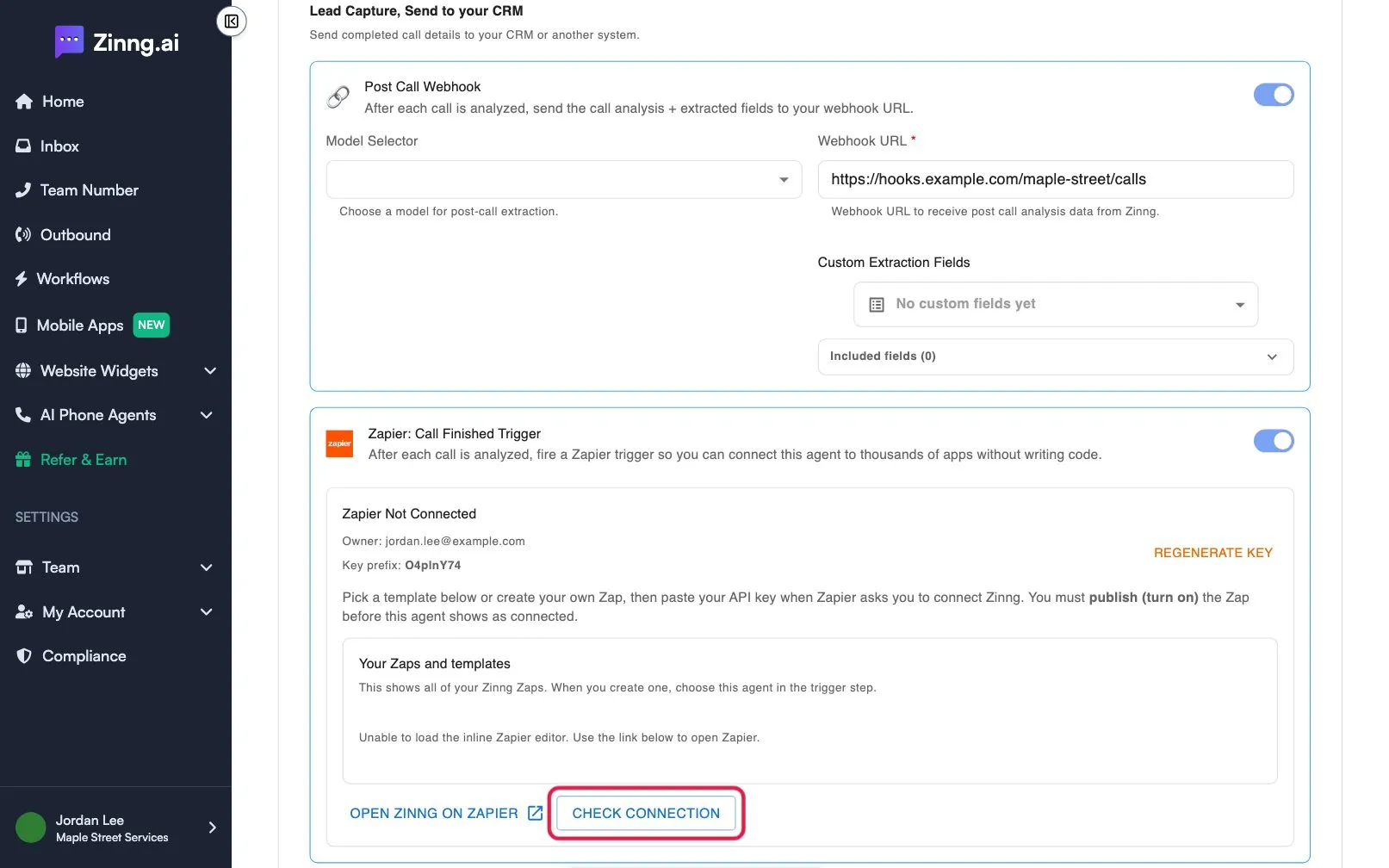
Section titled “Connect Zapier to your agent”- Open the agent and scroll to Add-on Capabilities. Under Lead Capture, Send to your CRM, turn on Zapier: Call Finished Trigger.
- Select Generate API Key. Copy the key from Your Zapier API Key, tick I have copied my API key and stored it safely., then select Done. The key is shown only once.
- Select Open Zinng on Zapier and create a Zap that starts with the Call Finished trigger.
- When Zapier asks you to connect Zinng, paste your key.
- Publish (turn on) the Zap in Zapier. The agent does not show as connected until you do.
- Back in Zinng, select Check Connection. The card changes from Zapier Not Connected to Zapier Connected.
What Zapier receives
Section titled “What Zapier receives”Once connected, the card lists the default fields, such as the caller’s number, your agent’s number, the transcript, call_analysis.call_summary and call_analysis.caller_name. You can also add your own fields under custom fields.
Fix a connection that will not show
Section titled “Fix a connection that will not show”Make sure the Zap is published and turned on, then select Check Connection again. Generating the key alone is not enough. To replace a lost key, select Regenerate Key and paste the new one into Zapier.