
Forward your calls to your AI agent
Turn on call forwarding from your cell phone, business phone or landline so your AI agent answers missed calls or every call, and learn how to turn it off.
Forwarding keeps your number with your phone company and sends calls to your agent’s Zinng number. The Connect Number page shows the exact code for your carrier. This page explains the steps and the codes.
Before you start
Section titled “Before you start”- An AI phone agent with a Zinng number.
- Your agent’s number and the phone you are forwarding from, in the same country. Most US carriers do not forward to a number in another country, and a Canadian number counts as international from a US line, and the reverse.
Set up forwarding
Section titled “Set up forwarding”-
Open Connect Number. In the left menu, open AI Phone Agents and select Connect Number, or open the page. Select Get started, pick your agent if asked, then pick Keep my number, send calls to Zinng and select See how Forwarding works, then continue.
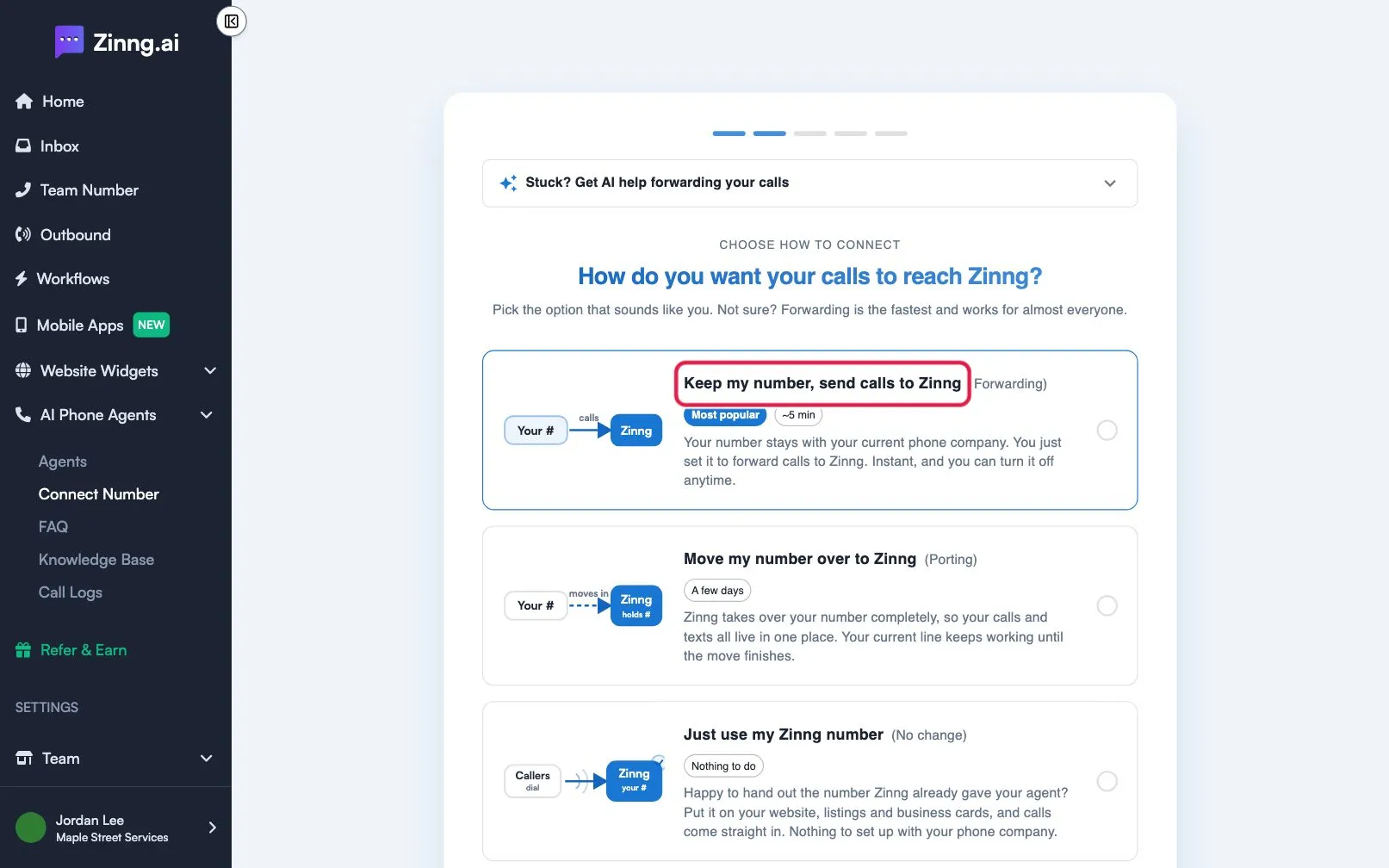
-
Pick your phone. Under Set up call forwarding, choose Cell phone, Business / office phone or Landline or other.
-
Pick your carrier or provider. For a cell phone, select your carrier. For a business phone, select your provider, such as RingCentral, Spectrum Business, Comcast Business, Ooma Office, 8x8, Vonage Business, GoTo Connect, Grasshopper, Google Voice or Google Fi, or Other / not listed.
-
Choose which calls forward. Under Which calls should forward?, pick Only missed calls (recommended, your phone rings first) or All calls (your phone does not ring). For missed calls on GSM carriers you can set Number of rings before forwarding, from 1 ring (5 seconds) to 6 rings (30 seconds).
-
Dial the code. On the phone you are forwarding from, open the keypad, enter the code exactly as shown, and press call. Select Tap to dial or Copy on the page to help. You hear a short message or beep.
-
Confirm. Select I’m all set, then Yes, my number is connected and I’m good to go. Call your business number from another phone to test.
Codes shown by the app
Section titled “Codes shown by the app”Replace the number with your agent’s 10-digit number.
| Carrier type | All calls on / off | Missed calls on / off |
|---|---|---|
| Verizon, UScellular | *72 + number / *73 |
*71 + number / *73 |
| AT&T, T-Mobile, Rogers, Bell, Telus, Fido, Koodo, Virgin, Videotron | **21* + number + # / ##21# |
**004* + number + # / ##004# |
| Freedom | **21*1 + number + # / ##21# |
**004*1 + number + # / ##004# |
| Landline | *72 + number / *73 |
Not shown |
Google Fi and business phone systems use their app or online account instead of a code. Verizon sets the ring time itself, so ask the carrier to change its no-answer timer.
Troubleshooting
Section titled “Troubleshooting”Why doesn’t the forwarding code connect?
Section titled “Why doesn’t the forwarding code connect?”Add a 1 in front of the number, or remove it if it is there. Try the single-star version, for example *21* instead of **21*. Or set forwarding in your phone’s Call Forwarding settings.
Why doesn’t my iPhone run the code?
Section titled “Why doesn’t my iPhone run the code?”Open the Phone app, type the code on the keypad, then press call.