
Register for A2P 10DLC step by step
Register your team number for A2P 10DLC in four steps, from caller ID to campaign review, so you can send outgoing texts to any customer.
To register for A2P 10DLC, open the SMS Registration card on the Team Number page and complete four steps: Caller ID, Customer Profile, Brand Registration and Campaign Registration. Allow a few business days for the final review.
Before you start
Section titled “Before you start”- A Pro plan or above.
- A team phone number. See what is A2P 10DLC if you are not sure you need this.
- A live business website that shows your business phone number, plus a public privacy policy and terms page.
- Your business registration number (an EIN, for most registered businesses), or a government-issued ID if you are a sole proprietor.
Register your number
Section titled “Register your number”-
Open the registration.
Select Team Number in the left menu (open the Team Number page), then select Register This Number on the SMS Registration card.
-
Enter your caller ID name.
Under Caller ID display name, type your legal name, a DBA or a recognizable short business name, then select Continue. This is the name customers see when your number calls them.
-
Choose whether you have an EIN.
Select Yes, my business has an EIN or No, I don’t have an EIN. If you are not sure, check your business tax filings or your IRS EIN confirmation letter. Sole proprietors without a registered business choose the second option.
-
Submit your customer profile.
Fill in the business details, such as Business name, Business registration number, Business website and your address. Tick I confirm all information is accurate and consent to verification., then select Submit customer profile. Using an email address at your website’s domain can speed up approval. The form locks while the carrier reviews it.
-
Submit brand registration.
When your profile is approved, select Submit brand registration. It is typically approved within minutes.
-
Submit campaign registration.
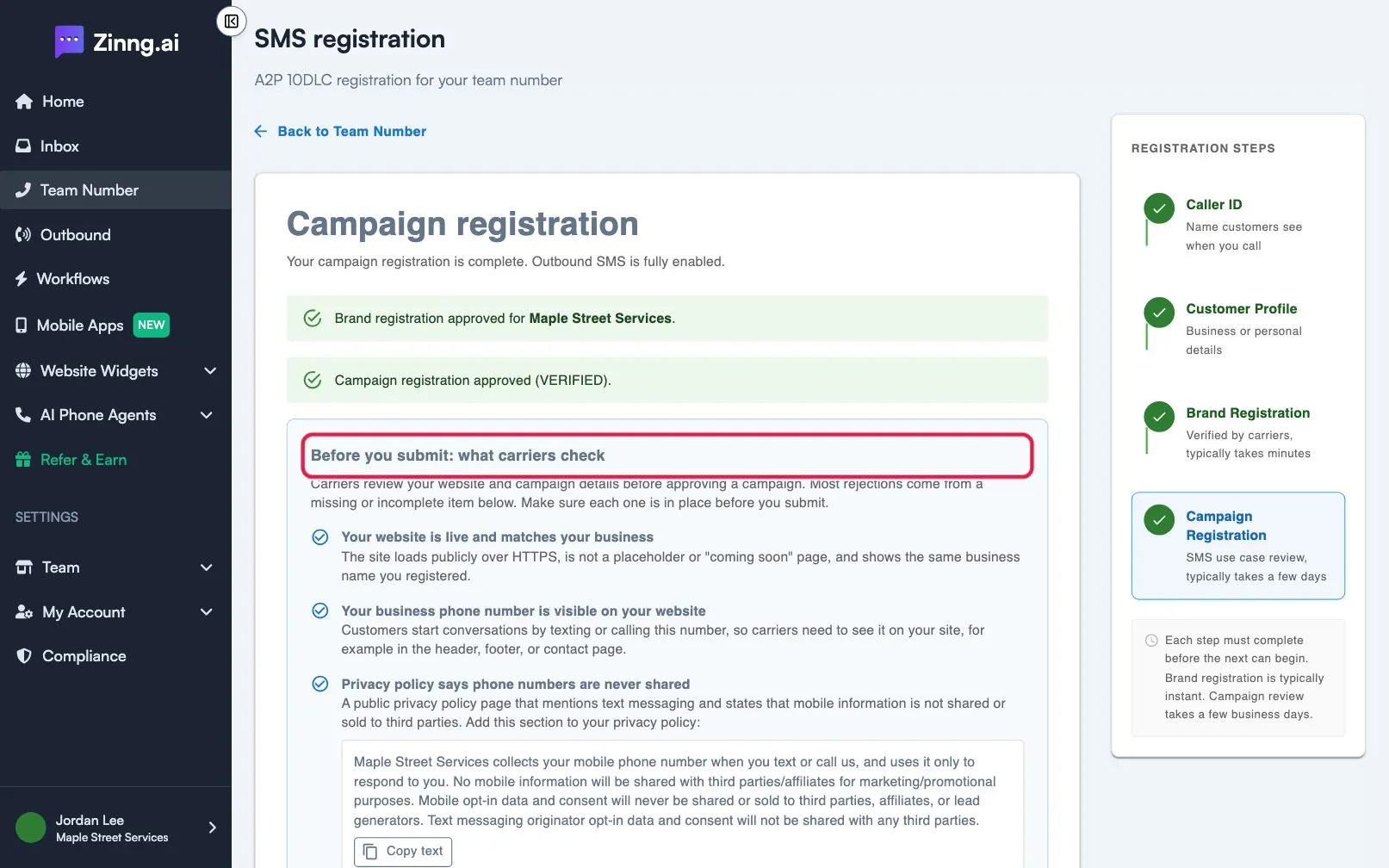
Describe how you text customers. Fill in Campaign description, at least two sample messages, How do end users consent to receive messages?, Privacy policy URL and Terms and conditions URL. Select Check my registration and fix anything flagged, then select Submit campaign registration.
-
Wait for the result.
Campaign review typically takes a few business days. You can leave the page. Refresh it later, or watch for an email when carrier review finishes. When approved, the page shows “Campaign registration approved” and outbound texting is fully enabled.
Sole proprietors
Section titled “Sole proprietors”If you choose the no-EIN path, you register with your personal information. Registration is limited to 1 campaign and 1 phone number, and you verify your identity with a one-time password sent to your phone or email.