
What your Team Number is and how texting works
Learn what the Team Number is, why your inbox texts come from it, what the registration statuses mean, and how to see which agent it belongs to.
Your Team Number is the number your team uses to send outgoing text messages from your inbox. Open it from Team Number in the left menu (open the Team Number page). The Team Number page lists every part of the screen.
What it is used for
Section titled “What it is used for”- Text messages you send from the inbox go out from this number.
- It is the caller ID the other person sees when you place an outbound call from your browser.
- On an agent, a Team Number badge marks the agent whose number is the team’s inbox texting number.
Texting status
Section titled “Texting status”The status badge on the page tells you what your number can do:
| Status | What it means |
|---|---|
| Unregistered | Outgoing texts are limited to contacts who have reached out to you first. |
| Draft | Your registration is saved. Continue where you left off to submit. |
| In progress | Registration is in progress with the carrier. |
| Registered | Your number is registered for A2P 10DLC outbound messaging. |
| Rejected | Registration was rejected. Contact support for next steps. |
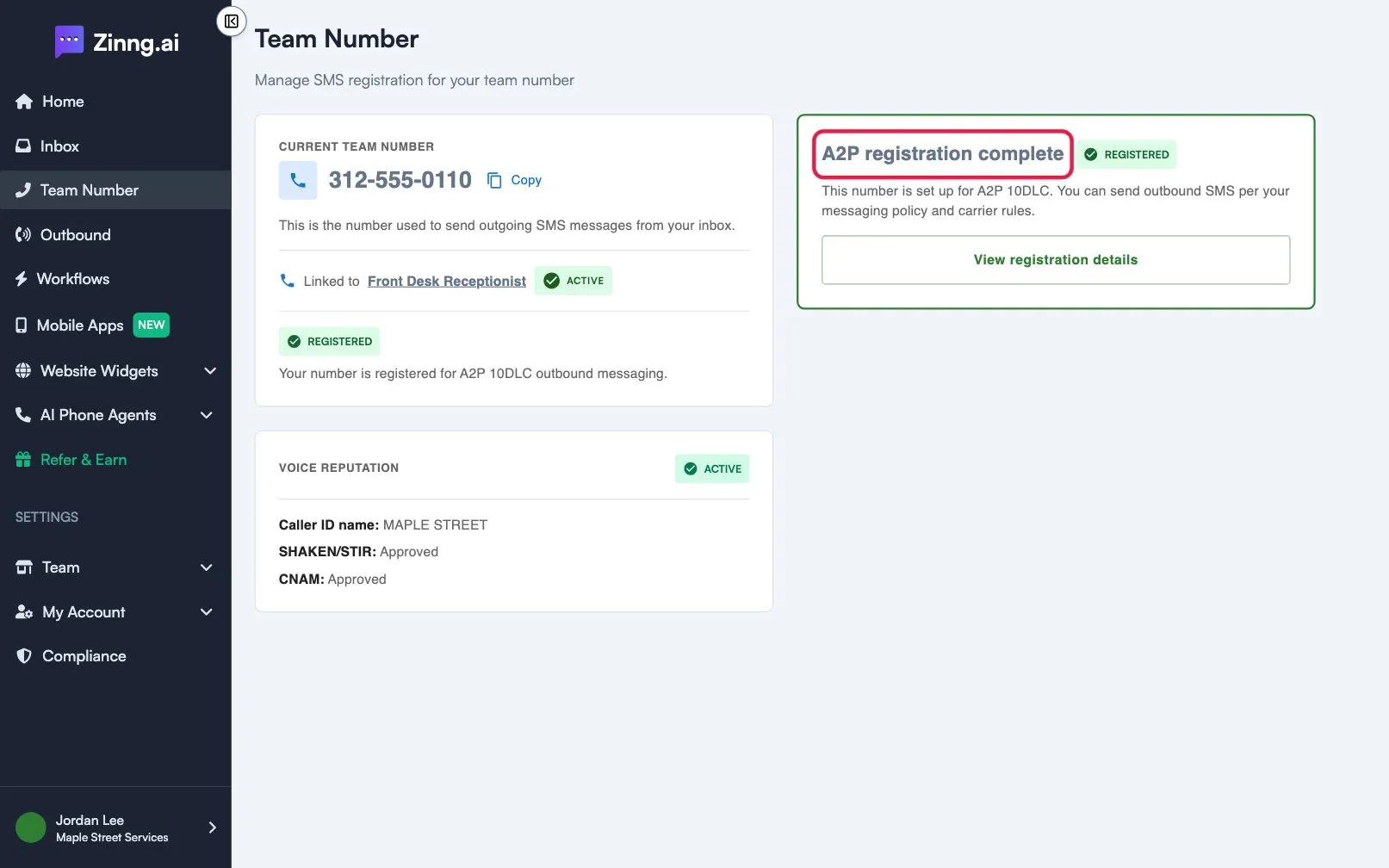
If you have no number yet, the page says No SMS number is set up for your team yet. Registration steps are covered in the texting compliance section of this Help Center.