
Send an automatic text after a call
Create a workflow that texts the caller a fixed message, or lets AI decide, a set time after your AI agent finishes a call.
A workflow can text a caller after your AI agent finishes the call, for example to say thanks or to ask them to call back.
Before you start
Section titled “Before you start”- You need at least one AI phone agent and a team phone number that can send texts.
How do I create a follow-up workflow?
Section titled “How do I create a follow-up workflow?”-
Select Workflows in the left menu (open the Workflows page), then New Workflow.
-
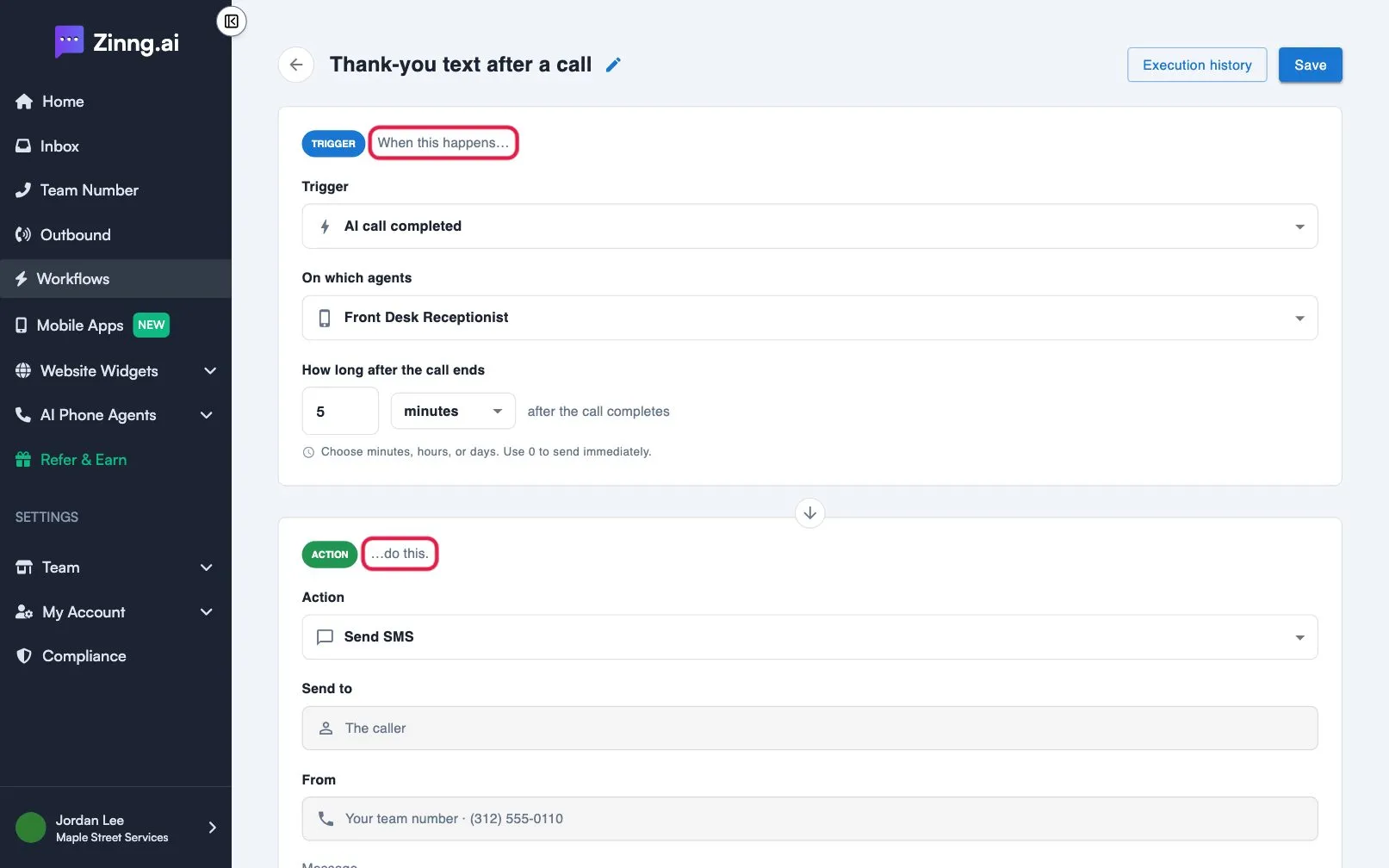
Name it. Select the title at the top and type a name.
-
Set the trigger. Keep AI call completed. Under On which agents, choose the agents. Under How long after the call ends, enter a number and pick minutes, hours or days. Use 0 to send immediately.
-
Choose the action.
- Send SMS: type the Message. The same text is sent every time.
- Send SMS with AI: describe in Prompt when to text and what to say. The AI reads each call and decides.
-
Add a picture, if you want. An action can include an image up to 5 MB, sent as a picture message.
-
Select Save.
The text goes to the caller from your team number. Use Add action for more steps.