
Fix a rejected SMS campaign and resubmit
Find out why carriers rejected your SMS registration, fix the details and resubmit your campaign, profile or brand from the SMS registration page.
If a carrier rejects your SMS registration, the Team Number page shows Registration needs attention. Open the registration, read the carrier’s reason, fix the details and resubmit. Most campaign rejections come from a missing item on your website or a mismatch with your campaign details.
Fix and resubmit
Section titled “Fix and resubmit”-
Open the rejected registration.
Go to Team Number and select Review or resubmit registration on the SMS Registration card.
-
Read the reason.
The failed step shows the carrier’s feedback at the top of the page. Rejected customer profiles say: “Registration was rejected. Review the details below and try again.”
-
Fix your website and details.
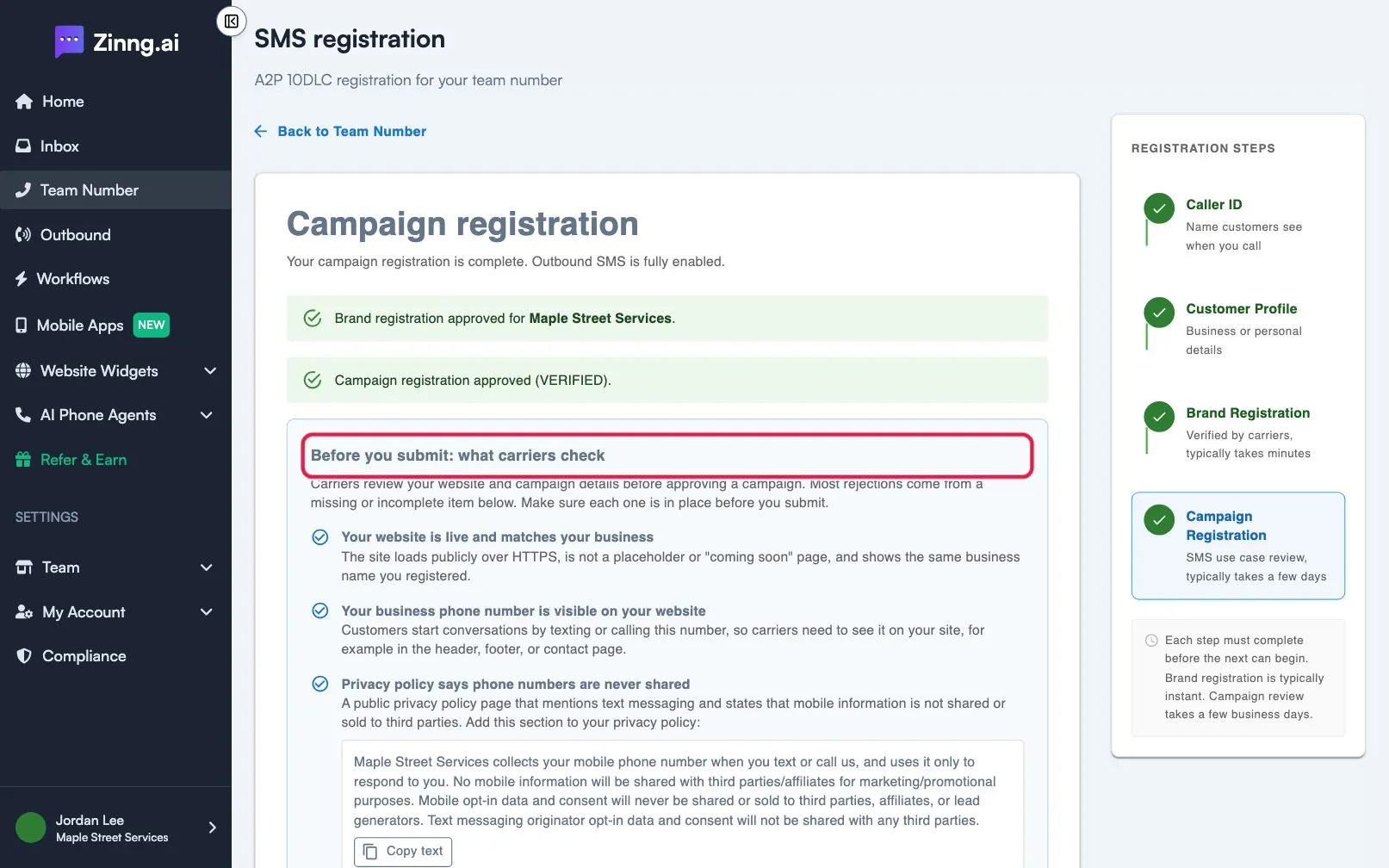
Work through Before you submit: what carriers check. The common causes are:
- Your website is not live, or does not show the business name you registered.
- Your business phone number is not visible on your website.
- Your privacy policy does not say phone numbers are never shared, or your terms page has no SMS terms. Use the Copy text button to copy the wording.
- Your campaign description and consent description do not match what your website says.
- Sample messages do not name your business.
- You ticked Messages include links or Messages include phone numbers but no sample shows one, or you used a public link shortener.
-
Check your registration.
Select Check my registration. Fix every item listed under Fix these items before you submit until you see “Your registration passed every check”.
-
Resubmit.
Select Resubmit campaign registration. If your customer profile was rejected, correct it and select Submit customer profile again. Review takes a few business days for a campaign.
Still rejected?
Section titled “Still rejected?”Contact support from the link on the registration card. Include the rejection reason shown on the page.