
The Refer and Earn page: your link, code and rewards
Copy your referral link and code, share them in one click and track who signed up, started a trial or converted on the Refer and Earn page.
The Refer and Earn page gives you a personal referral link and code. When a business you refer becomes a paying customer, you get 1 month free, and they get 50% off their first month.
Open the Refer and Earn page
Section titled “Open the Refer and Earn page”In the left menu, select Refer & Earn (open the Refer & Earn page). On the Free plan the page is locked until you subscribe.
What is on the page
Section titled “What is on the page”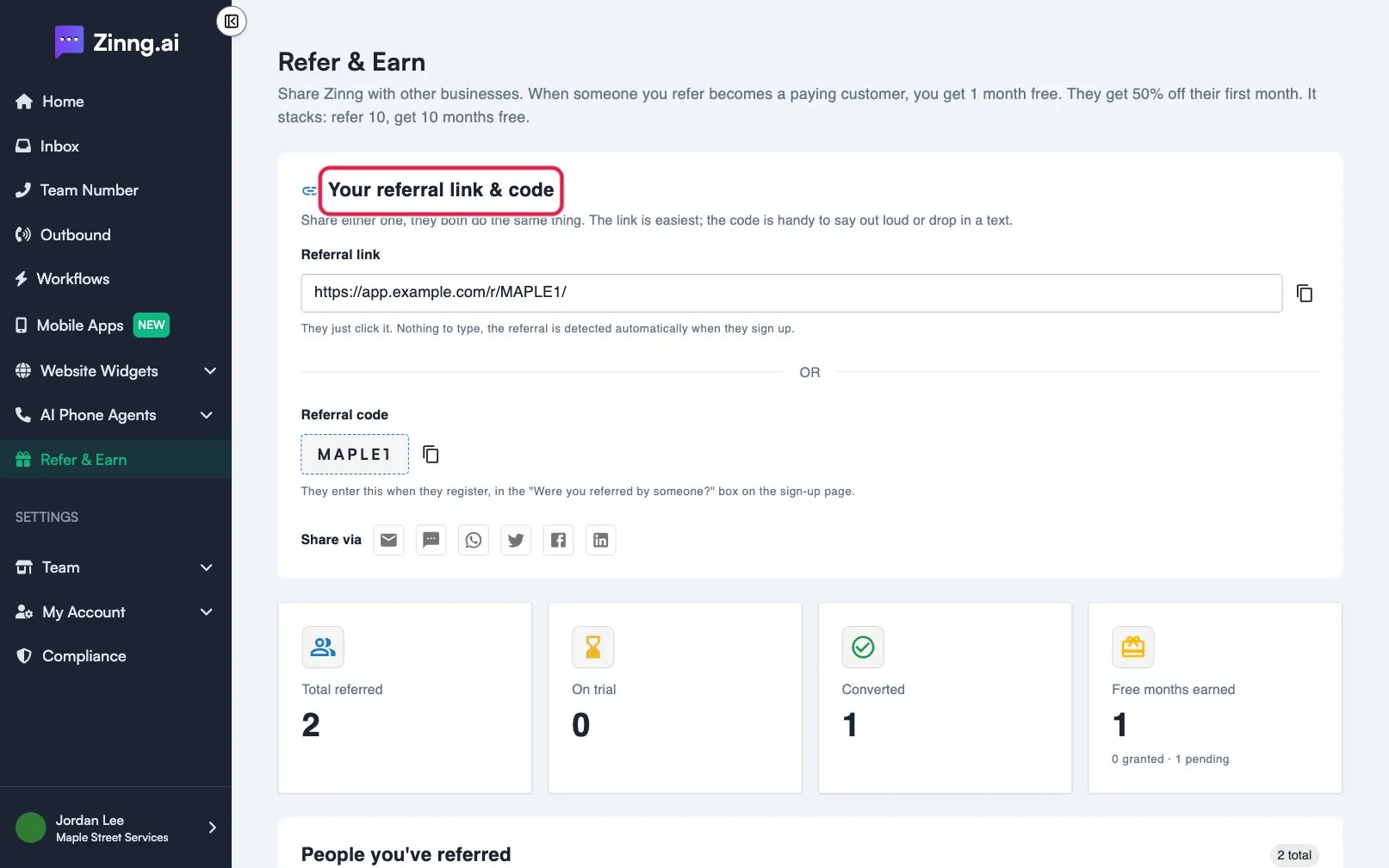
| Setting | What it does | Plan if limited |
|---|---|---|
| Referral link | A link to share. Use Copy link to copy it. The person only has to click it; the referral is detected when they sign up. | Essential |
| Referral code | A short code. Use Copy code to copy it. They type it into the “Were you referred by someone?” box when they register. | Essential |
| Share via | Buttons to share by Email, Text, WhatsApp, X, Facebook or LinkedIn. | Essential |
| Total referred, On trial, Converted, Free months earned | Four counters that summarise your referrals. | Essential |
| People you’ve referred | A table of everyone you referred. | Essential |
The referral table
Section titled “The referral table”| Column | What it shows |
|---|---|
| PERSON | The person you referred. |
| STATUS | Signed up, Trialing or Converted. |
| REFERRED ON | The date they were referred. |
| YOUR REWARD | “Earned · pending grant” while your free month is being applied, then the number of months granted. |
Common tasks
Section titled “Common tasks”- Share your link: see refer a business and earn.
- Check whether someone converted: read STATUS in the table.
- Count your free months: read Free months earned.
- Learn how plans work before you recommend one: see plans compared.
Why is the Refer and Earn page locked?
Section titled “Why is the Refer and Earn page locked?”The page is part of the paid plans. Subscribe to a plan to unlock your link and code. See the Subscription page.