
Roles and permissions
Learn what Owner, Admin and User can do in Zinng, and how an owner turns conversation permissions on or off for each member.
Every person on a team has one of three roles: Owner, Admin or User. The role decides who can invite people, change team settings and remove members.
The three roles
Section titled “The three roles”| Role | Who it is |
|---|---|
| Owner | The person who created the team. A team has one owner, and you cannot invite someone as owner. |
| Admin | A teammate who helps manage the team. You can choose this role when you invite someone. |
| User | A teammate who works in the team. You can choose this role when you invite someone. |
What each role can do
Section titled “What each role can do”| Action | Owner | Admin | User |
|---|---|---|---|
| Use the inbox, agents and other features your plan includes | Yes | Yes | Yes |
| Switch between teams | Yes | Yes | Yes |
| Open Team settings | Yes | Yes | No |
| Invite teammates | Yes | Yes | No |
| Rename the team from the Teams page | Yes | No | No |
| Remove a member | Yes | No | No |
| Resend a pending invite | Yes | No | No |
| Change a member’s conversation permissions | Yes | No | No |
| Manage the subscription | Yes | No | No |
Conversation permissions
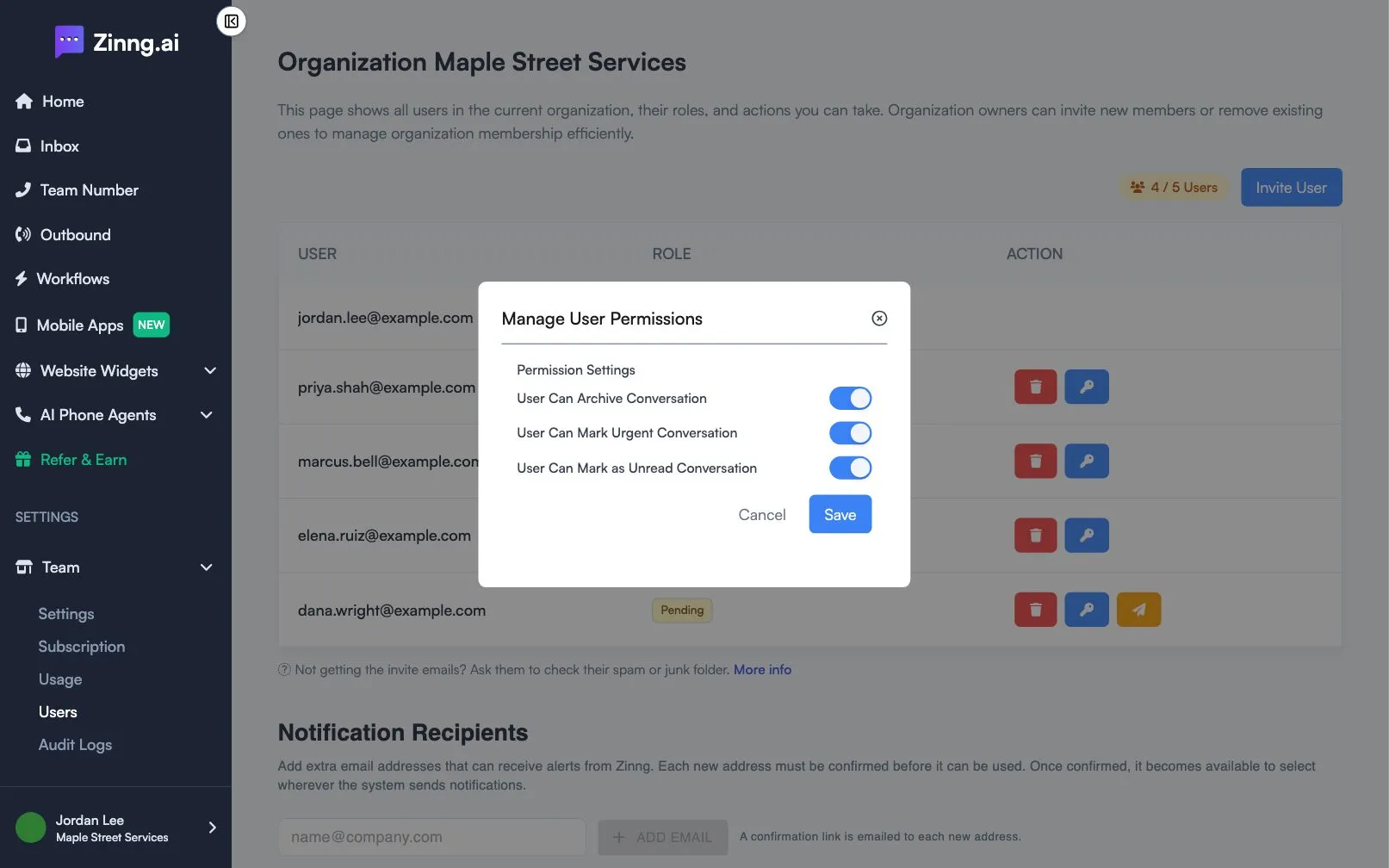
Section titled “Conversation permissions”On top of the role, the owner can switch three permissions on or off for each member:
- User Can Archive Conversation
- User Can Mark Urgent Conversation
- User Can Mark as Unread Conversation
Change a member’s permissions
Section titled “Change a member’s permissions”-
Open Team and select Users.
-
In the member’s row, select the key button.
-
In Manage User Permissions, turn each permission on or off.
-
Select Save.
Only the owner sees the switches. Everyone else sees a Close button.
Frequently asked questions
Section titled “Frequently asked questions”Can I have two owners?
Section titled “Can I have two owners?”No. A team has one owner. You can invite other people as Admin or User.
Can I change someone’s role after inviting them?
Section titled “Can I change someone’s role after inviting them?”The Users page does not have a role editor. To change a role, remove the member and invite them again with the new role.