
Agent add-ons for transfers, texts and alerts
Extend your AI phone agent with call transfer, texting, emergency alerts, calendar booking and lead capture, and see which plan each add-on needs.
Add-ons give your agent extra abilities during or after a call, such as passing a caller to a person, sending a text, alerting you to an emergency or booking onto your calendar. Each add-on is a card with its own toggle, and each agent has its own add-ons.
Where to find add-ons
Section titled “Where to find add-ons”- Open AI Phone Agents and select the settings icon on your agent.
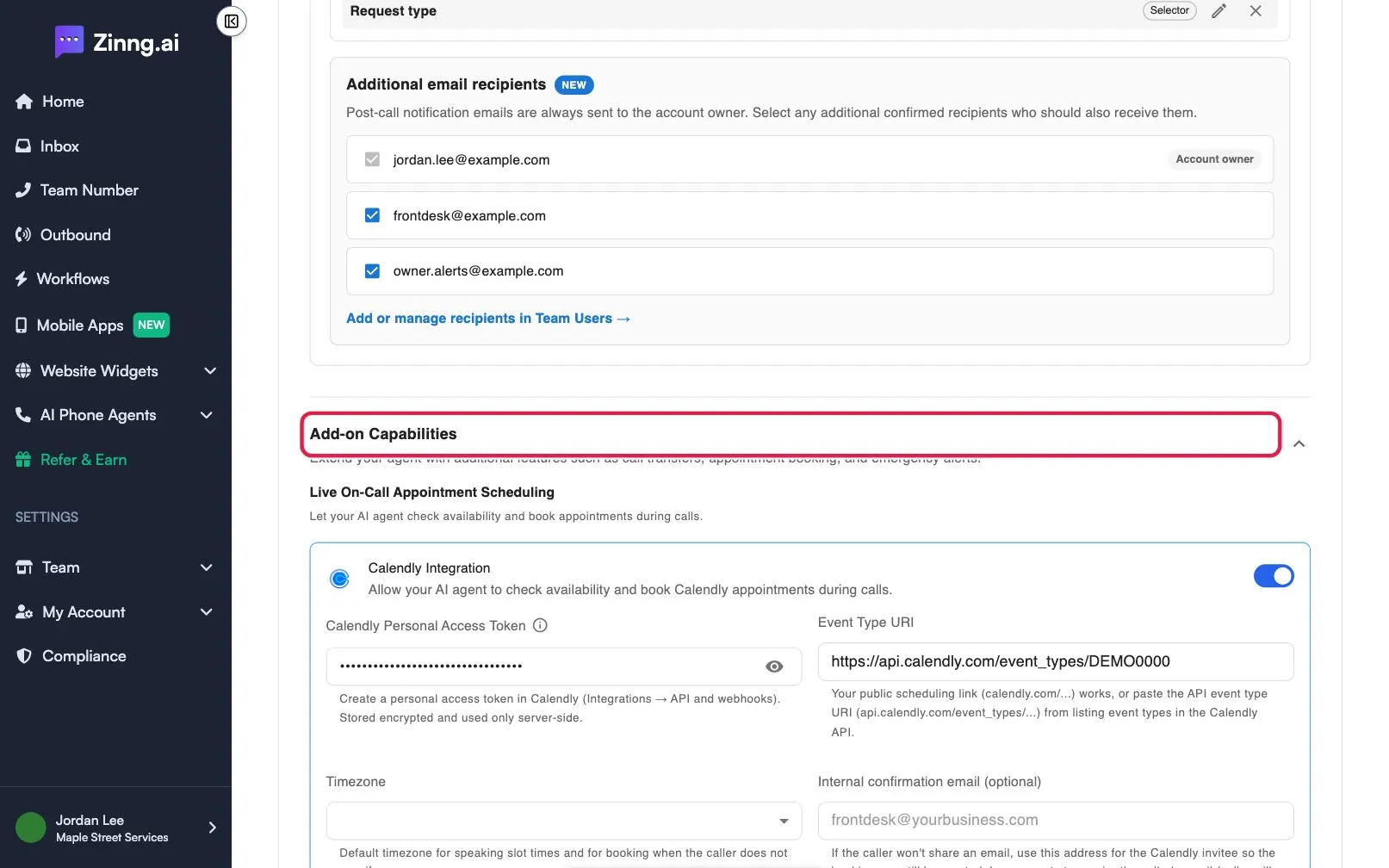
- On the Instructions tab, scroll to Add-on Capabilities. Select its heading to collapse or expand it.
- Turn an add-on on with its toggle. Its settings appear in the card. Select Save when you finish.
Add-ons you can use
Section titled “Add-ons you can use”Add-ons are grouped under three headings.
| Add-on | What it does | Plan if limited |
|---|---|---|
| Calendly Integration | Lets your agent check availability and book Calendly appointments during calls. | Pro |
| Cal.com Integration | Lets your agent book appointments through Cal.com during or after calls. | Pro |
| Post Call Webhook | Sends the call analysis and your custom fields to a webhook URL after each call. | Pro |
| Zapier: Call Finished Trigger | Starts a Zapier trigger after each call so you can connect other apps. | Pro |
| Agent History | Lets your agent recognize returning callers and refer to their past calls with your business. | |
| Emergency Text Alerts | Sends an SMS alert to your team when a caller indicates an emergency. | |
| Send SMS | Lets your agent text callers during a call. | |
| Call Transfer | Transfers a live call to another phone number. |
Live On-Call Appointment Scheduling
Section titled “Live On-Call Appointment Scheduling”This section holds Calendly Integration and Cal.com Integration. Only one scheduling add-on can be on at a time; turn the active one off first. On plans below Pro the section shows a Pro badge and an Upgrade button.
For Calendly you enter a Calendly Personal Access Token, an Event Type URI and a Timezone, plus an optional Internal confirmation email (optional) used when a caller will not share an email. For Cal.com you enter a Cal.com API Key, an Event Type ID and a Timezone.
Lead Capture, Send to your CRM
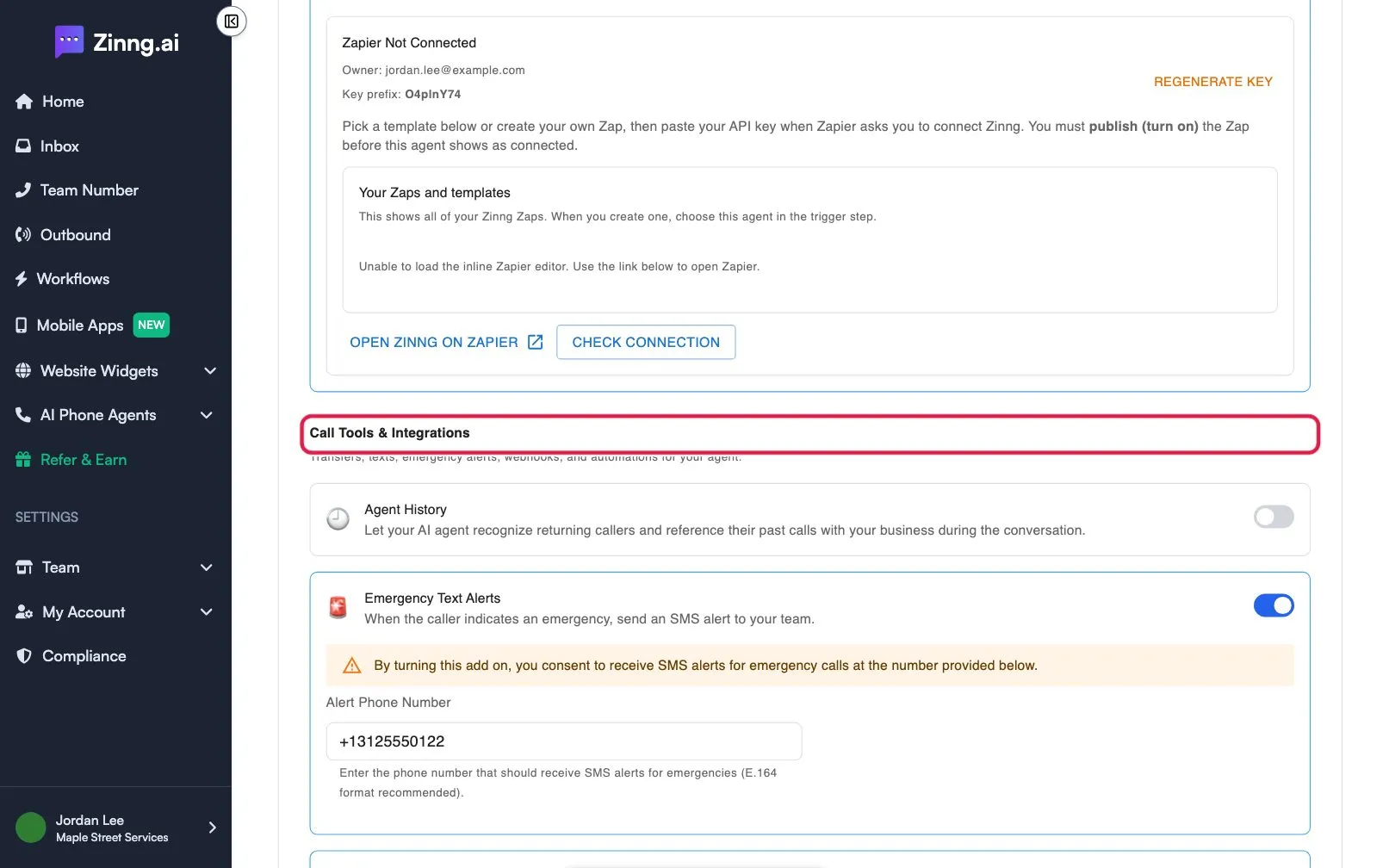
Section titled “Lead Capture, Send to your CRM”This section holds Post Call Webhook and Zapier: Call Finished Trigger, both Pro. You cannot turn both on together. The webhook needs a Webhook URL, and you can pick a Model Selector. Zapier shows a connection panel with Regenerate key, Open Zinng on Zapier and Check connection buttons. Both can send the custom fields described in Post-call settings.
Call Tools & Integrations
Section titled “Call Tools & Integrations”Holds Agent History, Emergency Text Alerts, Send SMS and Call Transfer. Agent History has an Instructions box, and a While Looking Up History choice so the call is not silent during the lookup.
Common tasks
Section titled “Common tasks”- Pass callers to a person: Transfer calls to a person
- Text callers during a call: Let your agent text callers during a call
- Get alerted about emergencies: Get texted about urgent calls
- Email yourself every call: Send post-call emails and capture custom call fields