
The Outbound Calls page
Place calls from your browser with the Outbound Calls page, see which number the person you call sees, and learn what blocks calling.
The Outbound Calls page is a dialpad in your browser. You call a customer from your team number, and the call and its transcript appear in your inbox.
Open the page
Section titled “Open the page”In the left menu, select Outbound, or open the Outbound Calls page directly. This page is available on the Pro plan and above. On a lower plan you are sent to the Subscription page.
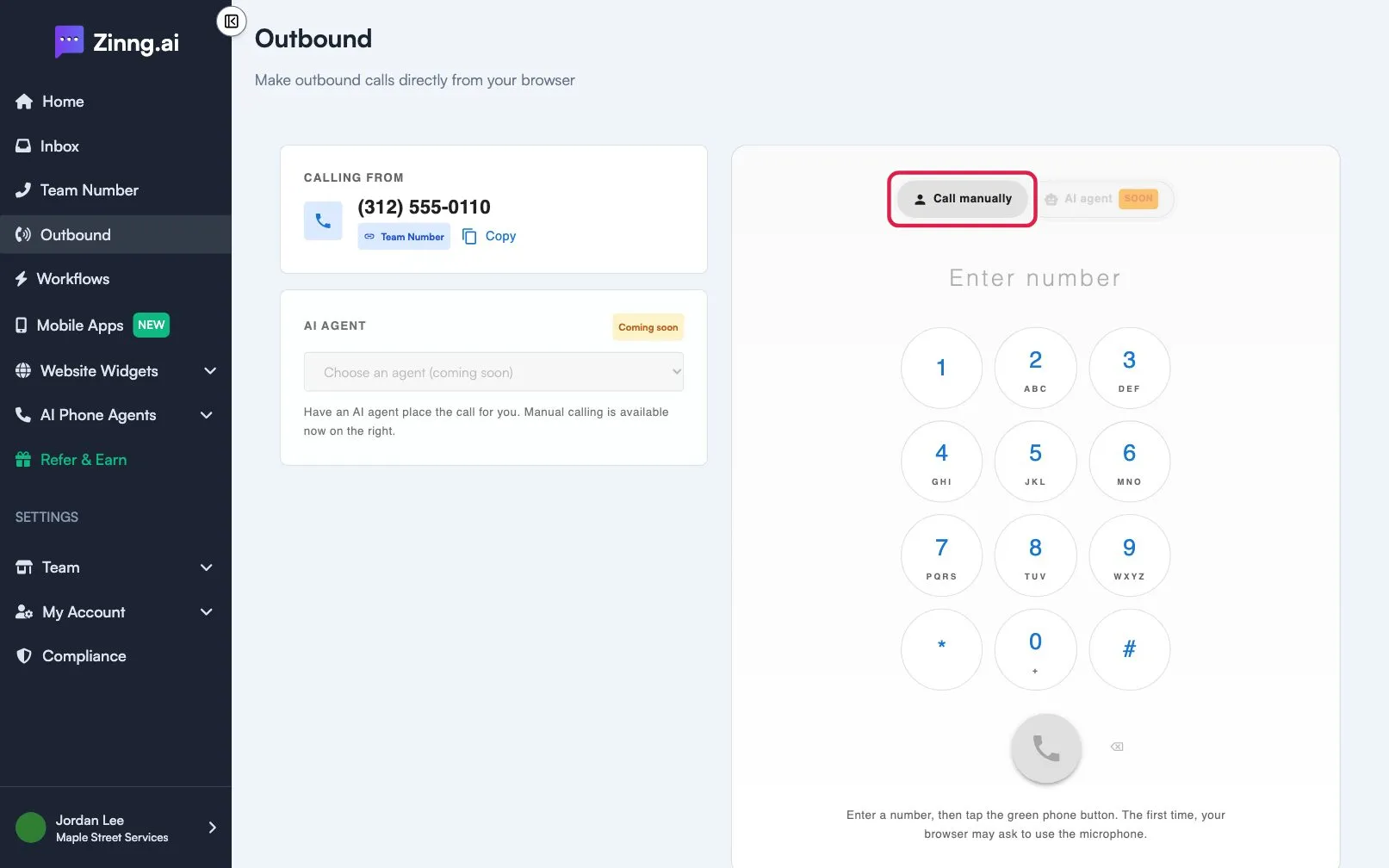
What the page shows
Section titled “What the page shows”| Area | What it does |
|---|---|
| CALLING FROM | Your team number, marked Team Number. This is the caller ID the other person sees. Select Copy to copy it. |
| AI AGENT | Marked Coming soon. Having an agent place the call is not available yet. Manual calling works now. |
| Enter number | Type or paste the number. You can also use the dialpad. Only US and Canada numbers are accepted. |
| Green phone button (Start call) | Starts the call. |
| Red phone button (Hang up) | Ends the call. |
| Backspace | Deletes the last digit before you call. |
| Open conversation | After the call, opens the conversation in your inbox to follow messages and the transcript. |
While a call is active, the dialpad keys send tones to the other side, which helps with phone menus.
Why calling may be blocked
Section titled “Why calling may be blocked”- Team number required. Without a team number the dialpad is disabled and the page says Add a team number to place calls. Select Set up team number.
- Your account is currently being reviewed. Outbound calling turns on when the review is complete. Select Contact support with any questions.