
Send call data to your system with a webhook
Turn on Post Call Webhook so every analyzed call is sent as JSON to your own web address, with the summary, transcript and custom fields.
The Post Call Webhook add-on sends the call analysis and extracted fields to a web address you control after each call is analyzed. Use it to push leads into your CRM or another system. It is available on the Pro plan and above.
Before you start
Section titled “Before you start”You need a web address (URL) on your side that accepts incoming data, for example https://example.com/webhooks/zinng.
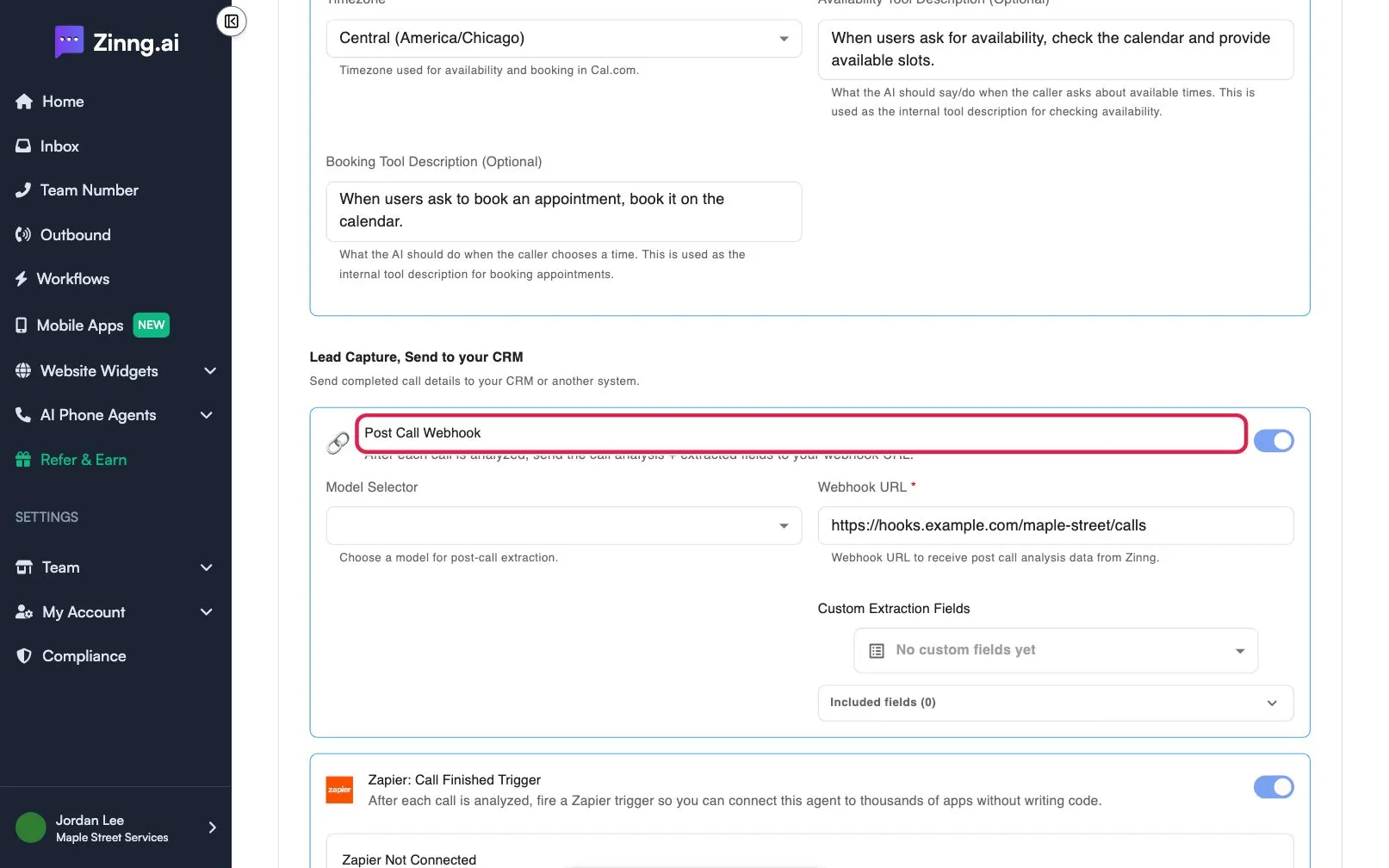
Turn on the webhook
Section titled “Turn on the webhook”- Open the agent and scroll to Add-on Capabilities. Under Lead Capture, Send to your CRM, turn on Post Call Webhook.
- Enter your address under Webhook URL. It is required.
- Optional: choose a Model Selector for the post-call extraction.
- Optional: add your own fields under Custom Extraction Fields.
- Save your agent.
What your system receives
Section titled “What your system receives”Each call sends JSON with these parts:
from: the caller’s number.to: the number that was called.transcript: a list of messages, each with arole(useroragent) andcontent.call_analysis:call_summary,call_successful,user_sentiment,caller_name,caller_email, plus any custom fields you added.