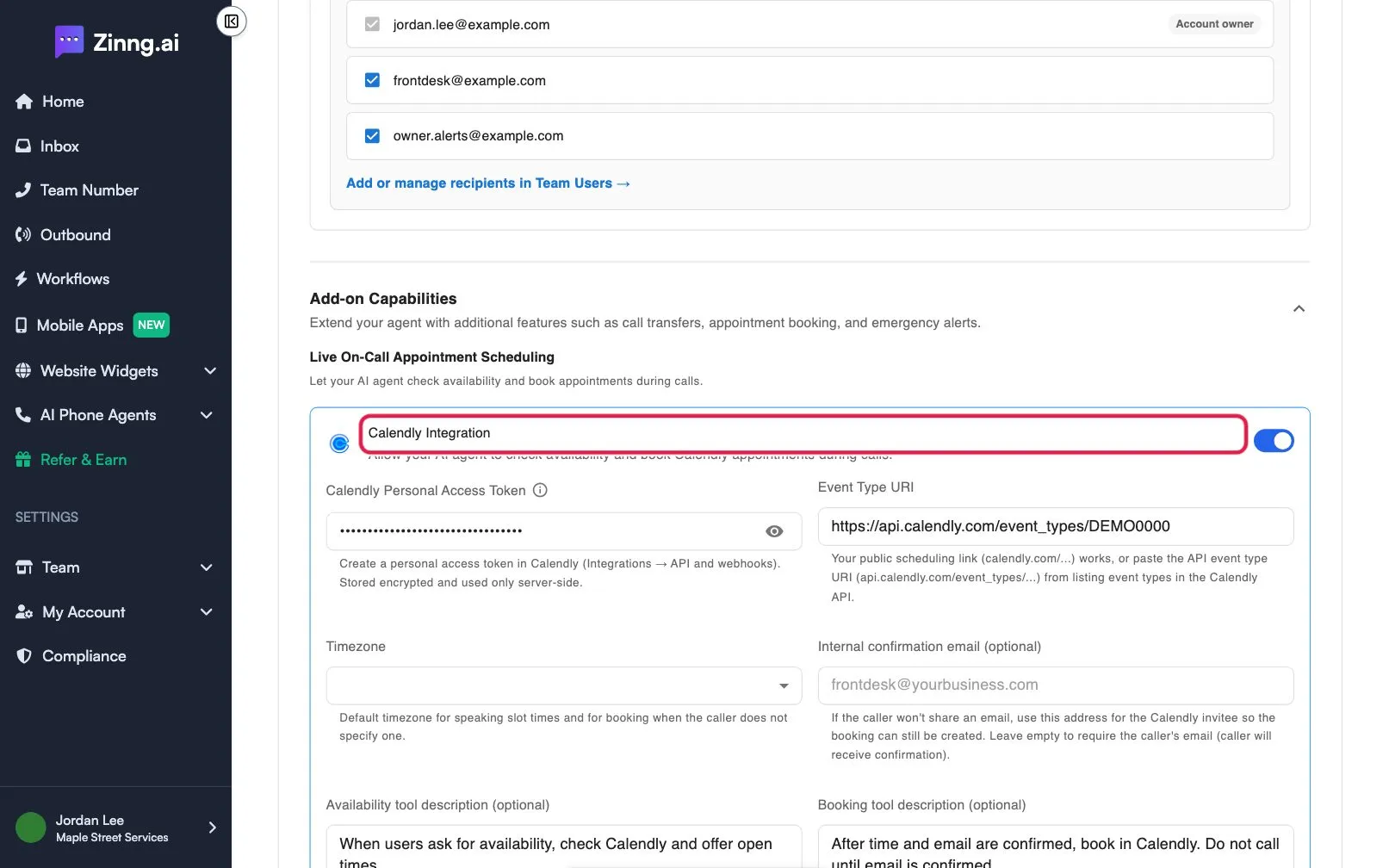
Book appointments with Calendly on live calls
Connect Calendly so your AI phone agent checks availability and books appointments during calls using a personal access token and event type.
Turn on Calendly Integration and your AI phone agent can check your Calendly availability and book an appointment during the call. It is available on the Pro plan and above.
Before you start
Section titled “Before you start”- A Calendly account with an event type for the appointment.
- A personal access token. In Calendly, go to Integrations, then API and webhooks, and create one.
- Booking through the Calendly API may need a paid Calendly plan (Standard or above). Checking availability can still work on other plans, but booking can fail.
Connect Calendly to your agent
Section titled “Connect Calendly to your agent”- Open the agent and scroll to Add-on Capabilities.
- Under Live On-Call Appointment Scheduling, turn on Calendly Integration.
- Paste your token into Calendly Personal Access Token. Zinng stores it encrypted.
- Under Event Type URI, enter your public scheduling link (
calendly.com/...) or the API event type address (api.calendly.com/event_types/...). - Choose a Timezone. It is used to say times aloud and to book when the caller does not name one.
- Optional: under Internal confirmation email (optional), enter an address to use if a caller will not share their email. Leave it empty to always require the caller’s email.
- Optional: edit Availability tool description (optional) and Booking tool description (optional).
- Save your agent.