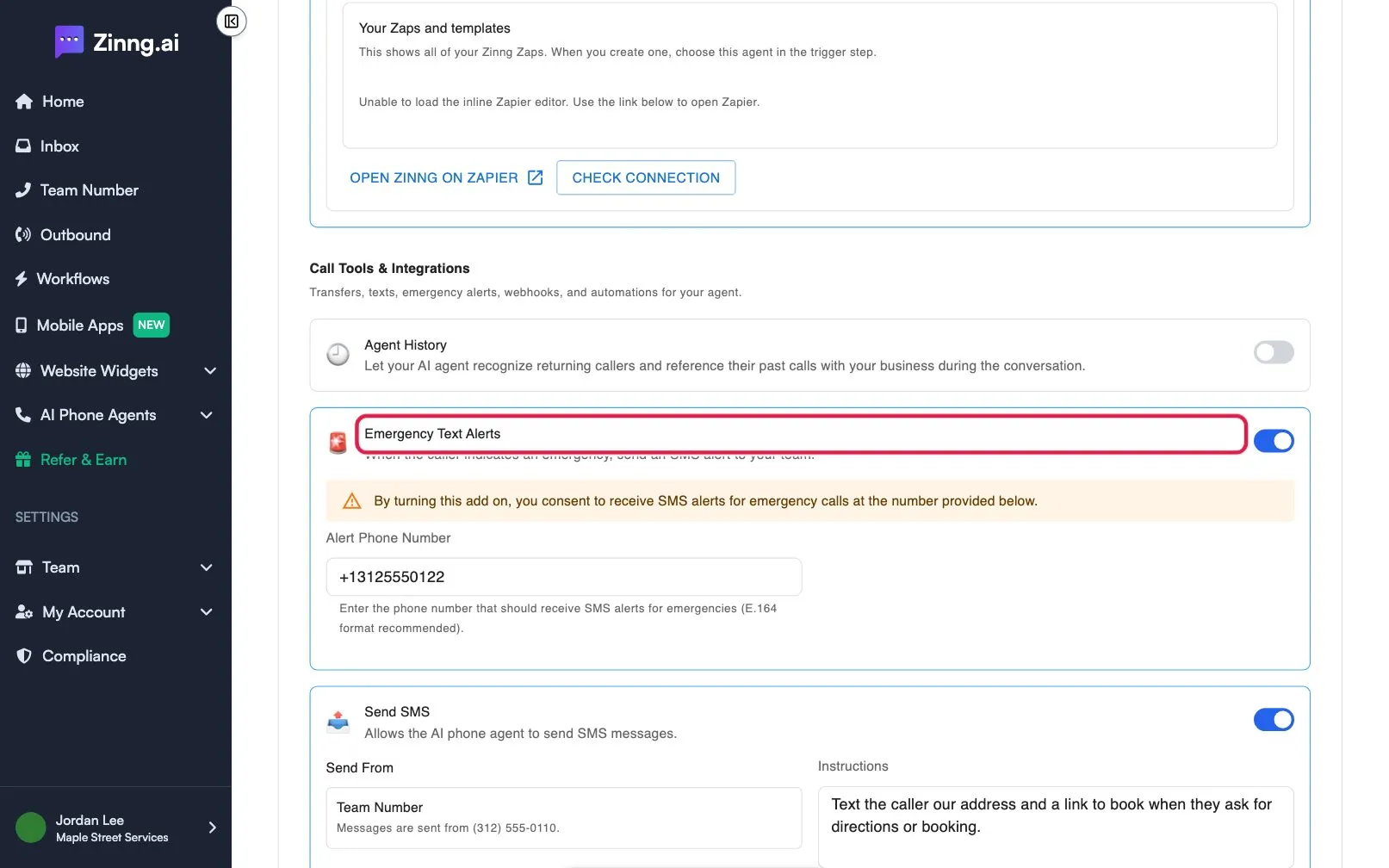
Get texted about urgent calls
Turn on Emergency Text Alerts so your AI phone agent sends an SMS to a number you choose whenever a caller indicates an emergency.
When a caller indicates an emergency, your agent can send an SMS alert to your team. You choose the phone number that receives it.
Turn on Emergency Text Alerts
Section titled “Turn on Emergency Text Alerts”-
Open the add-ons.
Go to AI Phone Agents, select the settings icon on your agent, and scroll to Call Tools & Integrations.
-
Turn on Emergency Text Alerts.
Use the toggle on the card. A notice appears: by turning the add-on on, you consent to receive SMS alerts for emergency calls at the number you provide.
-
Enter the Alert Phone Number.
Type the number that should receive the alerts. The field suggests the international format, for example +13125550122.
-
Save.
Select Save.