
Blocked numbers
See, add and remove the phone numbers blocked from calling your AI phone agent, with a reason and the date each number was blocked.
The Blocked Numbers tab lists phone numbers that cannot reach your agent. Use it to stop spam, robocalls and callers you do not want to talk to.
How to open blocked numbers
Section titled “How to open blocked numbers”- Open AI Phone Agents and select your agent.
- Scroll to Agent Settings.
- Select the Blocked Numbers tab, next to Instructions.
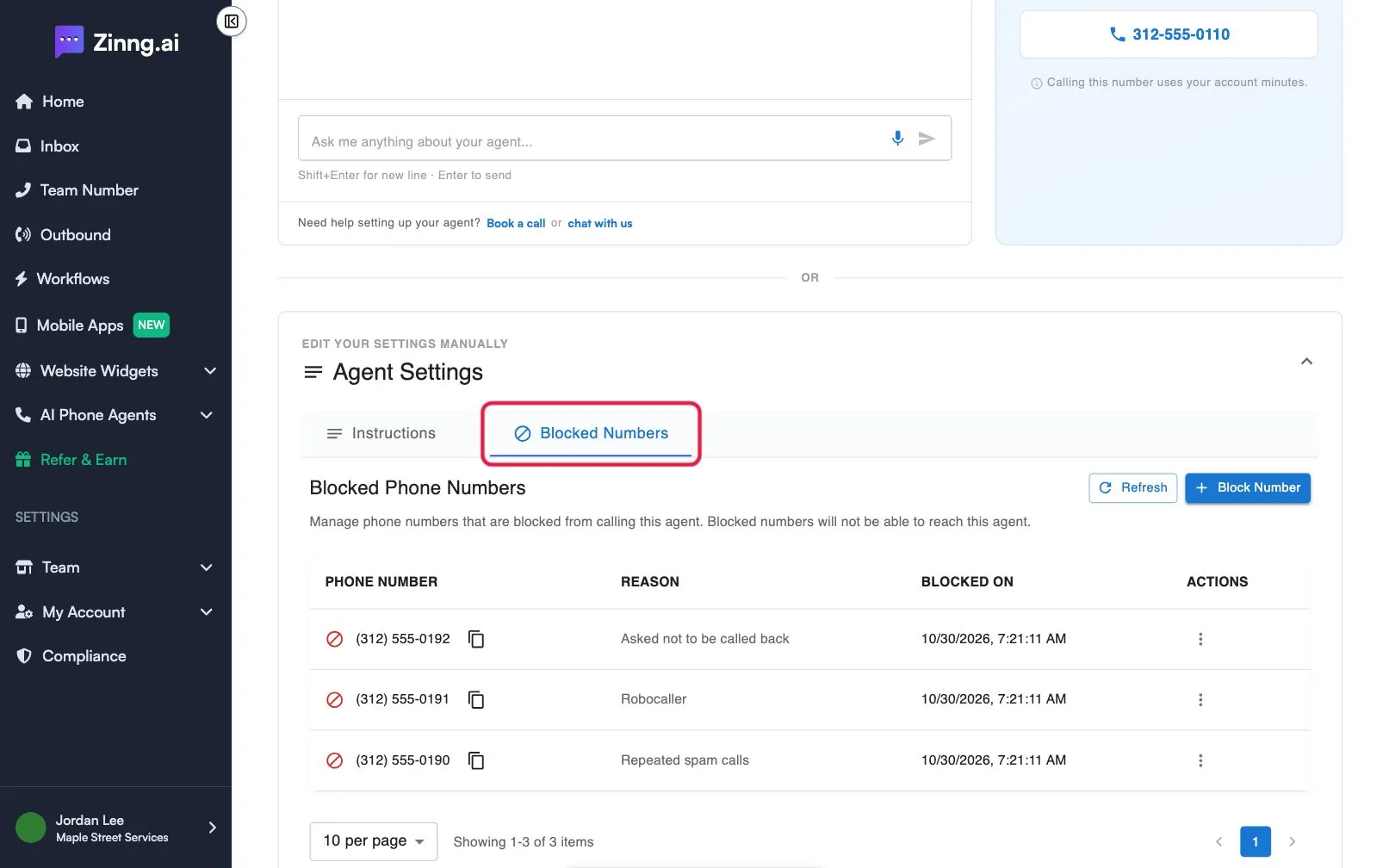
Blocked numbers reference
Section titled “Blocked numbers reference”| Item | What it does | Plan if limited |
|---|---|---|
| Block Number | Opens a form to block a number. | |
| Refresh | Reloads the list. | |
| PHONE NUMBER | The blocked number. Select the copy icon to copy it. | |
| REASON | The note you added, if any. | |
| BLOCKED ON | The date and time you blocked it. | |
| ACTIONS | A menu with Unblock Number. | |
| per page and page arrows | Show 10, 25, 50 or 100 numbers per page. |
The form has Phone Number and Reason (Optional).
Common tasks
Section titled “Common tasks”Block a number
Section titled “Block a number”Select Block Number, enter the number, add an optional reason, and select Block Number again. See block a caller.
Unblock a number
Section titled “Unblock a number”Open the menu in ACTIONS, select Unblock Number, type I understand, and confirm.
Check that a block worked
Section titled “Check that a block worked”Select Refresh and look for the number in the list.