
SMS registration page: steps and status
Use the SMS registration page to register your team number with carriers in four steps and see whether your business can text customers first.
The SMS registration page is where you register your team number with mobile carriers so you can send text messages to any customer. Registration is called A2P 10DLC and has four steps: Caller ID, Customer Profile, Brand Registration and Campaign Registration.
Open the SMS registration page
Section titled “Open the SMS registration page”- In the left menu, select Team Number (open the Team Number page).
- Find the SMS Registration card.
- Select Register This Number. If you already started, the button reads Continue registration, Open registration or View registration details, depending on where you are.
You need a team phone number first. Without one, the button is disabled and shows NEEDS NUMBER. Add a team number from AI Phone Agents, then come back.
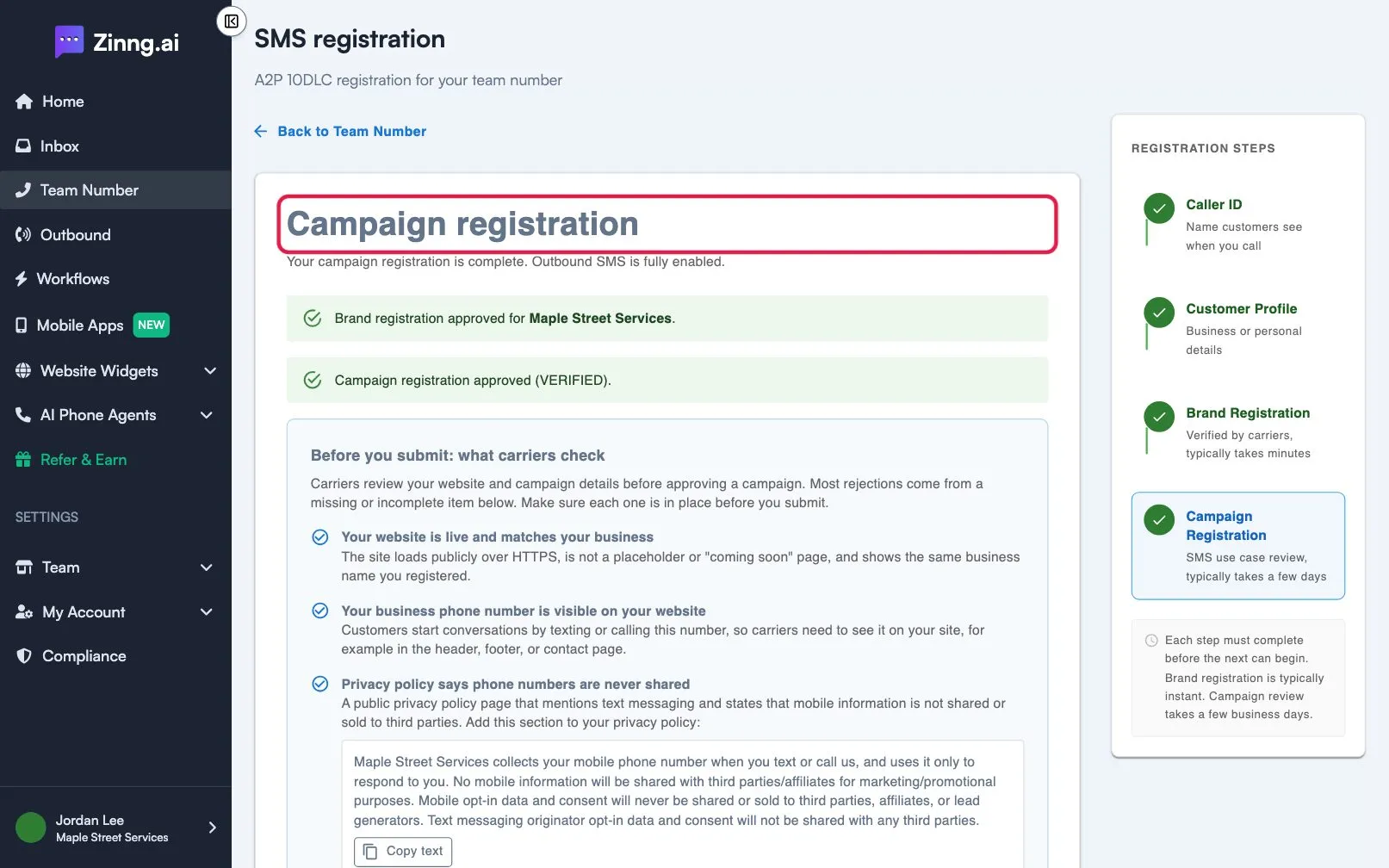
The four registration steps
Section titled “The four registration steps”The steps are listed under Registration steps on the right. Each step must finish before the next one starts.
| Step | What you provide | How long it takes |
|---|---|---|
| Caller ID | The business name customers see when your number calls them | Instant |
| Customer Profile | Business or personal details, such as name, registration number, address and website | Reviewed by the carrier |
| Brand Registration | Nothing new; you submit the approved profile to the carriers | Typically takes minutes |
| Campaign Registration | Your texting use case: description, sample messages and how customers opt in | Typically takes a few business days |
What the status badge means
Section titled “What the status badge means”The SMS Registration card on Team Number shows one of these statuses.
| Status | What it means |
|---|---|
| Unregistered | You can only reply to contacts who have reached out to you first. |
| Draft | Your registration is saved but not submitted. Select Continue registration. |
| In progress | The carrier is setting up or reviewing your profile, brand or campaign. |
| Registered | Your number is registered and you can send outbound texts. |
| Rejected | A step was not approved. Select Review or resubmit registration. |
Check what carriers look at before you submit
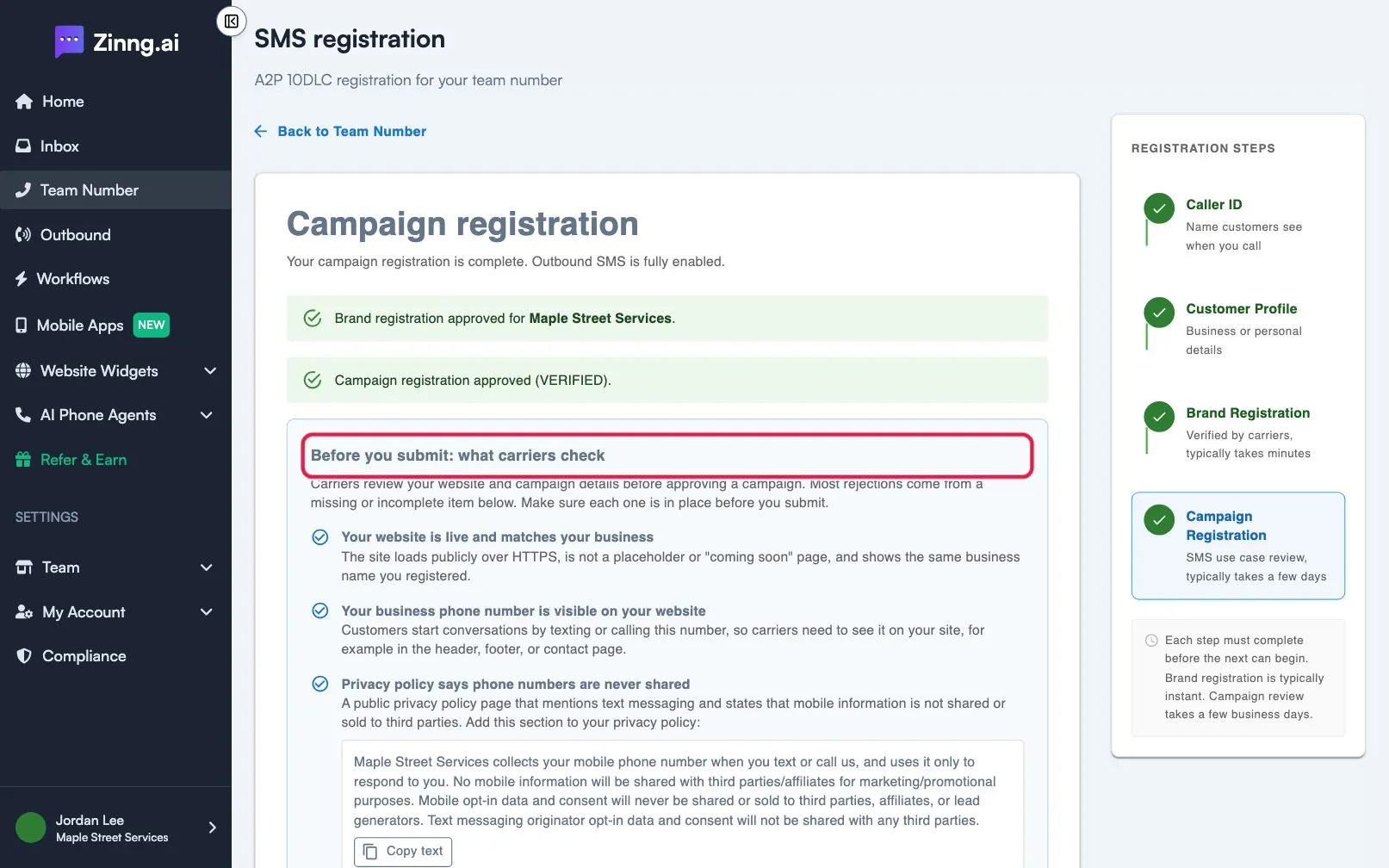
Section titled “Check what carriers look at before you submit”On the Campaign Registration step, a panel titled Before you submit: what carriers check lists everything carriers review, with text you can copy for your privacy policy and terms page. Select Check my registration to test your details before you submit.
Common tasks
Section titled “Common tasks”- Register for the first time: follow register for A2P 10DLC step by step.
- Learn why registration is needed: read what is A2P 10DLC.
- A step was not approved: see fix a rejected SMS campaign.
- Your number is toll-free: see toll-free number verification.