
Inbox basics: calls, texts and chats in one place
Learn how calls, texts and website chats appear as one conversation per contact, and how to open, filter and read them in your inbox.
Every call your AI agent answers, every text and every website chat shows up in your inbox. Each contact has one conversation, so you never have to piece the history together.
How do I read my conversations?
Section titled “How do I read my conversations?”-
Open the inbox.
Select Inbox in the left menu or go to the Inbox page.
-
Pick a filter.
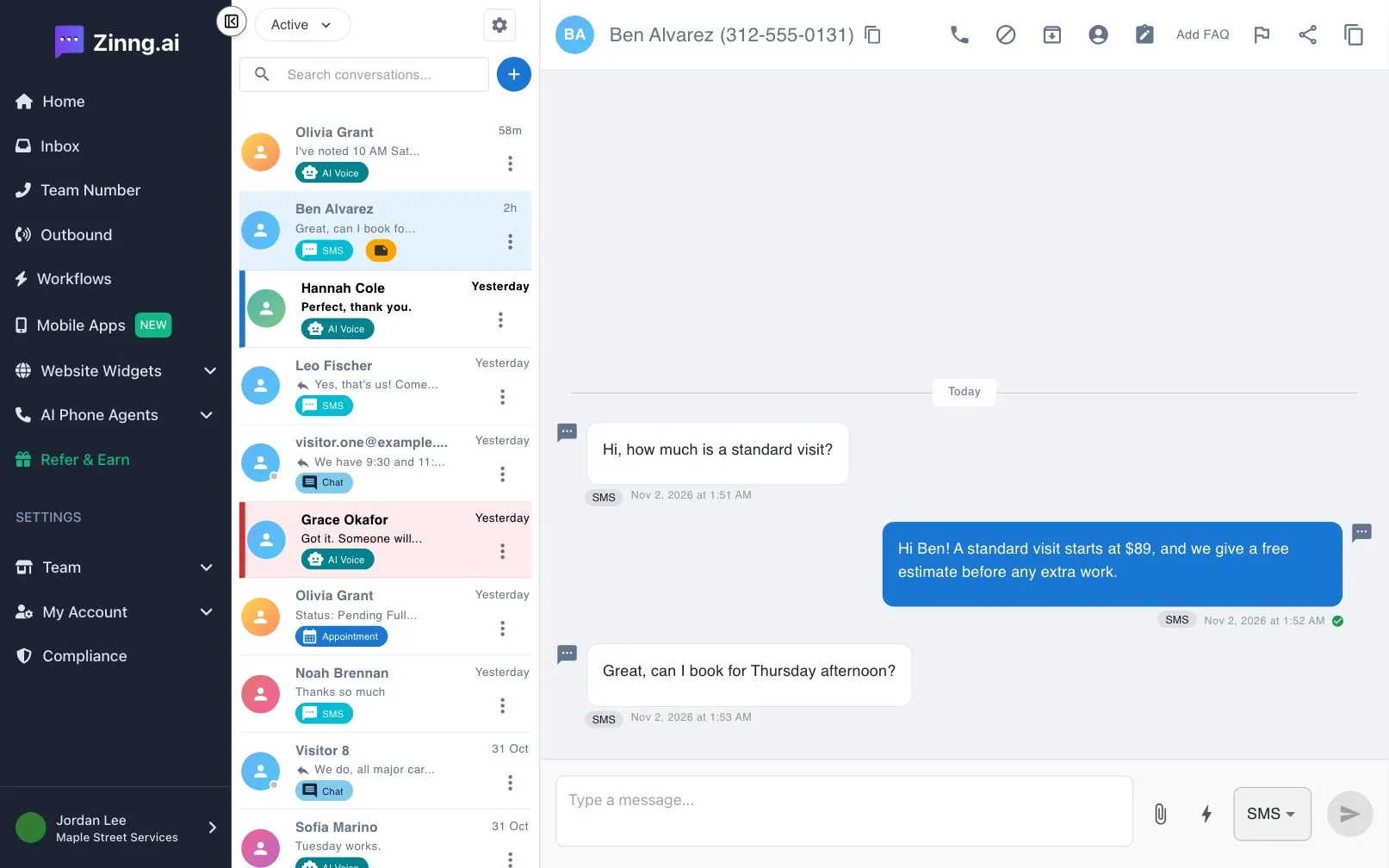
The list starts on Active, which holds every conversation you have not archived. Open the filter menu to switch to Archived, Urgent or Unread.
-
Open a conversation.
Select a row. Calls from your AI agent appear with their transcript, and you can play the recording where one exists. Texts and chats appear as message bubbles with the date and time.
-
Check who it is.
Select User Details at the top to see the contact’s details.
Each row has a tag that tells you where the latest message came from, such as AI Voice, SMS or Chat.