
Go live with a plan and a phone number
Start a 7-day free trial, pick a phone number for your agent in the setup wizard, and test a real call before you share the number.
Your agent cannot take real calls until you start a plan and give it a phone number. Start a 7-day free trial on the Subscription page, choose a number in the agent setup wizard, then call that number to test it.
Before you start
Section titled “Before you start”- An agent you have already tested. See set up your first AI phone agent and test your AI phone agent.
- A payment card. The trial needs one.
Start a plan and choose a number
Section titled “Start a plan and choose a number”-
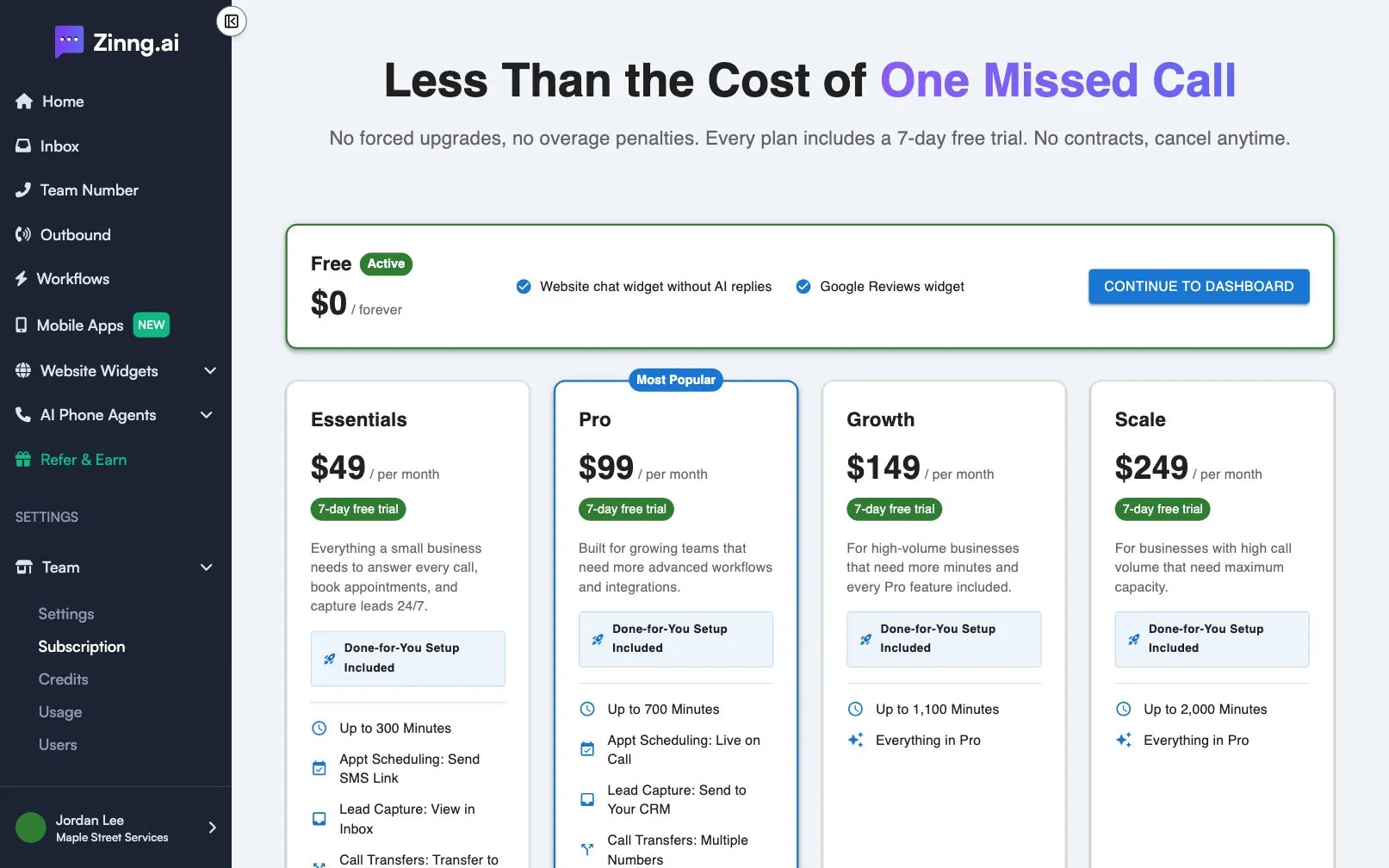
Open the Subscription page.
Finishing the setup wizard sends you to the Subscription page. You can also open it later from the app.
-
Choose a plan.
Plans differ by monthly price, included minutes, agents and team members. Essentials is $49 a month with 300 minutes, one agent and one team member. Every paid plan starts with a 7-day free trial. Select Start 7-Day Free Trial on the plan you want and complete the checkout.
-
Open the agent setup wizard.
After checkout you see Thank you for starting your trial! Select Set up your agent. The wizard walks through Phone number, Welcome message & Timezone, Agent voice, Scheduling and Call transfers.
-
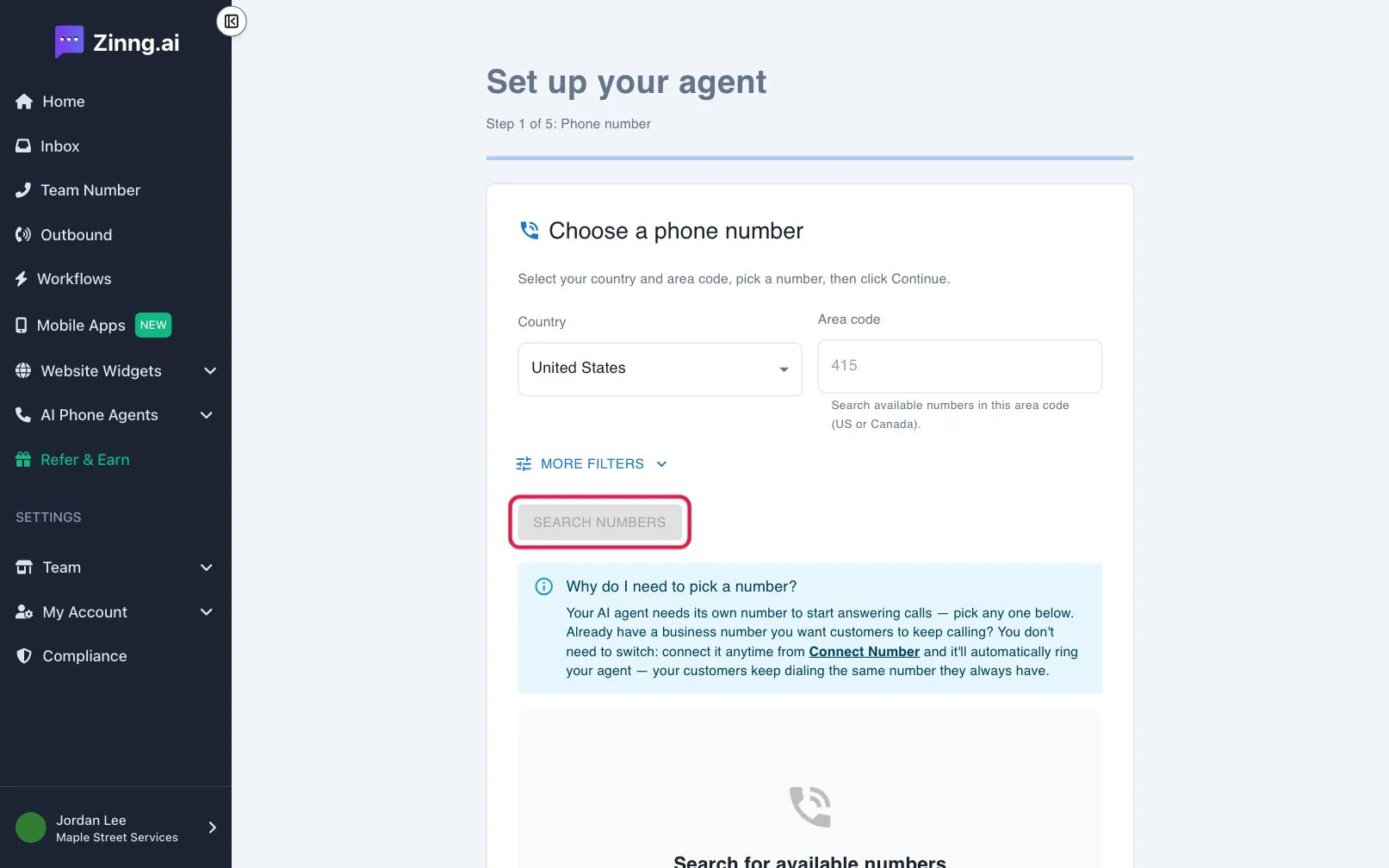
Choose a phone number.
On Choose a phone number, pick your Country and Area code. Select Search numbers, pick a number from the list, then select Continue. You can narrow the list with Search by digits or phrases and Match To.
-
Finish the wizard.
Go through the remaining steps, adjusting what you want, and select Finish setup. The number is now assigned to your agent.
-
Call your agent.
From a different phone, call the new number. Ask the same questions you asked in the web call. Share the number only after it sounds right.
Troubleshooting
Section titled “Troubleshooting”My agent still has no phone number
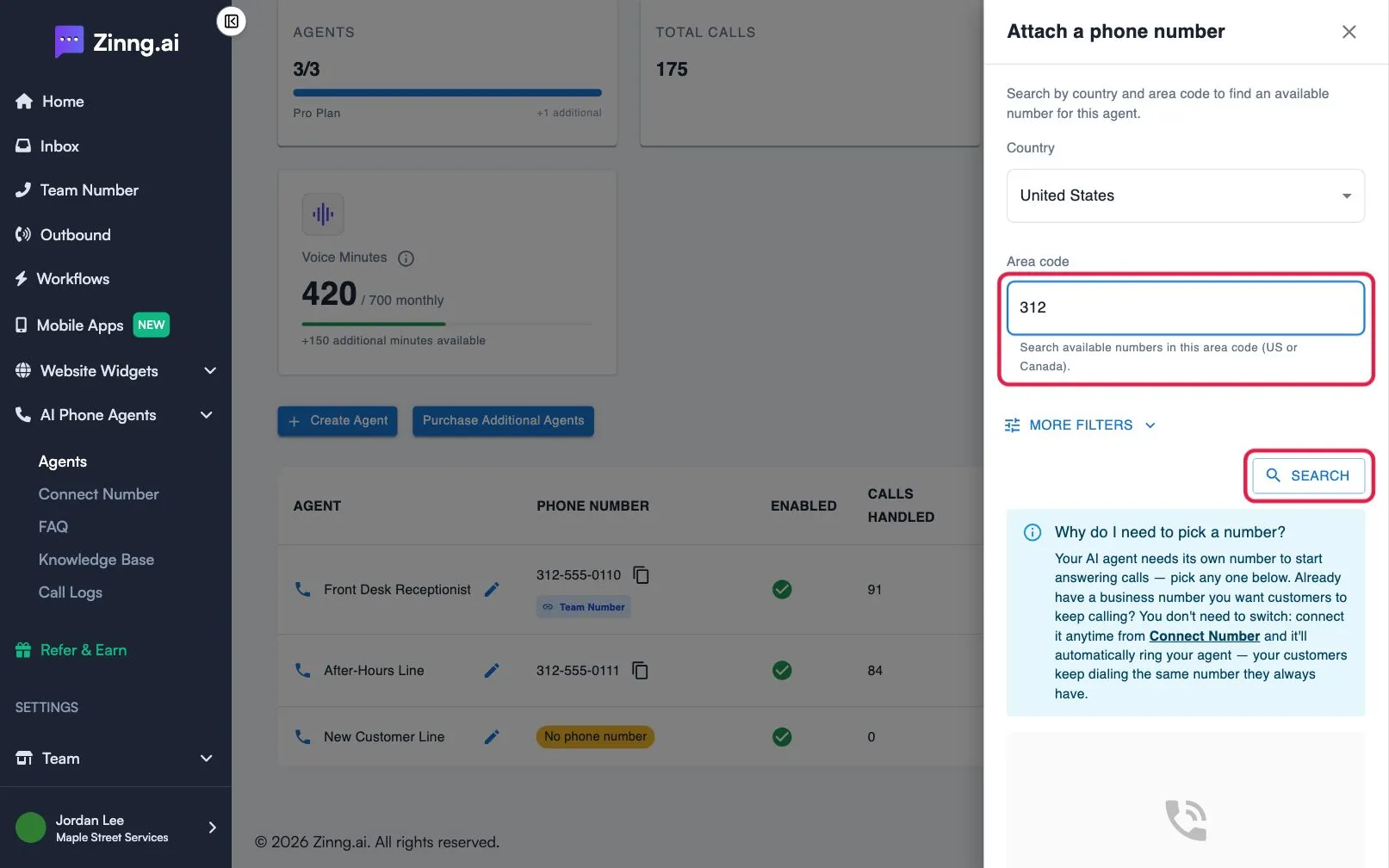
Section titled “My agent still has no phone number”The agent only gets a number after you start a plan and finish the Phone number step. Open the AI phone agents page. An agent without a number shows No phone number; select it to choose one.
No numbers appear for my area code
Section titled “No numbers appear for my area code”Try a nearby area code, or a different country. Use Search by digits or phrases only if you want a specific pattern.
The live call is wrong
Section titled “The live call is wrong”Do not share the number yet. Correct your agent’s instructions, then call again.
Next steps
Section titled “Next steps”- Share your new number wherever customers look for you.
- Return to the get started overview to repeat any step.