
Compliance settings: your Business Associate Agreement
See your Business Associate Agreement status, sign it for HIPAA and download the signed PDF copy from the Compliance page.
The Compliance page holds your Business Associate Agreement (BAA). It shows whether the agreement is signed, lets you sign it, and keeps a signed copy for your records. It helps a business that handles protected health information use its AI phone agent with the right agreement in place.
Open the Compliance page
Section titled “Open the Compliance page”In the left sidebar, scroll to the Settings section and select Compliance. You can also go straight to the Compliance page.
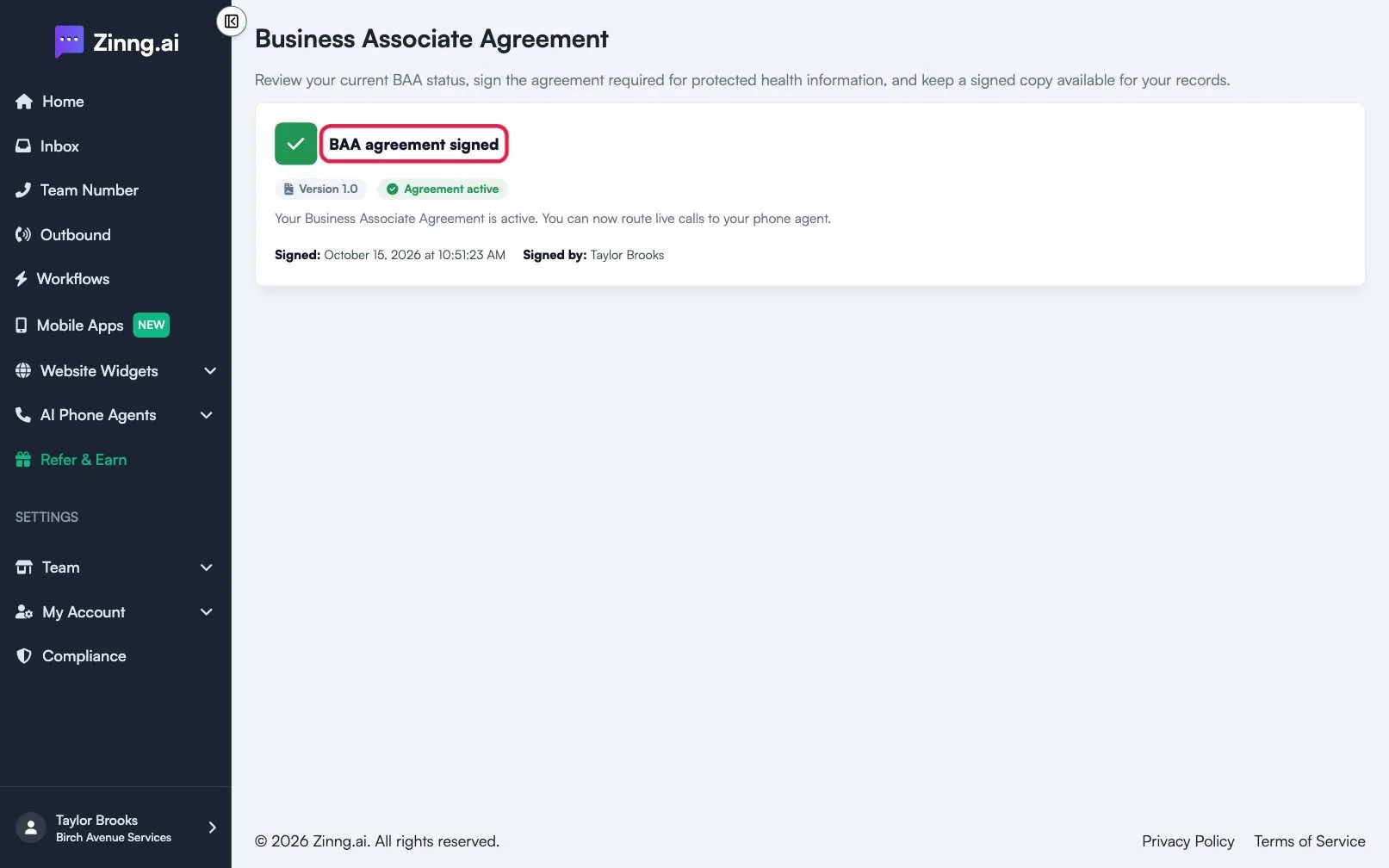
What the page shows
Section titled “What the page shows”The page has three states, depending on where you are.
| State | What you see | What to do |
|---|---|---|
| Ready for signature | Agreement for signature with the agreement text, a Version chip, a Ready for signature chip and a Before you sign panel | Review and sign the agreement. |
| Signed | BAA agreement signed, an Agreement active chip, the Signed date and time, Signed by and Download signed PDF | Download the PDF, or select Expand signed copy to read the agreement. |
| Not ready | Agreement not ready for signature with the note Signing link unavailable | Contact support; see below. |
The signed copy is read-only. A Version number shows which version of the agreement you signed.
Common tasks
Section titled “Common tasks”Sign the agreement
Section titled “Sign the agreement”Follow Sign the HIPAA BAA.
Download your signed copy
Section titled “Download your signed copy”- Open the Compliance page.
- Select Download signed PDF.
The signed PDF is also sent to your email when you sign.
Read the signed agreement
Section titled “Read the signed agreement”Select Expand signed copy to open the full text, then Collapse copy to close it.
Troubleshooting
Section titled “Troubleshooting”I do not see Compliance, or I am sent to the Dashboard
Section titled “I do not see Compliance, or I am sent to the Dashboard”Your team has not said it handles patient or medical information. Choose Yes on the “Will your phone agent handle patient or medical information?” question during setup, or contact support through the chat widget and ask for HIPAA compliance to be enabled.
The page says the agreement is not ready for signature
Section titled “The page says the agreement is not ready for signature”The signing link is not available for your team yet. Contact support through the chat widget.