
Google reviews widget settings: layout and limits
See every Google reviews widget setting: locations, heading, layout, styling and attribution, plus how many widgets and locations each plan includes.
The reviews widget shows your Google rating and reviews on your website. You connect your Google Business Profile, pick a layout and paste one line of code into your site. Every plan includes it, with limits that grow by plan.
How to open it
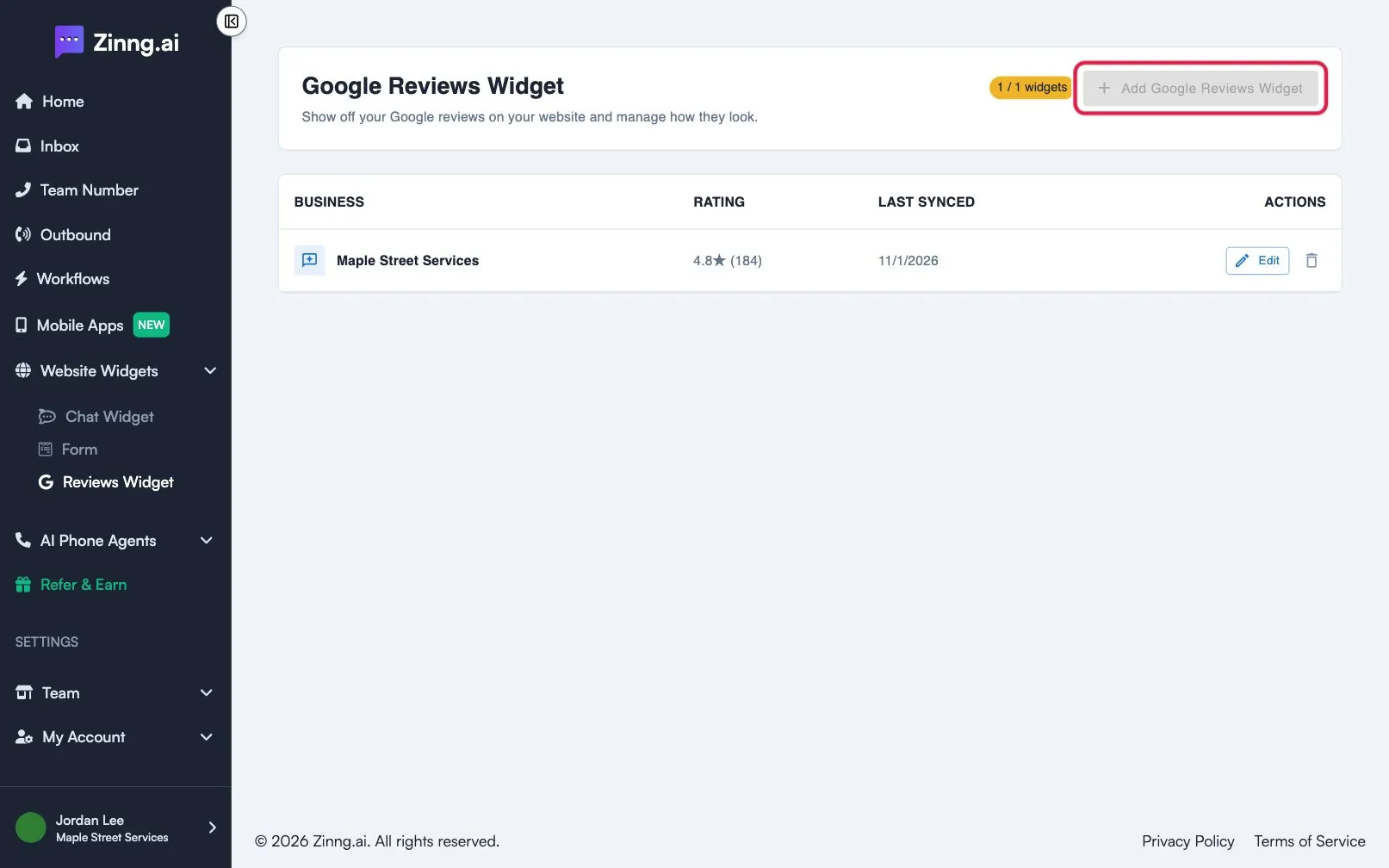
Section titled “How to open it”In the left menu, open Website Widgets, then select Reviews Widget (open the Reviews Widget page). The Google Reviews Widget page lists your widgets with their business, rating and last sync date. Select Edit to change one, or the bin icon to delete it. Deleting stops the widget showing reviews on your site right away.
What each plan includes
Section titled “What each plan includes”| Plan | Widgets | Locations per widget | Remove the “Powered by” link |
|---|---|---|---|
| Free | 1 | 1 | No |
| Essential | 3 | 3 | Yes |
| Pro | 7 | 5 | Yes |
| Growth | 12 | 7 | Yes |
| Scale | 20 | 10 | Yes |
A counter beside Add Google Reviews Widget shows how many you have used.
Settings
Section titled “Settings”Editing a widget opens two tabs: Installation and Settings.
| Setting | What it does | Plan if limited |
|---|---|---|
| Refresh now | Fetches your latest reviews. Reviews also update about once a day. | |
| Add location | Adds another Google Business location. Reviews from all locations are merged into one feed. | Per plan limit |
| Heading | The title above the reviews. | |
| Layout | Carousel or Slider. | |
| Reviews visible at once (desktop) | 1, 2 or 3 cards. Carousel only. | |
| Show ‘Powered by Zinng’ | Shows a small link below the widget. | Essential to turn off |
| Custom CSS | Advanced styling for people comfortable with code. |
Select Save to apply changes. A preview below the settings shows how the widget looks.
Good to know
Section titled “Good to know”- Google gives us a small number of reviews each time, so your list grows over days rather than all at once.
- The Review us on Google button links to your primary location, the first one you added.
- You can remove a location, but a widget needs at least one.
- You can refresh once per hour.