
Create your account and verify your phone
Sign up with Google or your email, confirm your email address with a code, and verify your mobile number so you can build your first AI phone agent.
Sign up with Google or with your email and a password, then confirm your email address and your mobile number. Both confirmations are quick codes, and you do not need a plan to finish.
Create your accountBefore you start
Section titled “Before you start”- An email address you can open right now. If a teammate invited you, use the address that received the invitation.
- A US or Canadian mobile number that can receive a text message.
- Already registered? Log in instead of creating a second account. See log in.
Create your account
Section titled “Create your account”-
Open the sign-up page.
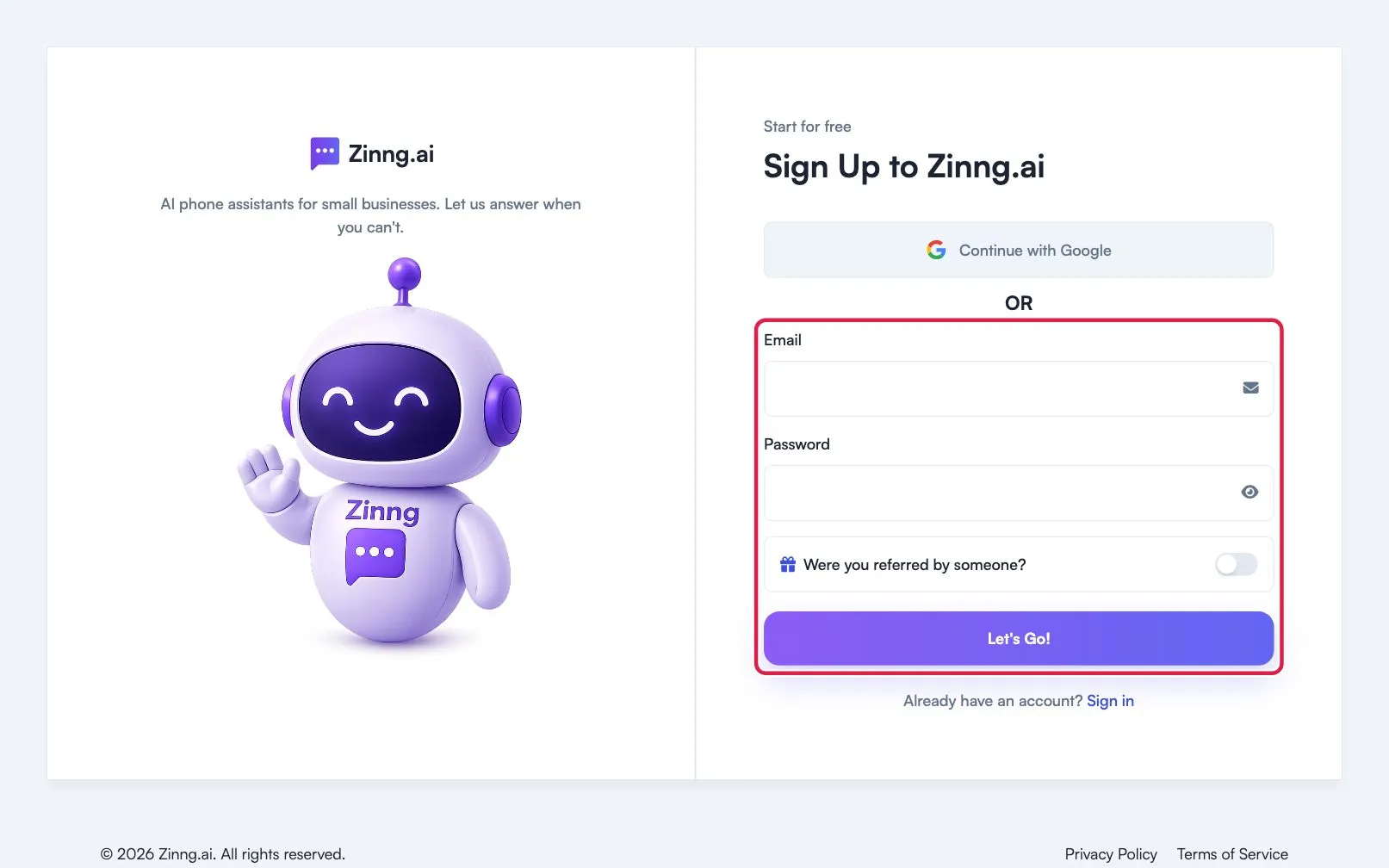
Go to the sign-up page. Select Continue with Google, or enter your email address and a password.
If someone referred you, open Were you referred by someone? and add their details. This is optional.
Select Let’s Go!
-
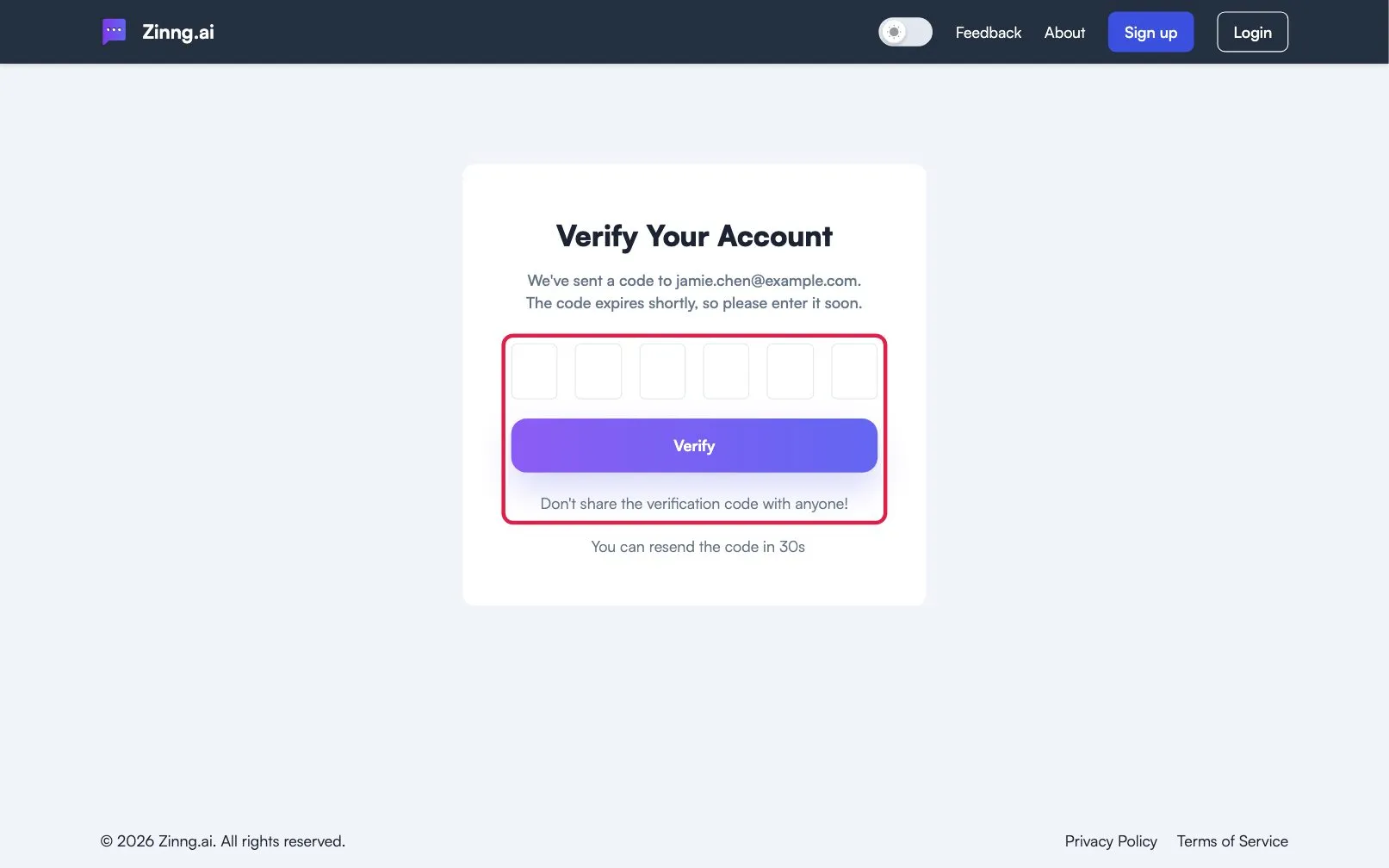
Confirm your email address.
Skip this step if you signed up with Google. Otherwise open the email with the subject Confirm Your Email Address, copy the six-digit code, enter it under Verify Your Account, and select Verify.
-
Verify your mobile number.
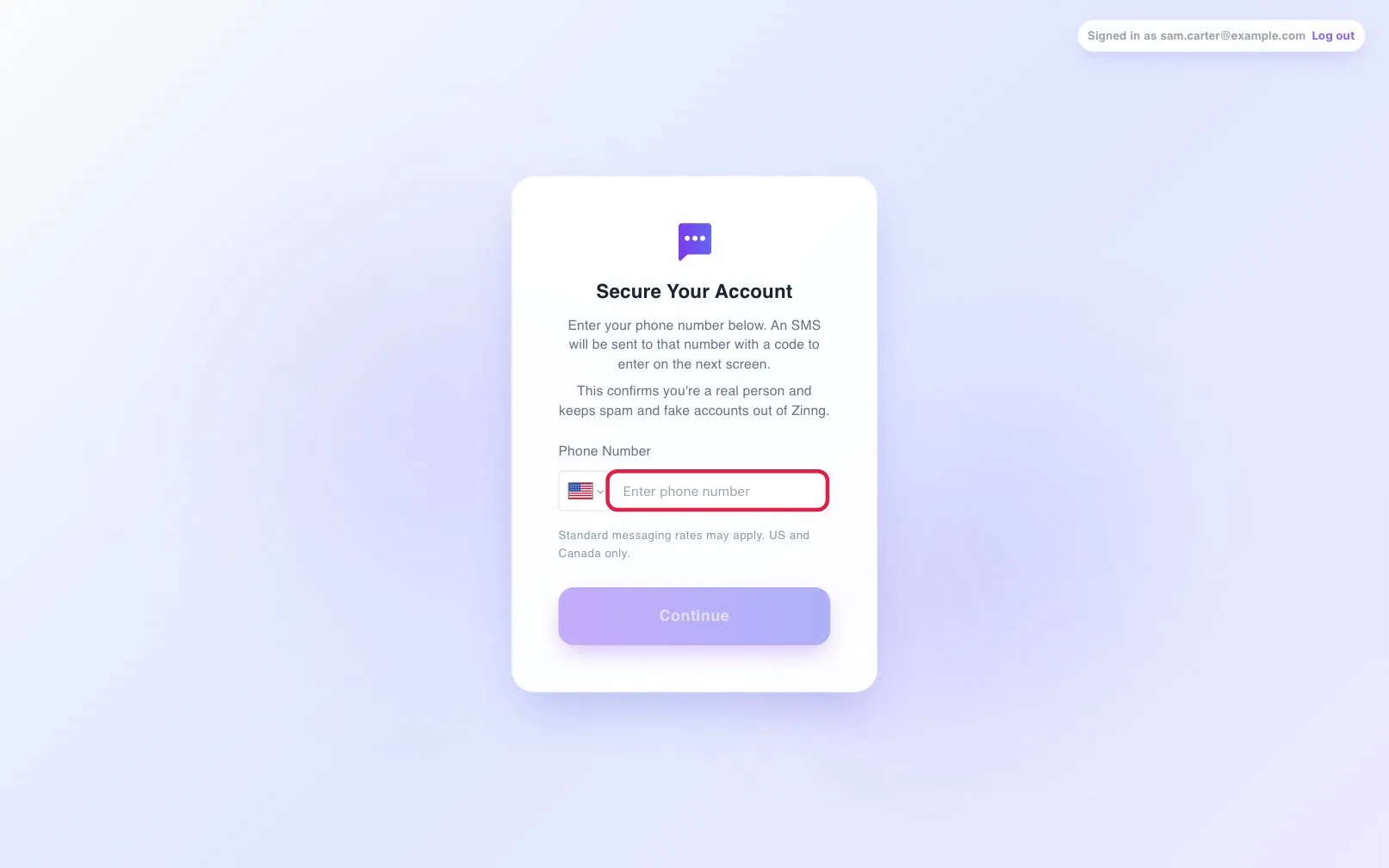
You are sent to phone verification. Under Secure Your Account, enter your mobile number, select Continue, then enter the six-digit code we text you and select Verify.
-
Start the setup wizard.
The setup wizard opens on its own. Continue with set up your first AI phone agent.
Troubleshooting
Section titled “Troubleshooting”The email code did not arrive
Section titled “The email code did not arrive”Check spam, junk and promotions, and confirm you typed the right address. When the countdown ends, select Resend.
The text code did not arrive
Section titled “The text code did not arrive”Check that the number is a US or Canadian mobile number. Select Resend code when the 30-second countdown ends. You can request 3 codes in 10 minutes; after that, wait 10 minutes. If you typed the wrong number, select Edit.
The text code is rejected
Section titled “The text code is rejected”Codes expire after 10 minutes, and you get 3 attempts per code. After the third wrong try, request a new code.