
Delete an agent
Delete an AI phone agent you no longer need from the Agents page, see what the confirmation says is removed, and free up a slot in your plan.
To delete an agent, open the Agents page, open the agent’s three-dot menu, select Delete Agent, and type I understand to confirm. Deleting frees a slot in your plan’s agent limit.
Delete the agent
Section titled “Delete the agent”-
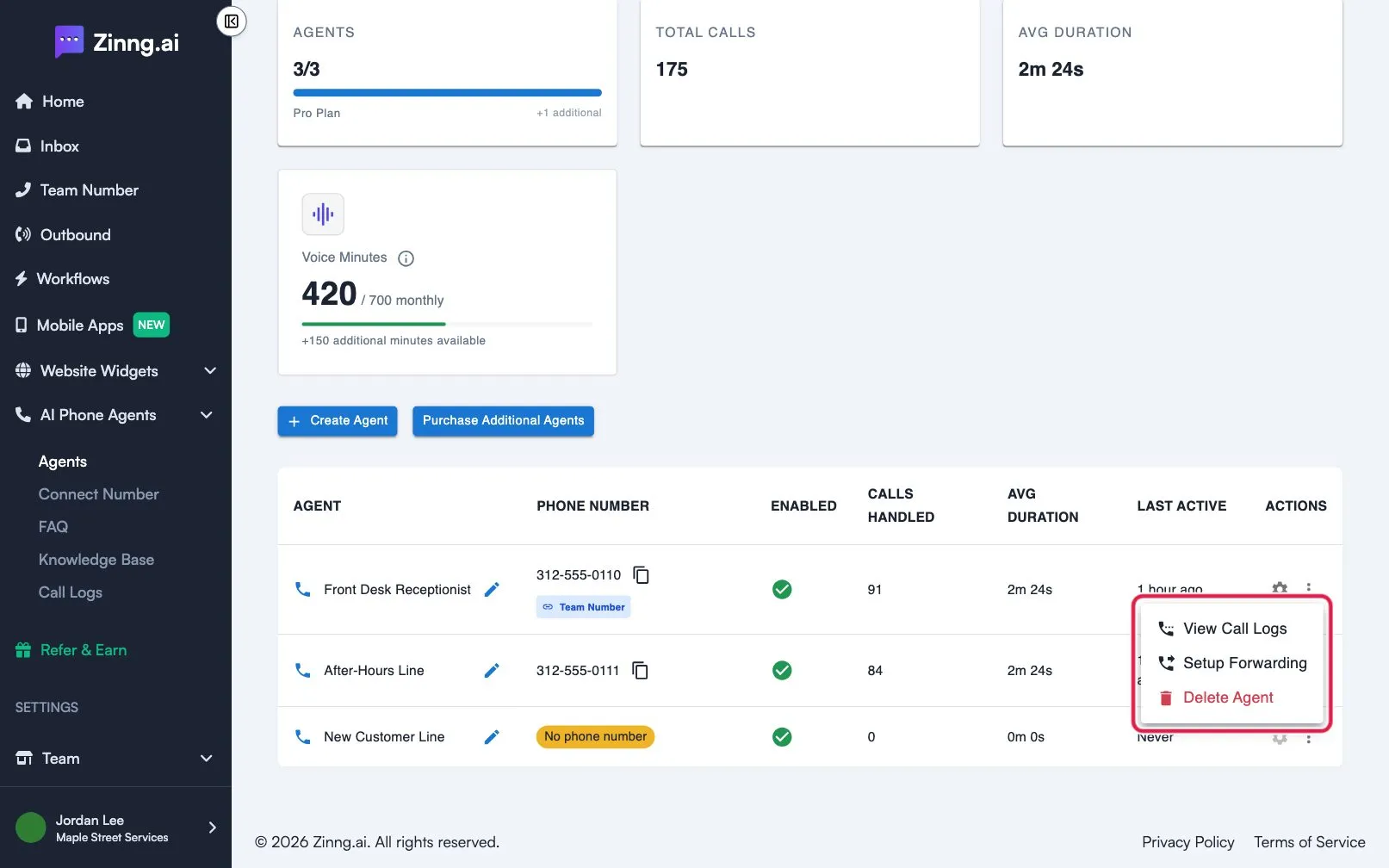
Open the actions menu.
On the Agents page, find the agent and select the three-dot menu in the ACTIONS column.
-
Select Delete Agent.
A window titled Delete Agent opens. It shows the agent’s Name, Phone Number and Calls Handled under Agent to be Deleted.
-
Confirm.
Type I understand exactly in the box. If the text does not match, the box shows Please type exactly “I understand” to confirm deletion.
-
Select Delete Agent.
The button stays off until the text matches. While it works it shows Deleting…. When it finishes you see Agent deleted successfully and the agent leaves the table.
To keep the agent, select Cancel or close the window.
Troubleshooting
Section titled “Troubleshooting”I see “Failed to delete agent. Please try again.”
Section titled “I see “Failed to delete agent. Please try again.””The agent was not deleted. Wait a moment, then repeat the steps above.