
The Connect Number page
Open the Connect Number page, choose from four ways to connect your phone number to your AI agent, and finish the guided setup step by step.
The Connect Number page is a short guided setup that sends the calls to your business number to your AI phone agent. Use it when you want callers to keep dialing the number they already know.
Open the page
Section titled “Open the page”In the left menu, open AI Phone Agents, then select Connect Number. You can also open the Connect Number page directly. You need at least one AI phone agent first. If you have none, the page shows No AI phone agent yet.
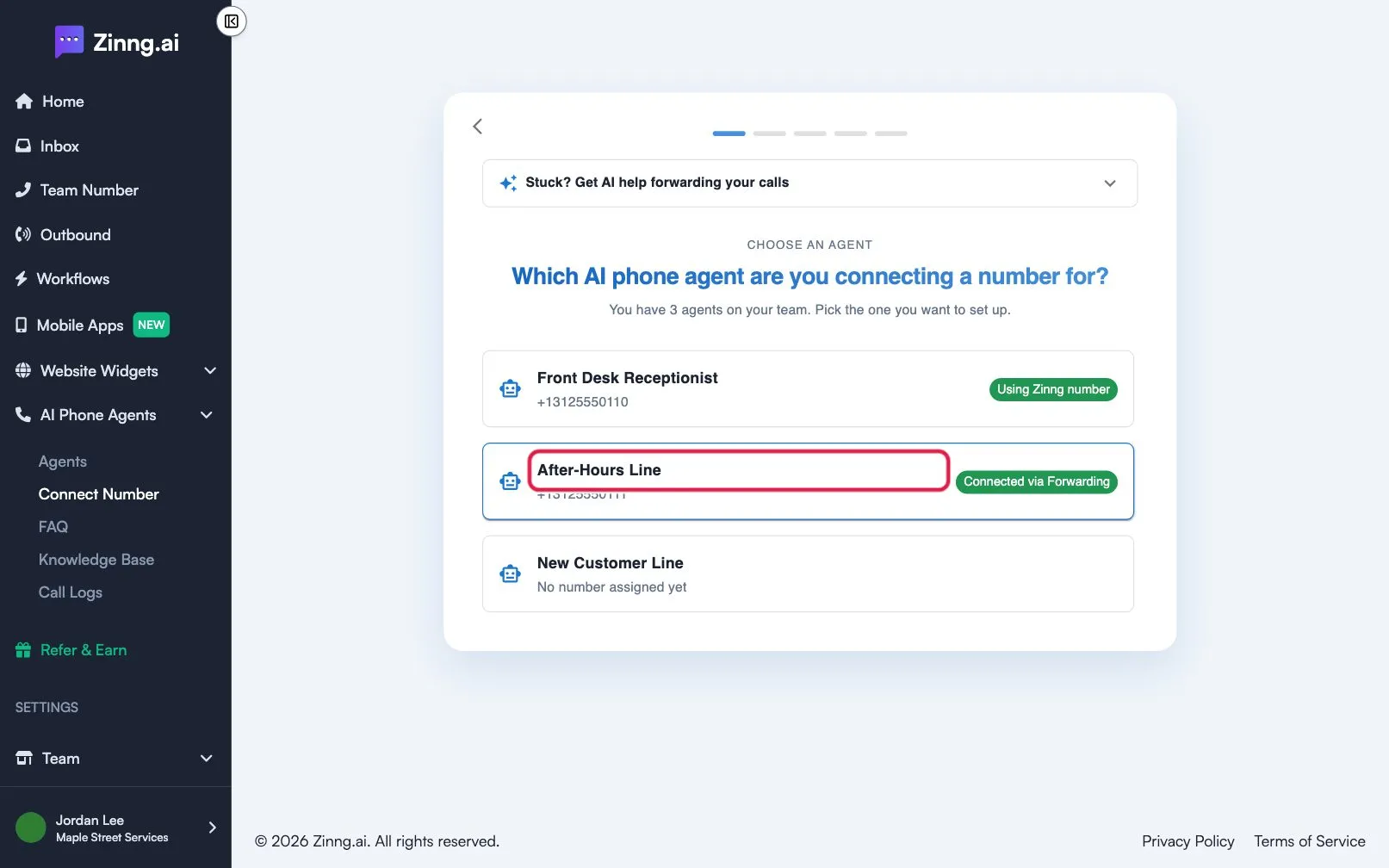
What the setup asks
Section titled “What the setup asks”The page opens on Let’s get your agent taking calls. Select Get started. If your team has more than one agent, you first pick the agent under Which AI phone agent are you connecting a number for? Each agent shows its number and a status such as Using Zinng number, Connected via Forwarding, Port request pending or Hosting request pending.
Then you answer How do you want your calls to reach Zinng? by picking one of four options:
| Option | What it means | Time |
|---|---|---|
| Keep my number, send calls to Zinng (Forwarding) | Your number stays with your phone company, which forwards calls to your agent. Marked Most popular. | About 5 minutes |
| Move my number over to Zinng (Porting) | Zinng takes over your number completely, and your current line keeps working until the move finishes. | A few days |
| Just use my Zinng number (No change) | You share the number your agent already has. Nothing to set up with your phone company. | Nothing to do |
| Connect my existing business line without SMS (Hosting) | Zinng connects to a business line directly. We check whether your line qualifies. | Less common |
Each option opens a short explanation of what changes, then the setup itself. The last step asks Is your number connected and ready to go? Confirm only after you finish the steps.
Common tasks
Section titled “Common tasks”- Forward calls from your phone. Follow forward your calls to your agent.
- Move your number to Zinng. Follow port your number to Zinng.
- Compare the options. See ways to send calls to your agent.
- Pick a different number for your agent. See choose a specific phone number.