
The Team Number page
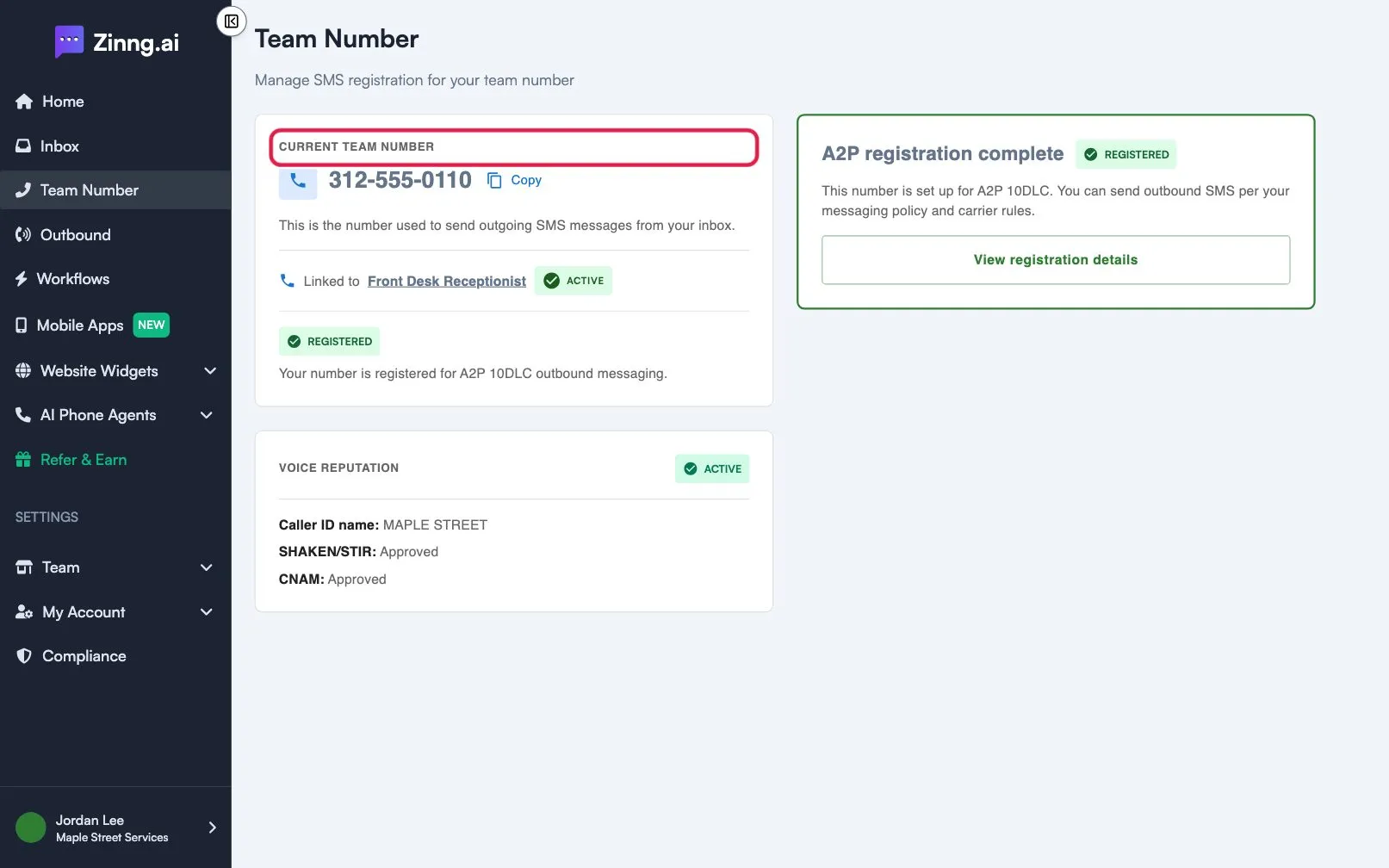
Check the Team Number page to see which number your team texts from, the agent it is linked to, and its texting registration and caller ID status.
The Team Number page shows the number your team uses to send text messages from the inbox, which agent it belongs to, and how far along its registration is.
Open the page
Section titled “Open the page”In the left menu, select Team Number, or open the Team Number page directly. If you have not selected a team, the page says Select a team to view your team number.
What the page shows
Section titled “What the page shows”| Area | What it shows |
|---|---|
| CURRENT TEAM NUMBER | The number used to send outgoing text messages from your inbox, with a Copy button. Before one exists, it says No SMS number is set up for your team yet. |
| Linked to | The agent that owns the number. Select its name to open that agent. An ACTIVE badge shows when the agent is on. Not linked means no agent is associated with the number yet. |
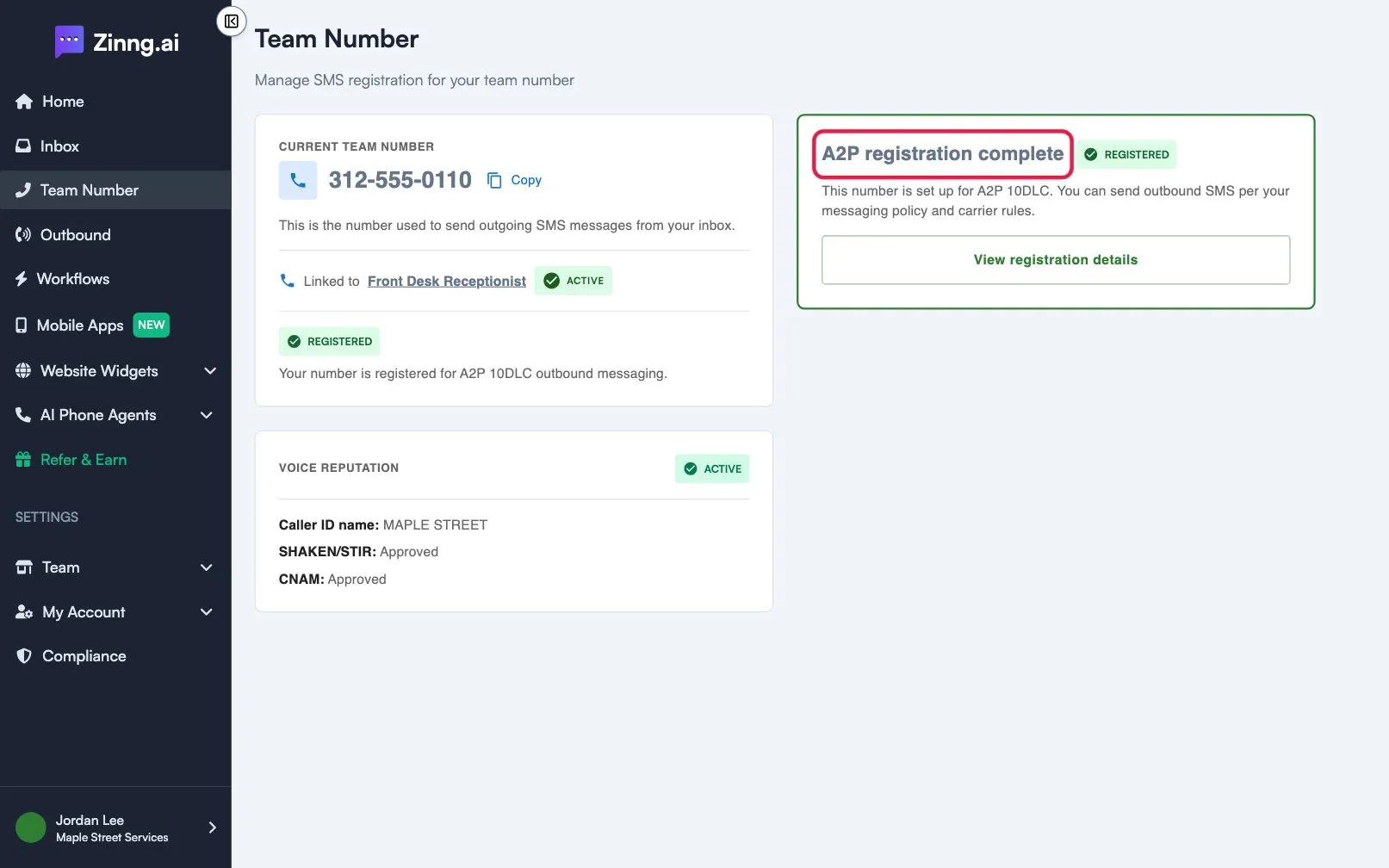
| Registration badge | The texting registration status: UNREGISTERED, DRAFT, IN PROGRESS, REGISTERED or REJECTED, with a short explanation. |
| VOICE REPUTATION | The caller ID status of the number. It is LOCKED until registration is submitted, then shows IN PROCESS, ACTIVE or FAILED, with Caller ID name, SHAKEN/STIR and CNAM details. |
| Registration card (right) | Where you start, continue or review texting registration. |
Common tasks
Section titled “Common tasks”- Copy the number. Select Copy next to the number.
- Check which agent the number belongs to. Read the Linked to line.
- Register the number for texting. Use the registration card. Registration is explained in the texting compliance section of this Help Center.
- Understand what the number does. See what your Team Number is and how texting status works.